108
S
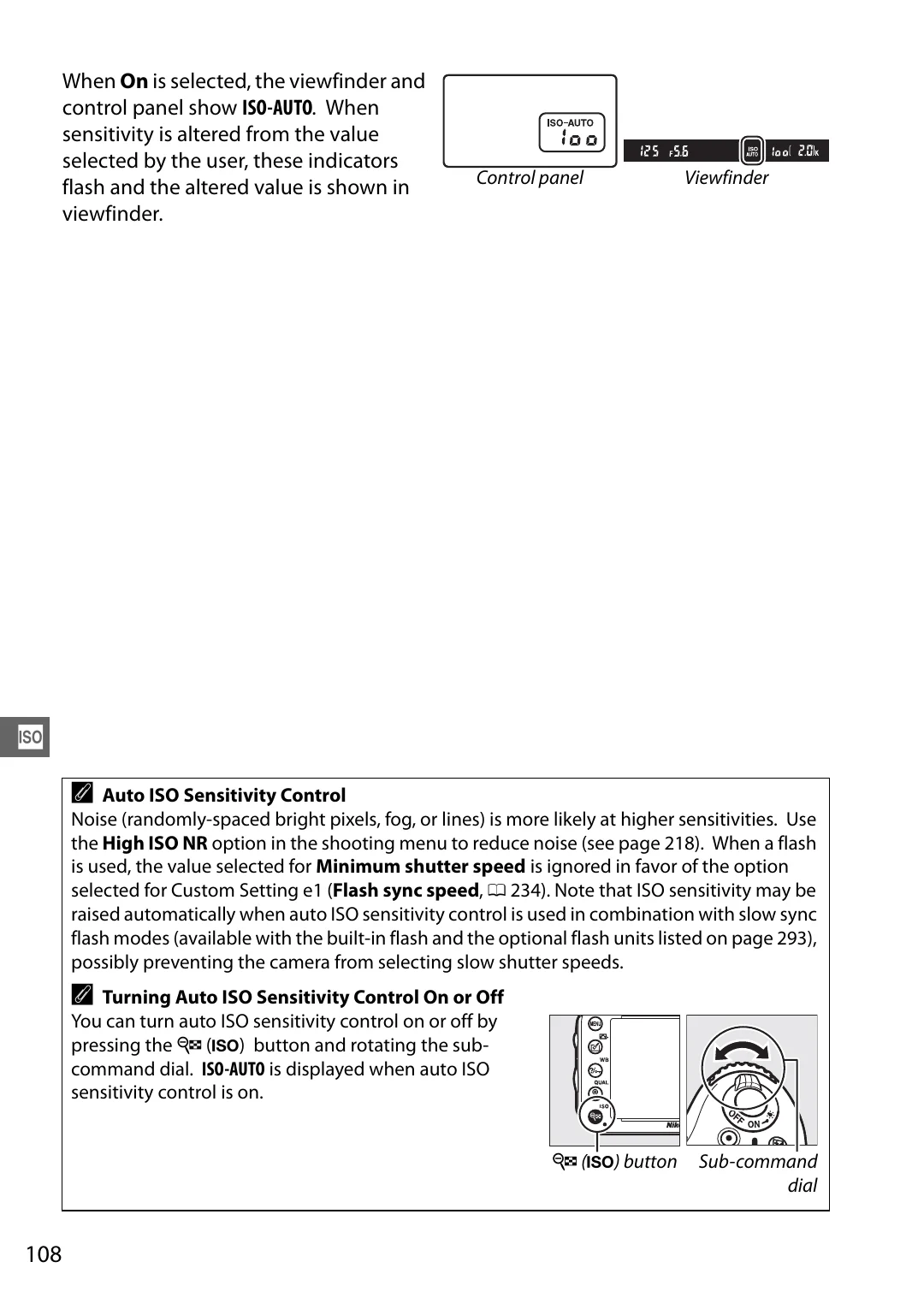
When
On
is selected, the viewfinder and
control panel show
ISO-AUTO
. When
sensitivity is altered from the value
selected by the user, these indicators
flash and the altered value is shown in
viewfinder.
A
Auto ISO Sensitivity Control
Noise (randomly-spaced bright pixels, fog, or lines) is more likely at higher sensitivities. Use
the
High ISO NR
option in the shooting menu to reduce noise (see page 218). When a flash
is used, the value selected for
Minimum shutter speed
is ignored in favor of the option
selected for Custom Setting e1 (
Flash sync speed
,
234). Note that ISO sensitivity may be
raised automatically when auto ISO sensitivity control is used in combination with slow sync
flash modes (available with the built-in flash and the optional flash units listed on page 293),
possibly preventing the camera from selecting slow shutter speeds.
A
Turning Auto ISO Sensitivity Control On or Off
You can turn auto ISO sensitivity control on or off by
pressing the
W
(
S
) button and rotating the sub-
command dial.
ISO-AUTO
is displayed when auto ISO
sensitivity control is on.
Control panel
Viewfinder
W
(
S
) button
Sub-command
dial