117
r
Fine-Tuning White Balance
White balance can be “fine-tuned” to compensate for variations in the color of the
light source or to introduce a deliberate color cast into an image. White balance is
fine-tuned using the
White balance
option in the shooting menu or by pressing the
L
(
U
) button and rotating the sub-command dial.
❚❚
The White Balance Menu
1
Select a white balance option in the
shooting menu.
To display the menus, press the
G
button.
Select
White balance
in the shooting menu,
then highlight a white balance option and
press
2
. If an option other than
Auto
,
Fluorescent
,
Choose color temp.
, or
Preset
manual
is selected, proceed to Step 2. If
Auto
,
Fluorescent
, or
Choose color
temp.
is selected, highlight the desired setting and press
2
. For information on
fine-tuning preset white balance, see page 125.
2
Fine tune white balance.
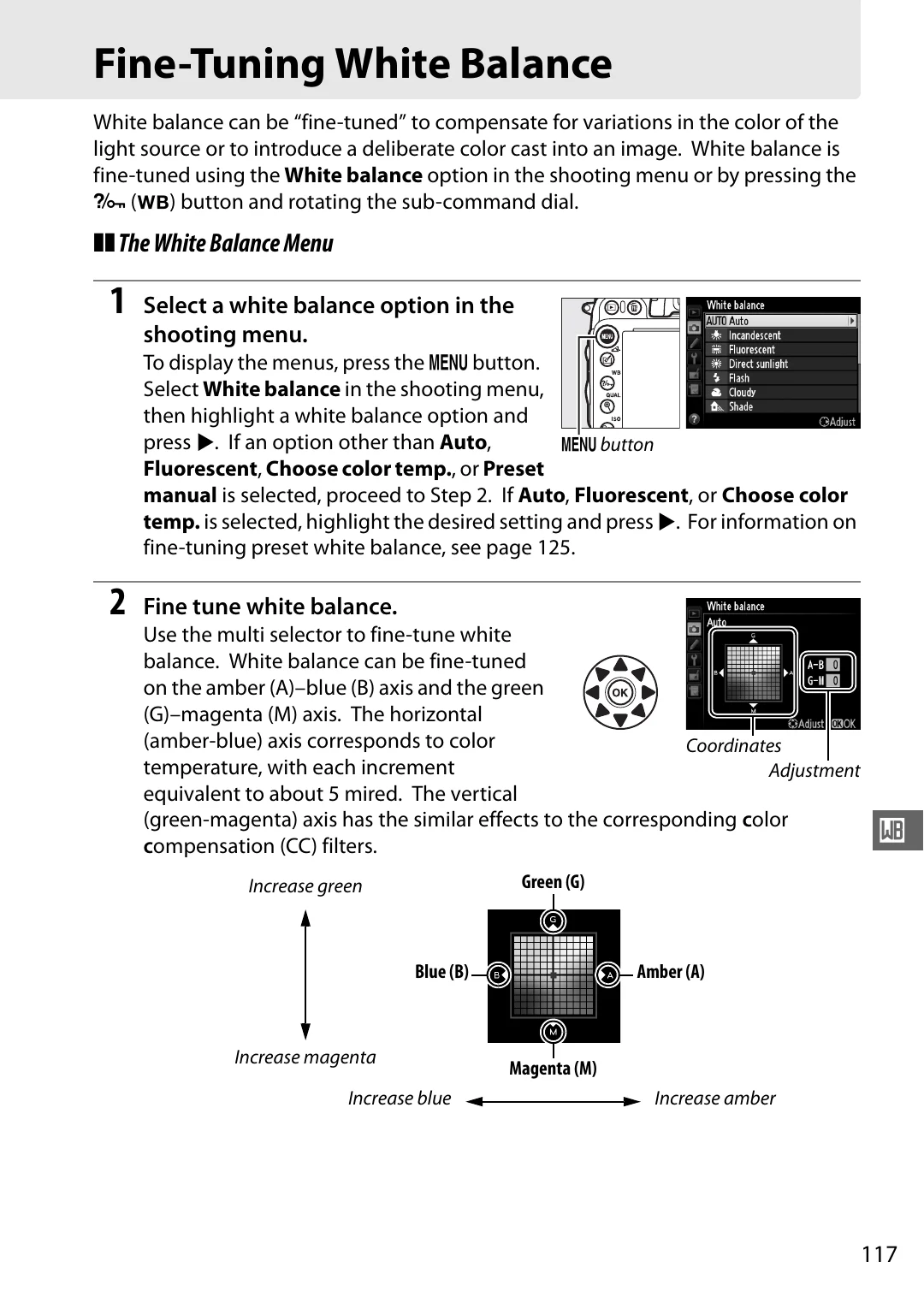
Use the multi selector to fine-tune white
balance. White balance can be fine-tuned
on the amber (A)–blue (B) axis and the green
(G)–magenta (M) axis. The horizontal
(amber-blue) axis corresponds to color
temperature, with each increment
equivalent to about 5 mired. The vertical
(green-magenta) axis has the similar effects to the corresponding
c
olor
c
ompensation (CC) filters.
G
button
Coordinates
Adjustment
Increase green
Increase magenta
Increase blue
Increase amber
Green (G)
Magenta (M)
Blue (B)
Amber (A)