33
X
Adjust Viewfinder Focus
The camera is equipped with diopter adjustment to accommodate individual
differences in vision. Check that the display in the viewfinder is in focus before
framing pictures in the viewfinder.
1
Turn the camera on.
Remove the lens cap and turn the camera on.
2
Focus the viewfinder.
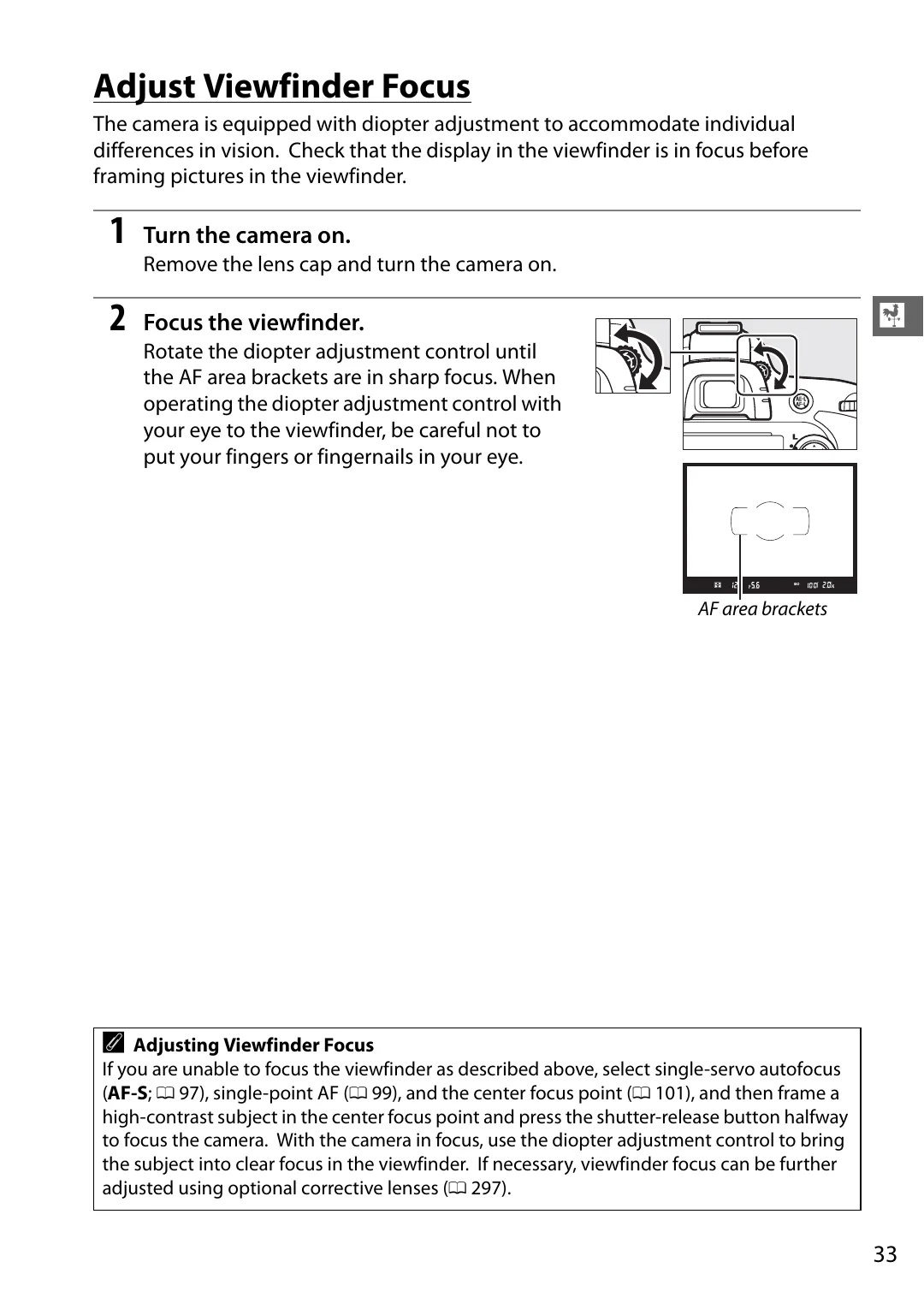
Rotate the diopter adjustment control until
the AF area brackets are in sharp focus. When
operating the diopter adjustment control with
your eye to the viewfinder, be careful not to
put your fingers or fingernails in your eye.
A
Adjusting Viewfinder Focus
If you are unable to focus the viewfinder as described above, select single-servo autofocus
(
AF-S
;
97), single-point AF (
99), and the center focus point (
101), and then frame a
high-contrast subject in the center focus point and press the shutter-release button halfway
to focus the camera. With the camera in focus, use the diopter adjustment control to bring
the subject into clear focus in the viewfinder. If necessary, viewfinder focus can be further
adjusted using optional corrective lenses (
AF area brackets