209
U
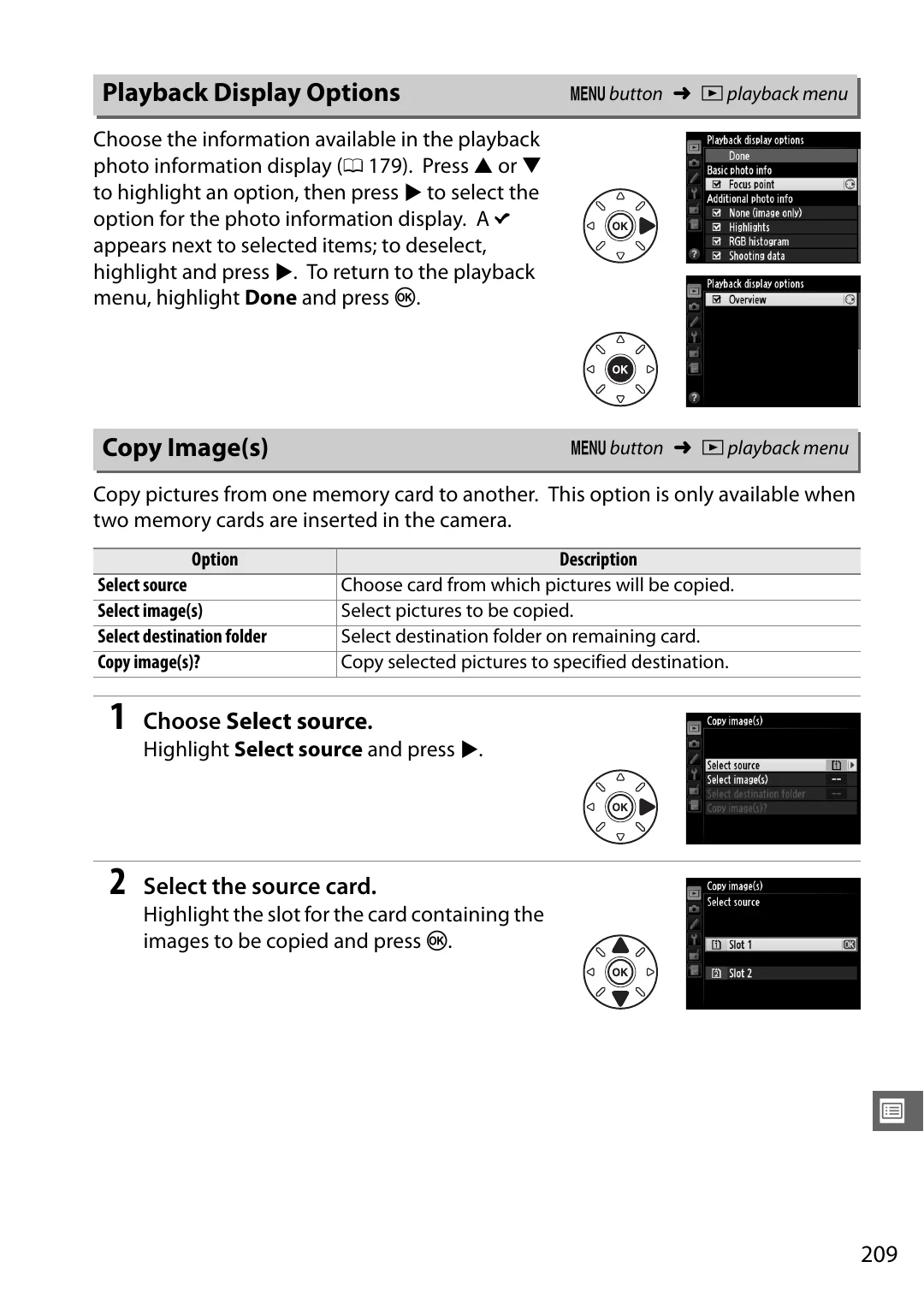
Choose the information available in the playback
photo information display (
179). Press
1
or
3
to highlight an option, then press
2
to select the
option for the photo information display. A
L
appears next to selected items; to deselect,
highlight and press
2
. To return to the playback
menu, highlight
Done
and press
J
.
Copy pictures from one memory card to another. This option is only available when
two memory cards are inserted in the camera.
1
Choose
Select source
.
Highlight
Select source
and press
2
.
2
Select the source card.
Highlight the slot for the card containing the
images to be copied and press
J
.
Playback Display Options
G
button
➜
D
playback menu
Copy Image(s)
G
button
➜
D
playback menu
Option
Description
Select source
Choose card from which pictures will be copied.
Select image(s)
Select pictures to be copied.
Select destination folder
Select destination folder on remaining card.
Copy image(s)?
Copy selected pictures to specified destination.