CD PLAYER
English
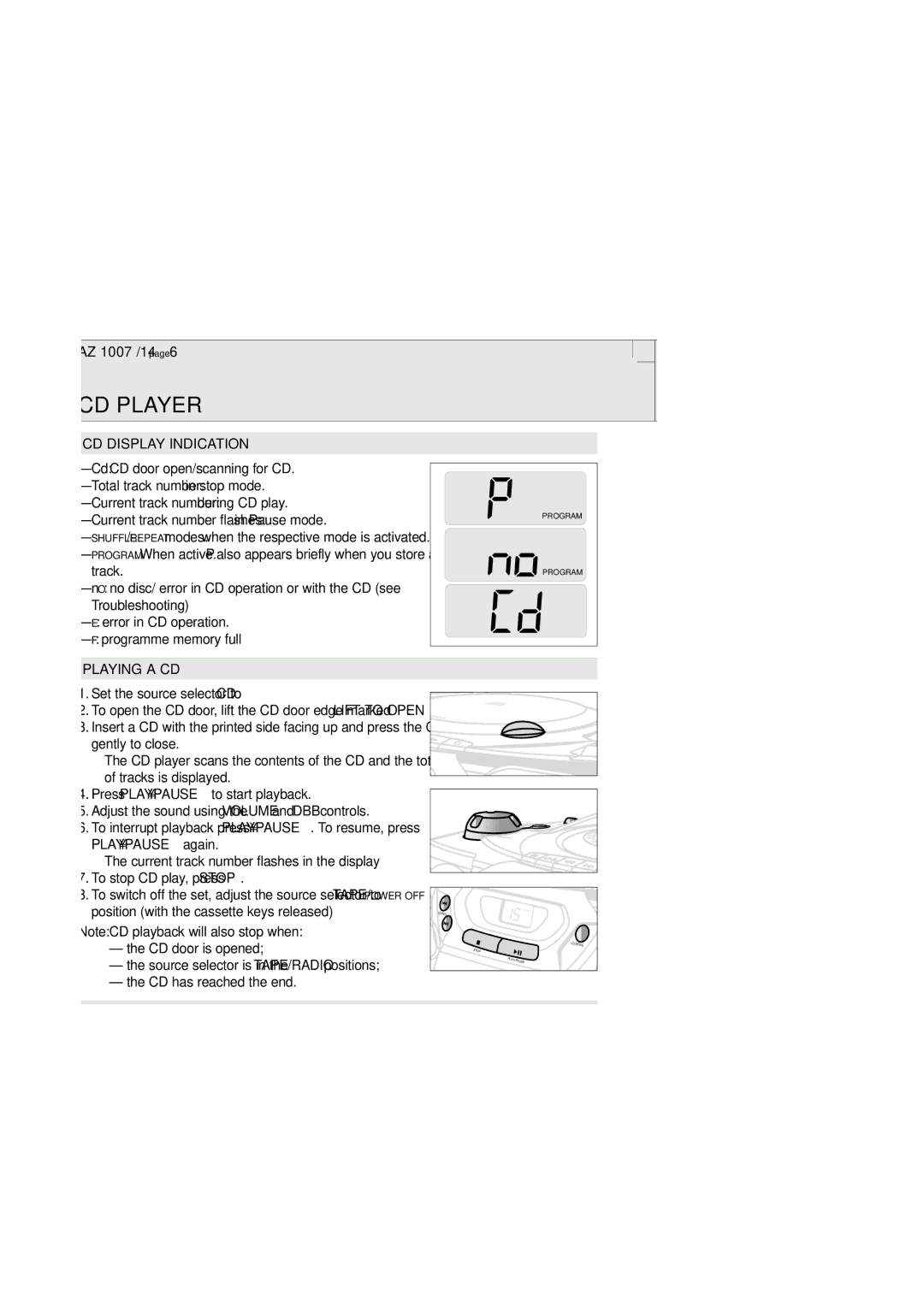
CD DISPLAY INDICATION
–Cd: CD door open/scanning for CD.
–Total track number: in stop mode.
–Current track number: during CD play.
–Current track number flashes: in Pause mode.
–SHUFFLE/REPEAT modes: when the respective mode is activated.
–PROGRAM: When active. P also appears briefly when you store a track.
–nO: no disc/ error in CD operation or with the CD (see Troubleshooting)
–E: error in CD operation.
–F: programme memory full
PLAYING A CD
1.Set the source selector to CD
2.To open the CD door, lift the CD door edge marked LIFT TO OPEN.
3.Insert a CD with the printed side facing up and press the CD door gently to close.
™The CD player scans the contents of the CD and the total number of tracks is displayed.
4.Press PLAY•PAUSE 2; to start playback.
5.Adjust the sound using the VOLUME and DBB controls.
6.To interrupt playback press PLAY•PAUSE 2;. To resume, press PLAY•PAUSE 2; again.
™The current track number flashes in the display
7.To stop CD play, press STOP 9.
8.To switch off the set, adjust the source selector to TAPE/POWER OFF position (with the cassette keys released)
Note: CD playback will also stop when:
–the CD door is opened;
–the source selector is in the TAPE/RADIO positions;
–the CD has reached the end.
PROGRAM |
PROGRAM |
PLAY |
R |
ECORD |
PAUSE | |
|
SEARCH
SEARCH | SHUFFLE |
|
CD MODE
STOP
PLAY•PAUSE
SELECTING A DIFFERENT TRACK
During playback, you can use the SEARCH keys to select a particular track.
1.Press SEARCH § once for the next track, or press repeatedly until the desired track number appears in the display.
Press SEARCH ∞ once to return to the beginning of a current track. Press SEARCH ∞ more than once for a previous track.
2.If you have selected a track number in the stop or pause position, you will need to press PLAY•PAUSE 2; to start playback.
Finding a passage within a track
1.Press and hold down SEARCH ∞ or §.
™ The CD is played at high speed and low volume.
2.When you recognize the passage you want, release the SEARCH key.
SEARCH
SHUFFLE
CD MODE
STOP
PLAY•PAUSE
6