CONVERGENCE (UNDO MULTIPOINT)
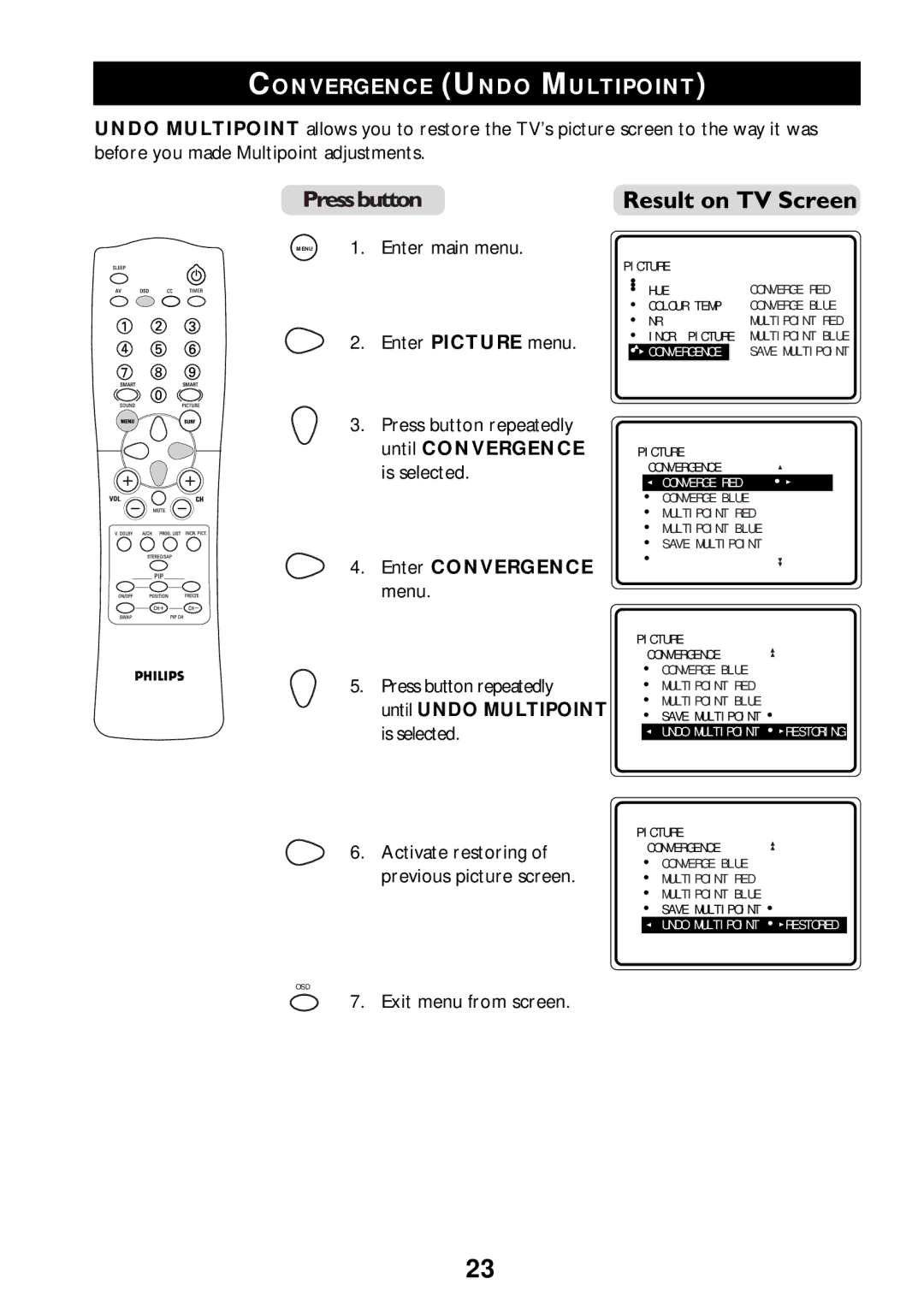
UNDO MULTIPOINT allows you to restore the TV’s picture screen to the way it was before you made Multipoint adjustments.
MENU | 1. Enter main menu. |
2. Enter PICTURE menu.
3.Press button repeatedly until CONVERGENCE is selected.
4. Enter CONVERGENCE
menu.
5.Press button repeatedly
until UNDO MULTIPOINT is selected.
6. Activate restoring of previous picture screen.
PICTURE |
|
• HUE | CONVERGE RED |
• COLOUR TEMP | CONVERGE BLUE |
• NR | MULTIPOINT RED |
•INCR. PICTURE MULTIPOINT BLUE
▲ | SAVE MULTIPOINT |
• CONVERGENCE | |
▲ | É |
|
PICTURE |
| |
| CONVERGENCE |
|
| • CONVERGE RED | • |
| • CONVERGE BLUE |
|
| • MULTIPOINT RED |
|
| •▲ MULTIPOINT BLUE |
|
| ▲ | É |
| • SAVE MULTIPOINT | |
|
| |
| • |
|
PICTURE
CONVERGENCE
•CONVERGE BLUE
• MULTIPOINT RED •
•MULTIPOINT BLUE
•▲ SAVE MULTIPOINT •
•UNDO MULTIPOINT • RESTORING
PICTURE
CONVERGENCE
•CONVERGE BLUE
• MULTIPOINT RED •
•MULTIPOINT BLUE
•▲ SAVE MULTIPOINT •
•UNDO MULTIPOINT • RESTORED
OSD
7. Exit menu from screen.
23