ACTIVATING THE TIMER
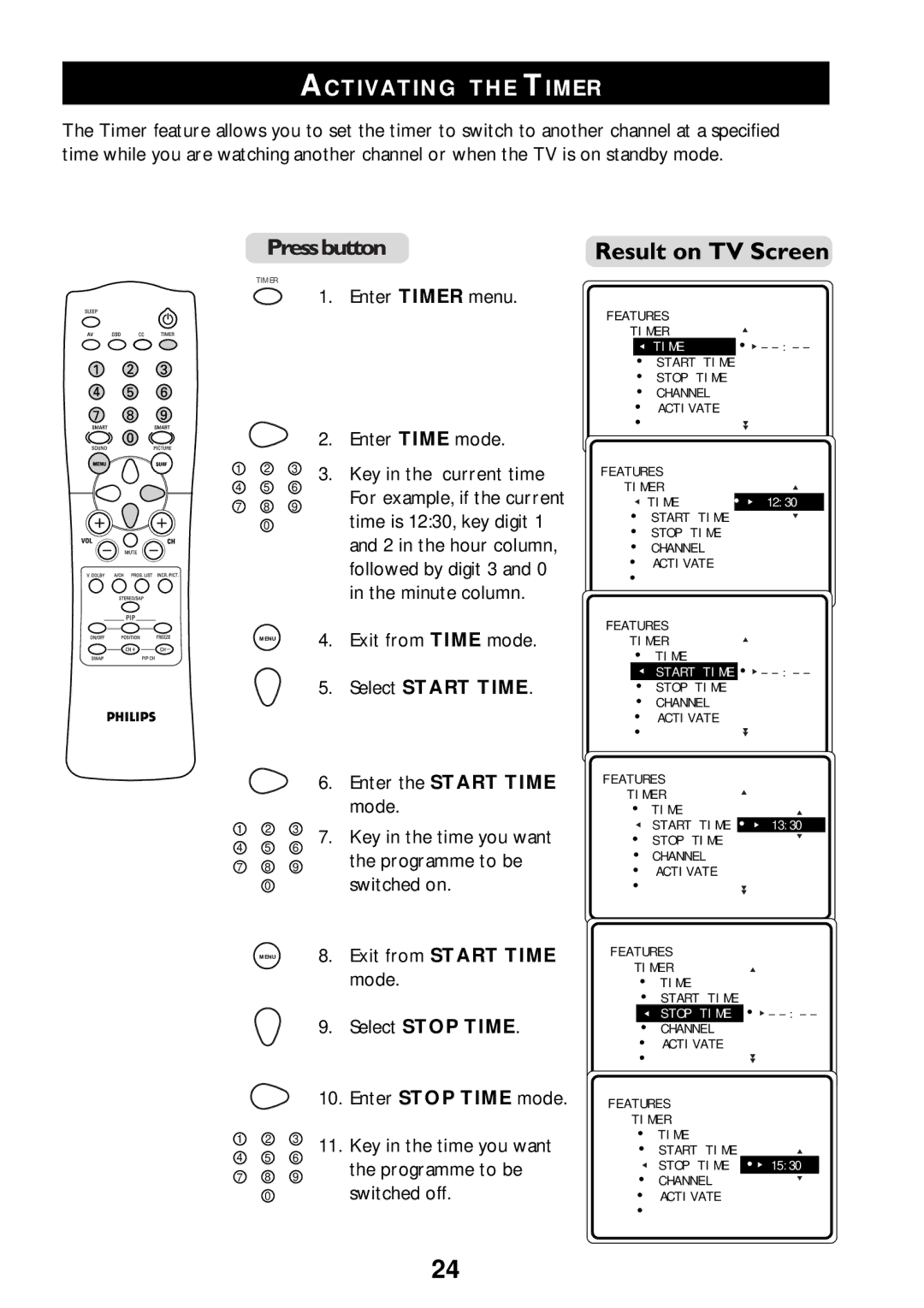
The Timer feature allows you to set the timer to switch to another channel at a specified time while you are watching another channel or when the TV is on standby mode.
TIMER
1 2 3
4 5 6
7 8 9
0
1.Enter TIMER menu.
2.Enter TIME mode.
3.Key in the current time For example, if the current time is 12:30, key digit 1 and 2 in the hour column, followed by digit 3 and 0 in the minute column.
FEATURES
TIMER
TIME | • – |
• START TIME
• STOP TIME
• CHANNEL
• ACTIVATE
•
FEATURES
TIMER
TIME | • 12:30 |
• START TIME
•STOP TIME
•CHANNEL
•ACTIVATE
•
FEATURES
MENU | 4. Exit from TIME mode. |
5. Select START TIME.
TIMER
•TIME
START TIME • –
–
• STOP TIME
• CHANNEL
• ACTIVATE
•
1 2 3
4 5 6
7 8 9
0
MENU
1 2 3
4 5 6
7 8 9
0
6.Enter the START TIME mode.
7.Key in the time you want the programme to be switched on.
8.Exit from START TIME mode.
9.Select STOP TIME.
10.Enter STOP TIME mode.
11.Key in the time you want the programme to be switched off.
FEATURES
TIMER
• TIME
START TIME • 13:30
13:30
• STOP TIME
• CHANNEL
• ACTIVATE
•
FEATURES
TIMER
•TIME
•START TIME
STOP TIME • –
–
• CHANNEL
• ACTIVATE
•
FEATURES
TIMER
•TIME
• START TIME
STOP TIME • 15:30
15:30
• CHANNEL
•ACTIVATE
•
24