SVZ142.comb 4/7/99 6:30 PM Page 5
Before Using Your VCR 5
Putting Batteries in the Remote Control
1
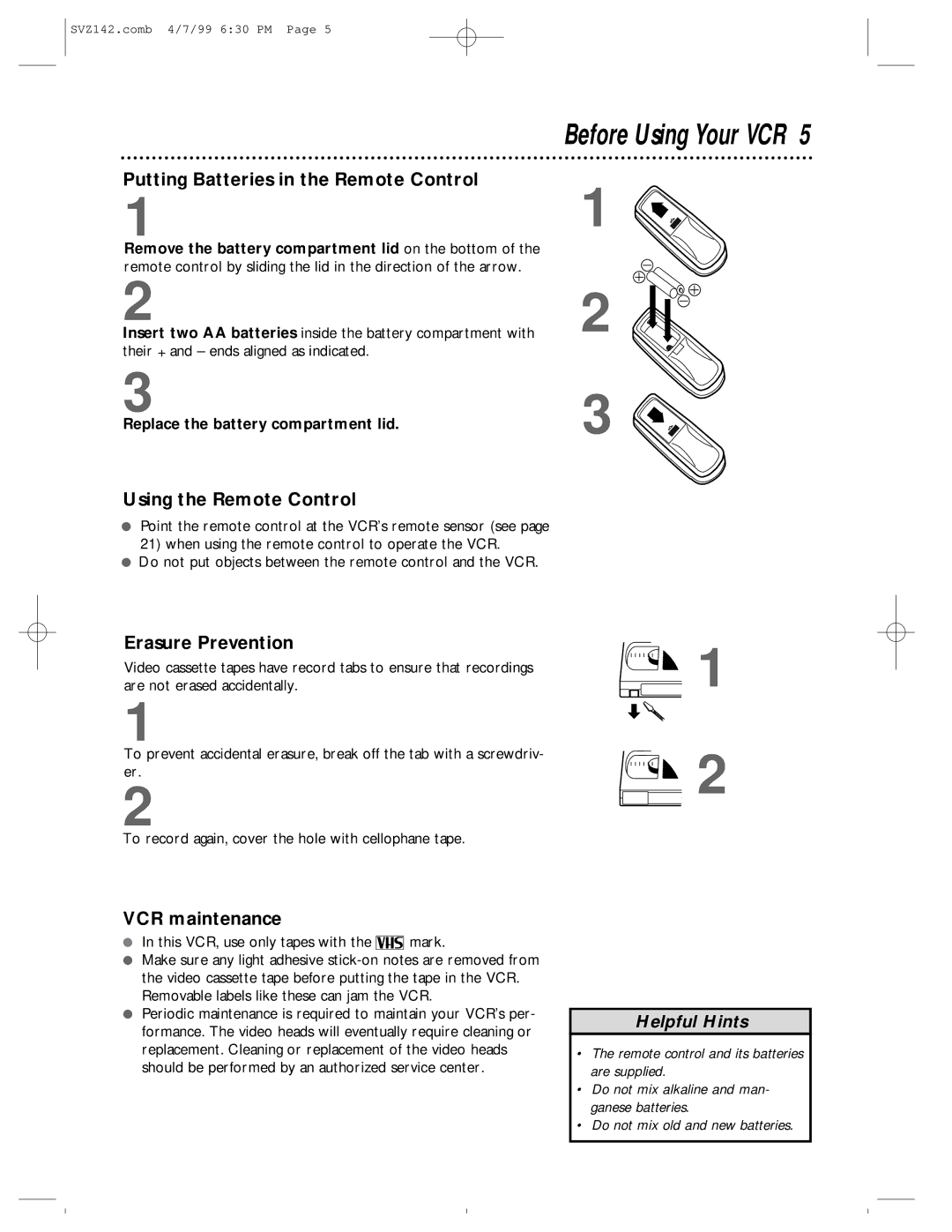
Remove the battery compartment lid on the bottom of the remote control by sliding the lid in the direction of the arrow.
2
Insert two AA batteries inside the battery compartment with their + and – ends aligned as indicated.
3
Replace the battery compartment lid.
Using the Remote Control
●Point the remote control at the VCR’s remote sensor (see page
21)when using the remote control to operate the VCR.
●Do not put objects between the remote control and the VCR.
1
2
3 
Erasure Prevention
Video cassette tapes have record tabs to ensure that recordings are not erased accidentally.
1
To prevent accidental erasure, break off the tab with a screwdriv- er.
2
To record again, cover the hole with cellophane tape.
VCR maintenance
●In this VCR, use only tapes with the 
 mark.
mark.
●Make sure any light adhesive
●Periodic maintenance is required to maintain your VCR’s per- formance. The video heads will eventually require cleaning or replacement. Cleaning or replacement of the video heads should be performed by an authorized service center.
 1
1
 2
2
Helpful Hints
•The remote control and its batteries are supplied.
•Do not mix alkaline and man- ganese batteries.
•Do not mix old and new batteries.