V . C O M F O R T A D J U S T M E N T S
Controller Position
You can move the controller in toward or out away from the armrest, or change the position of the con- troller for either
WARNING! Do not place the controller harness so that it can be pinched in the seat frame or the power base frame.
To extend the controller:
1.Flip up the armrest so it is perpendicular to the floor.
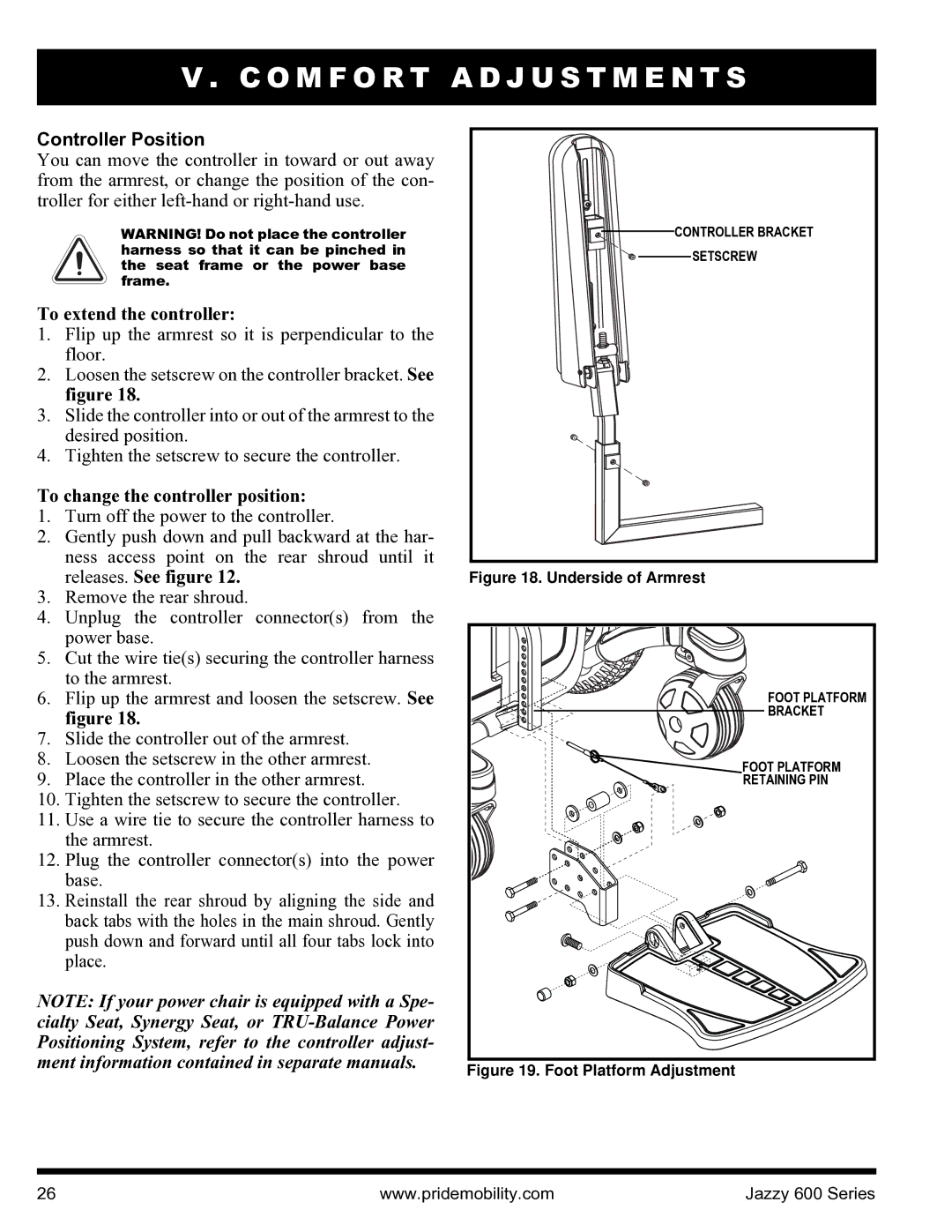
2.Loosen the setscrew on the controller bracket. See figure 18.
3.Slide the controller into or out of the armrest to the desired position.
4.Tighten the setscrew to secure the controller.
To change the controller position:
1.Turn off the power to the controller.
2.Gently push down and pull backward at the har- ness access point on the rear shroud until it releases. See figure 12.
3.Remove the rear shroud.
4.Unplug the controller connector(s) from the power base.
5.Cut the wire tie(s) securing the controller harness to the armrest.
6.Flip up the armrest and loosen the setscrew. See figure 18.
7.Slide the controller out of the armrest.
8.Loosen the setscrew in the other armrest.
9.Place the controller in the other armrest.
10.Tighten the setscrew to secure the controller.
11.Use a wire tie to secure the controller harness to the armrest.
12.Plug the controller connector(s) into the power base.
13.Reinstall the rear shroud by aligning the side and back tabs with the holes in the main shroud. Gently push down and forward until all four tabs lock into place.
NOTE: If your power chair is equipped with a Spe- cialty Seat, Synergy Seat, or

 CONTROLLER BRACKET

 SETSCREW
Figure 18. Underside of Armrest
FOOT PLATFORM |
BRACKET |
FOOT PLATFORM |
RETAINING PIN |
Figure 19. Foot Platform Adjustment |
26 | www.pridemobility.com | Jazzy 600 Series |