SVAT ELECTRONICS
now you can see
Camera Setup
Camera Enable
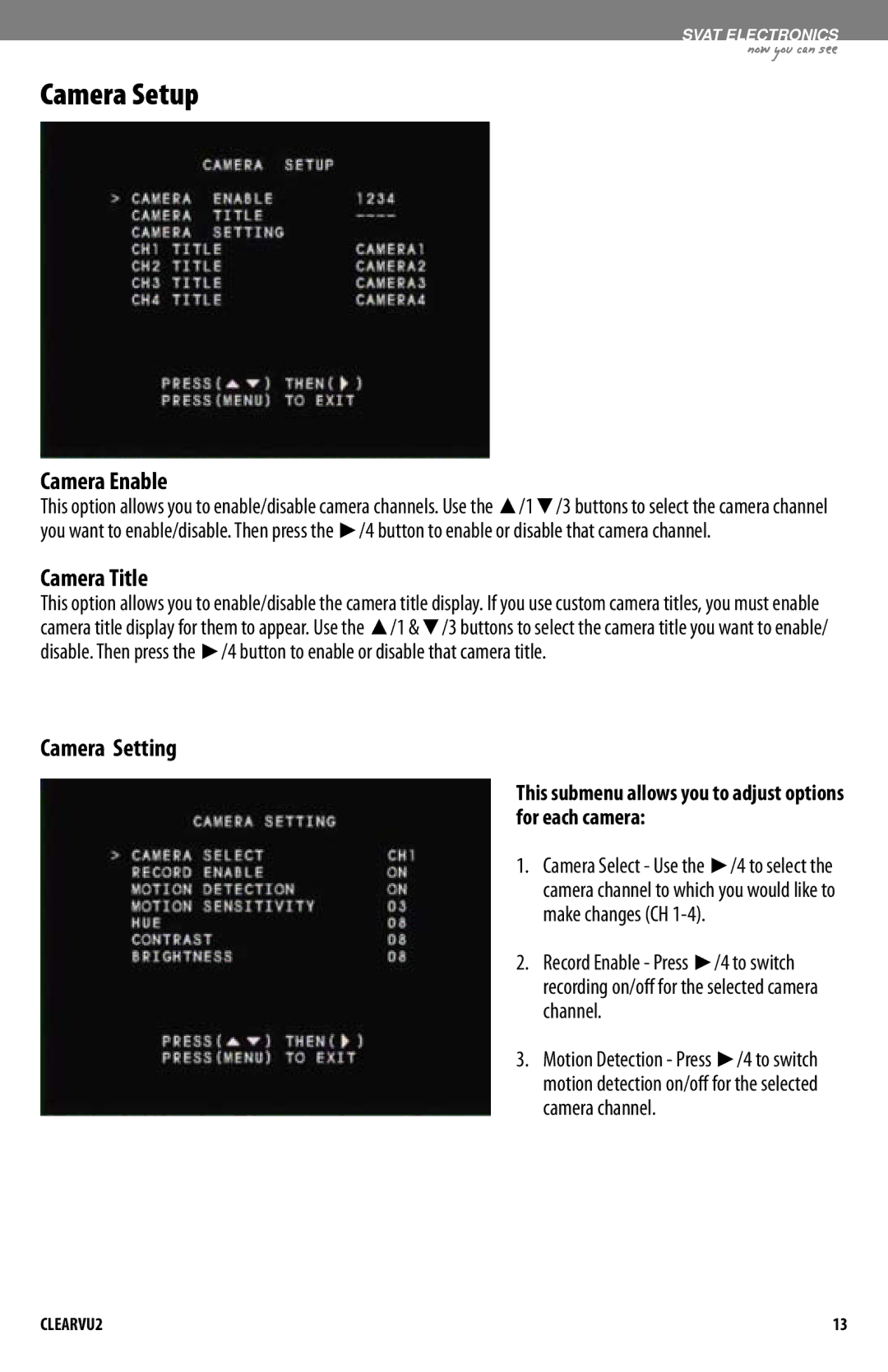
This option allows you to enable/disable camera channels. Use the ▲/1▼/3 buttons to select the camera channel you want to enable/disable. Then press the ►/4 button to enable or disable that camera channel.
Camera Title
This option allows you to enable/disable the camera title display. If you use custom camera titles, you must enable camera title display for them to appear. Use the ▲/1 &▼/3 buttons to select the camera title you want to enable/ disable. Then press the ►/4 button to enable or disable that camera title.
Camera Setting
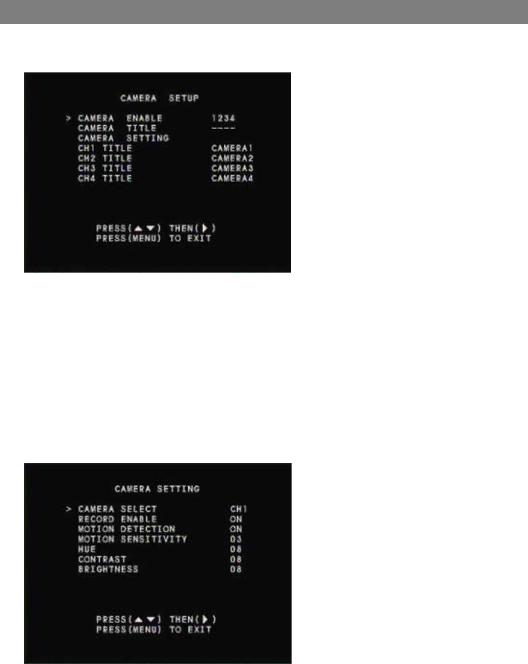
This submenu allows you to adjust options for each camera:
1. Camera Select - Use the ►/4 to select the camera channel to which you would like to make changes (CH
2. Record Enable - Press ►/4 to switch recording on/off for the selected camera channel.
3. Motion Detection - Press ►/4 to switch motion detection on/off for the selected camera channel.
CLEARVU2 | 13 |