Acer

Acer –LCD-D240H

6.Function Specifications

All the tests to verify specifications in this section shall be performed under the following standard conditions unless otherwise noted. The standard conditions are:

Temperature

: 25 ± 5°C

Warm-up time

: 30 minutes minimum

Checking display modes

: All the specified modes

5.2Panel general specifications

5.2.1General specifications

Item

Describe


Supplier

AUO


Model name

M240HW01-V0


Display Area

531.36 × 298.89


Pixel Pitch

276.75(Per one triad) × 276.75


Display Colors:

16.7M colors (RGB 6-bit + Hi_FRC)


Input select

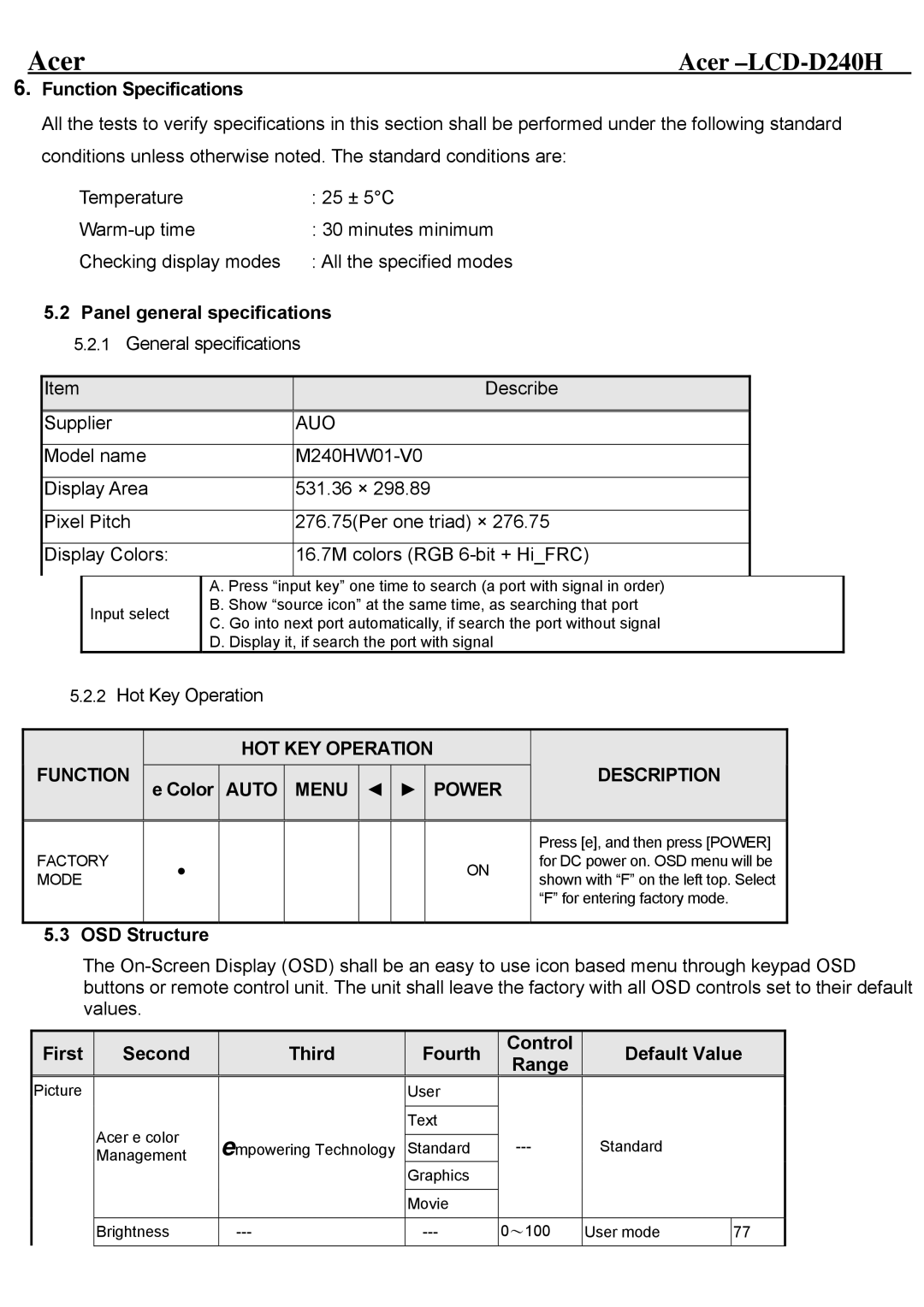
A. Press “input key” one time to search (a port with signal in order) B. Show “source icon” at the same time, as searching that port C. Go into next port automatically, if search the port without signal D. Display it, if search the port with signal

5.2.2Hot Key Operation


HOT KEY OPERATION


FUNCTION


DESCRIPTION


e Color


AUTO


MENU


POWER


Press [e], and then press [POWER]


FACTORY


ON


for DC power on. OSD menu will be


MODE


shown with “F” on the left top. Select


“F” for entering factory mode.


5.3 OSD Structure

The On-Screen Display (OSD) shall be an easy to use icon based menu through keypad OSD buttons or remote control unit. The unit shall leave the factory with all OSD controls set to their default values.

First

Second

Third

Fourth

Control

Range

Default Value

Picture


User


Acer e color

empowering Technology

Text


---

Standard


Standard


Management


Graphics


Movie


Brightness

---

---

0100

User mode

77


Page 25
Image 25
Acer D240H service manual OSD Structure, First Second Third Fourth Control Range Default Value

D240H specifications

The Acer D240H is a remarkable monitor that embodies modern technology and design, appealing to both casual users and professionals alike. Boasting a sleek and minimalist aesthetic, the D240H features an ultra-slim profile, making it a stylish addition to any workspace or home setup. One of the standout aspects of this monitor is its vibrant 24-inch Full HD display, delivering crisp and clear visuals with a resolution of 1920 x 1080 pixels. This level of clarity is perfect for tasks ranging from everyday office work to gaming and multimedia consumption.

The monitor incorporates IPS technology, which provides broader viewing angles and enhanced color reproduction. With an impressive 178-degree viewing angle, users can enjoy consistent color and picture quality from virtually any position. This feature is particularly beneficial for collaborative environments where multiple viewers need to see the screen simultaneously.

Additionally, the Acer D240H is designed with the user’s comfort in mind. The monitor incorporates Acer's EyeProtect technology, which reduces eye strain during extended use. This includes features such as Flicker-less technology to eliminate flickering on the display and Blue Light Filter to minimize harmful blue light emissions. These enhancements allow users to work or play for longer periods without discomfort.

In terms of connectivity, the D240H is versatile, featuring HDMI and VGA ports, making it compatible with a wide range of devices, from laptops to gaming consoles. The inclusion of these ports ensures that users can easily connect and switch between different devices.

Another notable characteristic of the Acer D240H is its energy efficiency. It is designed to consume less power without compromising performance, which not only reduces energy costs but also contributes to a greener environment. Furthermore, it meets various environmental standards, making it an eco-friendly choice.

In conclusion, the Acer D240H is a feature-rich monitor that combines superior display technology, user comfort, and energy efficiency. Whether for work or leisure, it delivers a visually appealing experience that meets the needs of various users, making it a smart choice in today’s competitive monitor market.