SETUP
Setup the stand and base
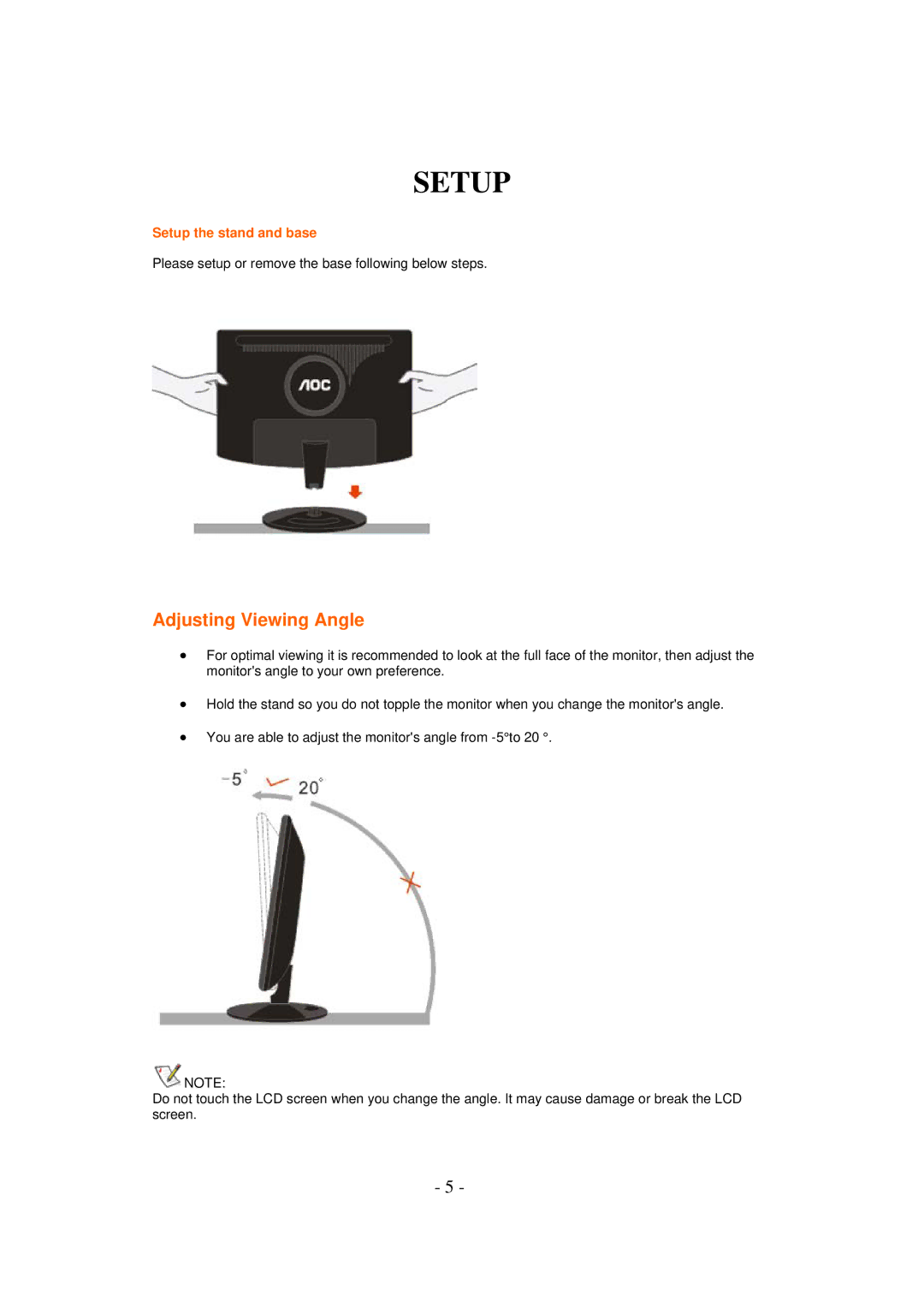
Please setup or remove the base following below steps.
Adjusting Viewing Angle
∙For optimal viewing it is recommended to look at the full face of the monitor, then adjust the monitor's angle to your own preference.
∙Hold the stand so you do not topple the monitor when you change the monitor's angle.
∙You are able to adjust the monitor's angle from
 NOTE:
NOTE:
Do not touch the LCD screen when you change the angle. It may cause damage or break the LCD screen.
- 5 -