DVD OPERATION
Caution
CLASS 1 LASER PRODUCT
1
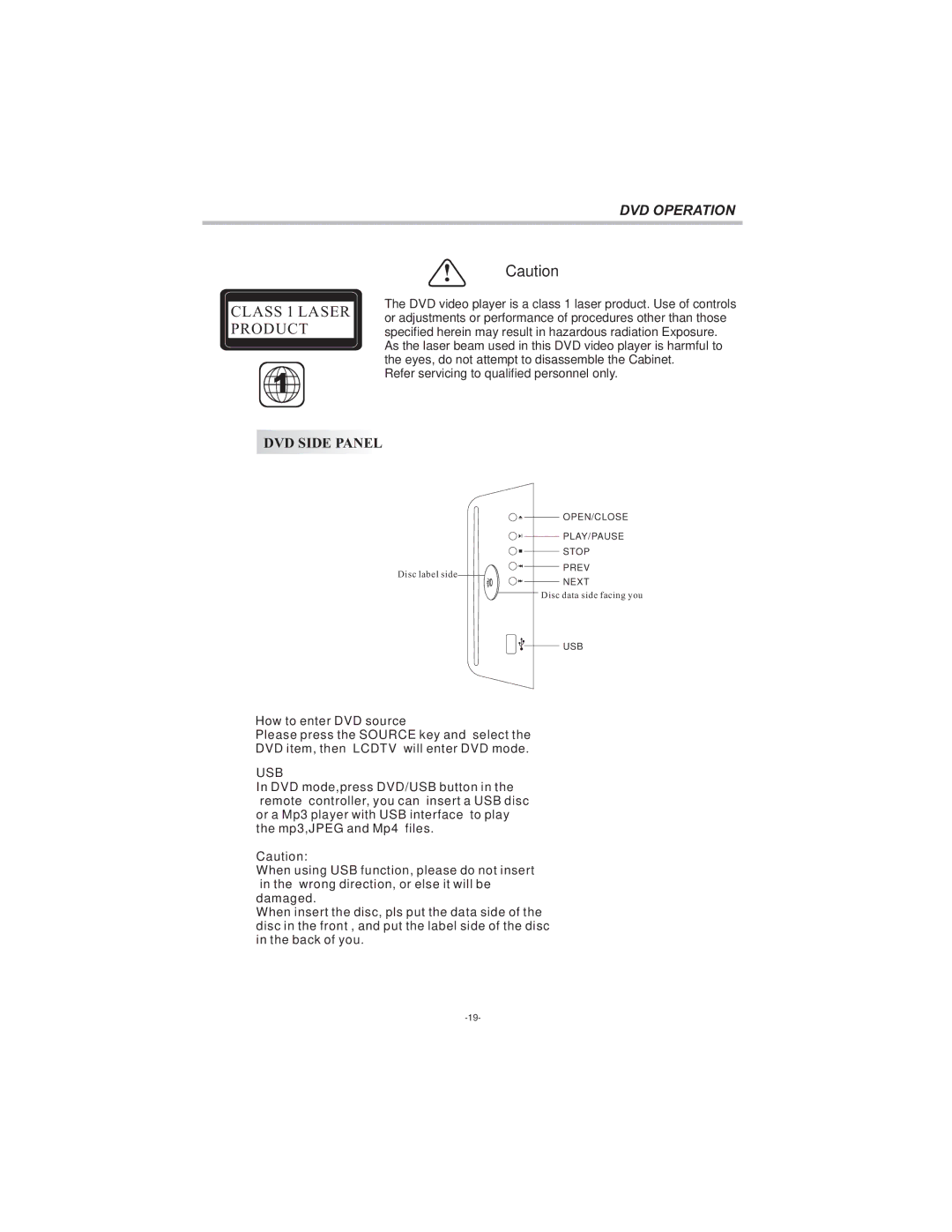
DVD SIDE PANEL
The DVD video player is a class 1 laser product. Use of controls or adjustments or performance of procedures other than those specified herein may result in hazardous radiation Exposure. As the laser beam used in this DVD video player is harmful to the eyes, do not attempt to disassemble the Cabinet.
Refer servicing to qualified personnel only.

 OPEN/CLOSE


 PLAY/PAUSE
Disc label side
STOP
PREV
NEXT
Disc data side facing you
USB
How to enter DVD source
Please press the SOURCE key and select the
DVD item, then LCDTV will enter DVD mode.
USB
In DVD mode,press DVD/USB button in the remote controller, you can insert a USB disc or a Mp3 player with USB interface to play the mp3,JPEG and Mp4 files.
Caution:
When using USB function, please do not insert in the wrong direction, or else it will be damaged.
When insert the disc, pls put the data side of the disc in the front , and put the label side of the disc in the back of you.