Flash Cache Module
Removing the FCM
1.Follow the procedures in Before You Begin.
2.Turn the computer over and remove the cover on the Mini Card compartment.
3.Ground yourself by touching one of the metal connectors on the back of the computer.
NOTE: If you leave the area, ground yourself again when you return to the computer.
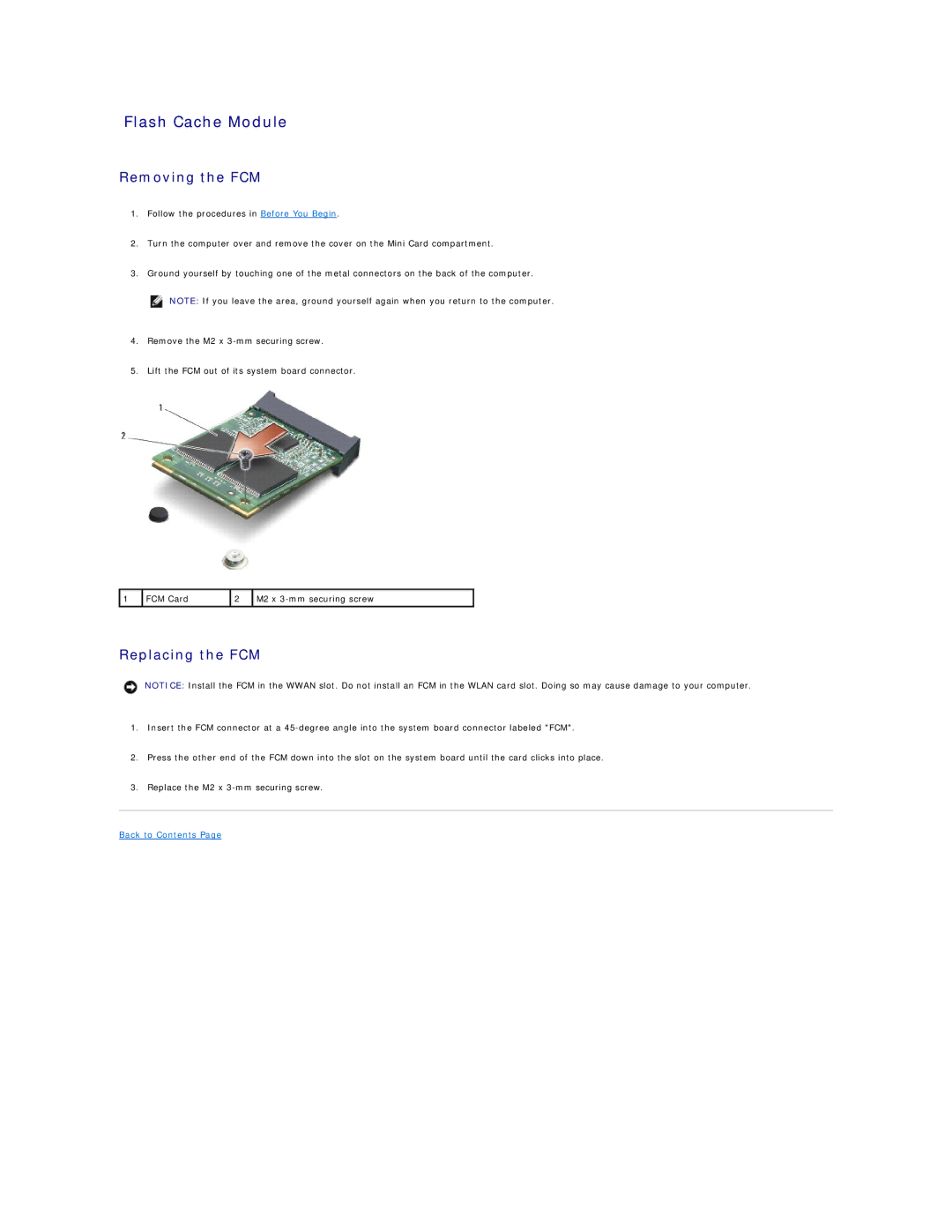
4.Remove the M2 x
5.Lift the FCM out of its system board connector.
1 | FCM Card | 2 | M2 x |
|
|
|
|
Replacing the FCM
NOTICE: Install the FCM in the WWAN slot. Do not install an FCM in the WLAN card slot. Doing so may cause damage to your computer.
1.Insert the FCM connector at a
2.Press the other end of the FCM down into the slot on the system board until the card clicks into place.
3.Replace the M2 x