L i f e B o o k E S e r i e s B I O S
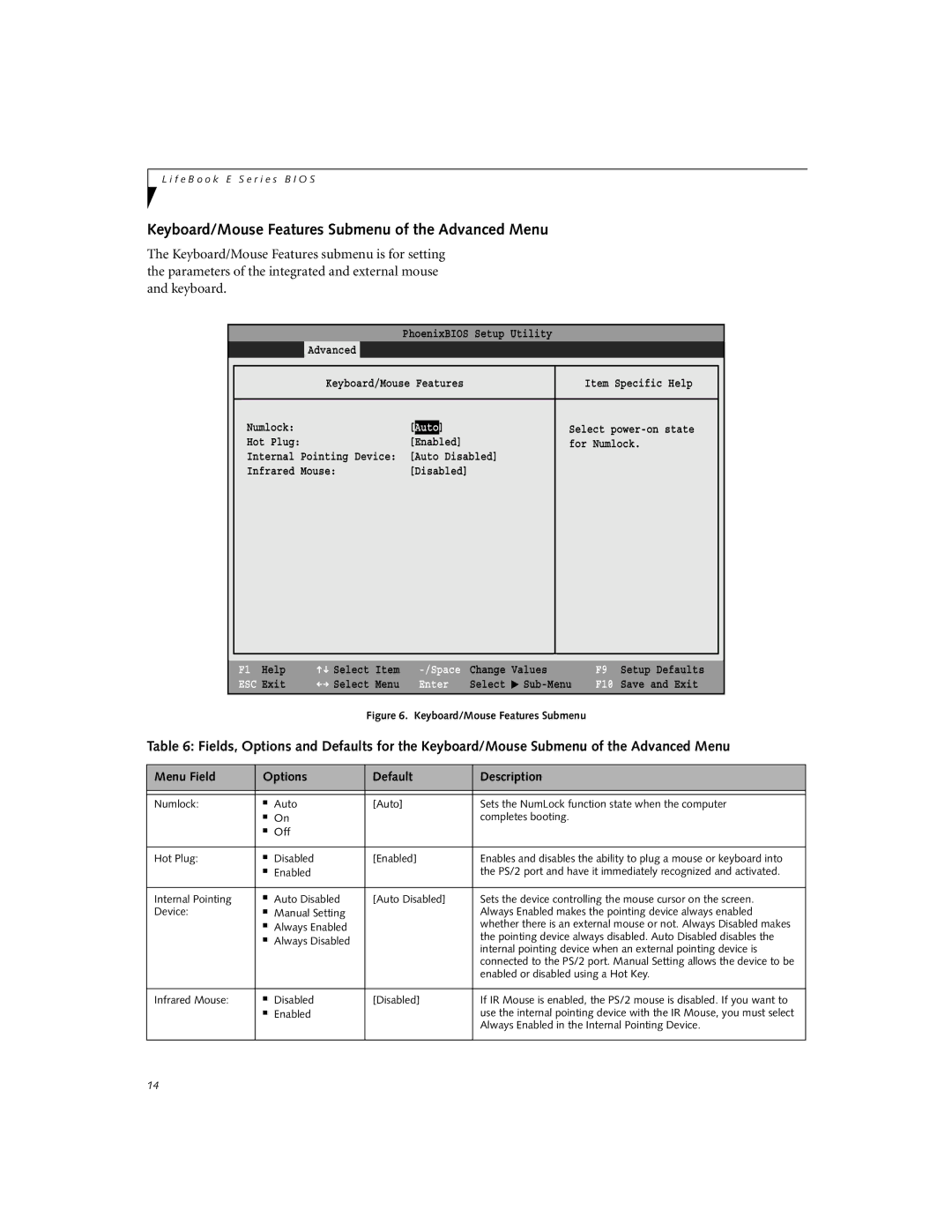
Keyboard/Mouse Features Submenu of the Advanced Menu
The Keyboard/Mouse Features submenu is for setting the parameters of the integrated and external mouse and keyboard.
|
|
| PhoenixBIOS Setup Utility |
|
| |
| Main | Advanced | Security | Power Savings | Exit | |
|
|
|
| |||
|
| Keyboard/Mouse Features | Item Specific Help |
| ||
|
|
|
|
|
|
|
| Numlock: |
| [Auto] |
| Select |
|
| Hot Plug: |
| [Enabled] | for Numlock. |
| |
| Internal Pointing Device: [Auto Disabled] |
|
| |||
| Infrared Mouse: | [Disabled] |
|
| ||
|
|
|
|
|
|
|
|
|
|
|
|
|
|
F1 Help | Select | Item |
ESC Exit | Select | Menu |
Change | Values | |
Enter | Select | ▲ |
F9 Setup Defaults
F10 Save and Exit
Figure 6. Keyboard/Mouse Features Submenu
Table 6: Fields, Options and Defaults for the Keyboard/Mouse Submenu of the Advanced Menu
Menu Field | Options | Default | Description | |
|
|
|
|
|
|
|
|
|
|
Numlock: | ■ | Auto | [Auto] | Sets the NumLock function state when the computer |
| ■ | On |
| completes booting. |
| ■ | Off |
|
|
|
|
|
|
|
Hot Plug: | ■ | Disabled | [Enabled] | Enables and disables the ability to plug a mouse or keyboard into |
| ■ | Enabled |
| the PS/2 port and have it immediately recognized and activated. |
|
|
|
|
|
Internal Pointing | ■ | Auto Disabled | [Auto Disabled] | Sets the device controlling the mouse cursor on the screen. |
Device: | ■ | Manual Setting |
| Always Enabled makes the pointing device always enabled |
| ■ | Always Enabled |
| whether there is an external mouse or not. Always Disabled makes |
| ■ | Always Disabled |
| the pointing device always disabled. Auto Disabled disables the |
|
|
|
| internal pointing device when an external pointing device is |
|
|
|
| connected to the PS/2 port. Manual Setting allows the device to be |
|
|
|
| enabled or disabled using a Hot Key. |
|
|
|
|
|
Infrared Mouse: | ■ | Disabled | [Disabled] | If IR Mouse is enabled, the PS/2 mouse is disabled. If you want to |
| ■ | Enabled |
| use the internal pointing device with the IR Mouse, you must select |
|
|
|
| Always Enabled in the Internal Pointing Device. |
|
|
|
|
|
14