Samba
Page
P o r ta n t S a f e ty P re c a u t i o n s
Important Safety Precautions
Do not use a hand-held phone while driving
Important Safety Precautions
Do not disassemble the phone
Store the battery out of reach of children
Table of Contents
Features
Camera Features
Screen
Memory
Table of Contents
Display Settings 115
Call Settings
Touch Settings 120
Phone Settings 121
Safety 140
Accessories 171
Limited Warranty
Statement 172
Built-in 3.2 Megapixel digital camera with video mode
Touch Screen and auto Touch Screen lock
1GB of internal memory for
Music
Important Information
FCC Part 15 Class B
Compliance
Technical Details
Service
Description
Basic Air
Interface
Bodily Contact During Operation
Technical Details
Phone
Accessories that cannot maintain
Vehicle-Mounted External Antenna
Optional, if available
FCC Notice and Cautions
Part 15.19 statement
Part 15.21 statement
Part 15.105 statement
Earpiece Lets you hear the caller
Phone Overview
O n e O ve r v i ew
My Music Key Use for quick access to your music
Deactivated. Press the Unlock
How to Unlock
Touch Sensitive Soft Keys
Calibrating the Touch Screen
L i b ra t i n g t h e To u c h S c re e n
Shortcut Menu
Touch Screen Shortcut Menu
To close the Shortcut Bin, press the Clear or PWR/END Key
O r t c u t M e n u
Displays your Your favorite Contact List Contacts
Touch Soft Keys
Menu Displays the Main Menu
Using the Touch Screen
Entering and Editing Information
Text Input
Options are
Changing Input Method
TIP
Entering and Editing Information
To change text input from handwriting mode back to
Typing mode, touch on the right-hand side
Menu Tree Overview
FM Radio Bluetooth Tools
Settings
Web
Music
Menu Tree Overview
Battery
Charging the Battery
Installing the Battery
Removing the Battery
How to Install a microSD Card
Charge time varies depending upon the battery level
Getting Started with Your Phone
Charging with USB
How to Remove a MicroSD Card
Remove the microSD card from the slot and replace the cover
Battery Temperature Protection
Battery Charge Level
Turning the Phone On and Off
Turning the Phone On
Signal Strength
Screen Icons
Making Calls
Touch Icon Glossary
Redialing Calls
Receiving Calls
Correcting Dialing Mistakes
Or press the Send Key Press the PWR/END Key to end the call
Main Menu Screen
I n M e n u S c re e n
Web
Shortcuts Bin
O r t c u t M e n u o n t h e To u c h S c re e n
Managing Shortcuts
Touch the My Media tab
Touch the Add touch
Key To add files to
Lock Mode
Quick Volume Adjustment
Vibrate Mode
Call Waiting
Voice Commands
Follow the prompts to use your voice commands
Ignoring a Call Waiting
Answering a Call Waiting
Touch Add New Contact/ Update Existing
Storing Basics
Touch Mobile 1/ Home/ Work/ Mobile 2/ Fax
Save to save
Changing Contact Entries
Speed Dial
Touch Set Speed Dial
To set with a Speed Dial, then touch the Options icon
Contacts in Your Phone’s Memory
Deleting
Deleting a Contact Entry
Touch the Erase touch key
Rotate Samba Touch sideways
Camera Features
3D Three-axis-accelerometer Rotation
Camera Features
Camera Settings
Camera Settings
Options in Camera Mode
White Balance Auto
Shot Types
Video Camera Settings
Images below show how to access the video settings
Video Camera
Touch to go to My Videos
Video Settings
Options in Video Mode
After Recording Video
Play / Erase / Send / Save Play / Erase / Save
Picture Editing
Editing Touch Keys
Drawing
Press Save to save and exit
Adjustments
Composition
Frames and Stamps
Composition touch key to finalize cropping
Video Player Controls
Video Editing
Editing a Video to Send
Rewind Fast Forward Play/ Pause Marks as favorite
Multi Capture
Editing Using Video Effects
Multi Trim
Using Phone Menus
New Message
Text Message
New Message Alert
Touch New Message Touch Text Message
Other Message Options
Text Field Options
Save As Draft Saves
Copy Text Paste
High/ Normal
Picture Message
Touch New Message Touch Picture Message
New # to manually enter the address
Touch the Send touch key
Cancel Message
Other Picture Message Options
Copy Text Paste Insert Quick Text Allows you
Priority Level Gives priority
Video Message
Touch New Message Touch Video Message
Touch the Next Slide touch key
Complete the message then send the message
Touch New Message Touch Voice Message
Voice Message
Basics of Sending a Message
Touch Settings
Messages
Viewing Your Messages
To change the message view
Message Icon Reference
Drafts
Voicemail
Checking Your Voicemail Box
Draft Text Message Draft Picture/Video
Settings
Entry Mode
Text Entry Settings
Touch Voicemail
Auto Save Sent
Auto Erase Inbox
Message Font Size
Text Auto View
Erase Options
Callback #
Signature
Delivery Receipt
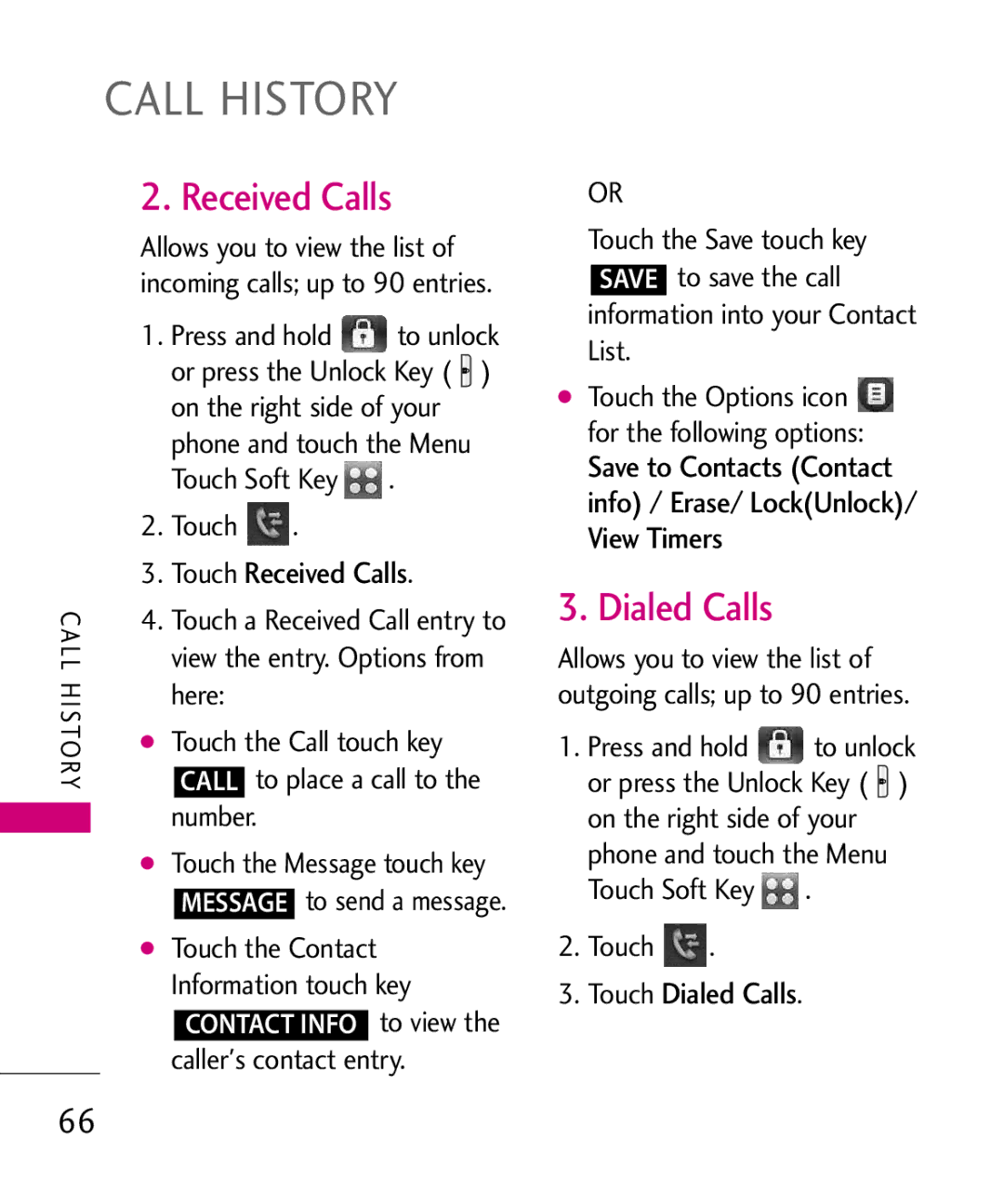
Missed Calls
Touch Missed Calls
To view
Information into your Contact List
Received Calls
Dialed Calls
Touch Received Calls
Touch Dialed Calls
Callers contact entry
All Calls
Touch All Calls
View Timers
Touch View Timers
New Contact
Contact List
Touch New Contact
Touch Contact List
Favorites
Touch the Options icon to select one of the following
Press the Send Key to call
Touch a Contact entry
Groups
Touch Favorites
Touch the Add touch key Touch Contact or Group
Touch Touch Groups Options from here
Speed Dials
All/ Remove All
Touch Speed Dials
Icon
Contacts/ Multimedia
My Name Card
Take Picture
Touch My Name Card
Settings
Record Video
Brightness
Shot Types Normal
Touch Record Video
Resolution 320X240
Record Voice
Images
Phone
Touch Touch Images
Touch the Favorite touch key
Videos
Options for Images with DRM
Audios
My Ringtones
Video Player Options
Touch My Ringtones
My Sounds
Touch My Sounds
Touch the Record New touch
Options for user-recorded sounds
Brew Apps
Incoming Calls
Brew Info
Touch Brew Apps
Touch Brew Info
Start Browser
Ending an Web Session
Browser Navigation
Touch the Command bar icon , then touch the Options
Browser Menu Options
Add Bookmark Allows you to add bookmarks
History Displays list of the most recently web pages
RSS Update mode
Restore Defaults Allows you
Entering/Deleting Text Numbers or Symbols
JavaScript on / OFF
Command Bar Icons on the Touch Screen
Home Returns to
Fixed Width Display Mode
Access the Browser
Zoom Options
To display the zoom button
Touch Display Mode Touch Fixed Width
Using RSS reader
Touch Save
Then touch the Options icon
Update Feeds
RSS Feed Indicator
Touch the RSS Feeds icon , and touch the Feed Update
Feed Update Button
Touch Touch a submenu to access your music
Access My Music
My Music
Playing Your Music
Music Settings
Play All
All Songs
Playlists
Repeat
Shuffle
Music Only
Controlling the Music Player
Music Player Controls
Landscape mode
Side Volume Keys Adjust the volume
Alarm Clock
Background Music Mode
Touch Alarm Clock
Exit From the Music Player
Calendar
Touch Calendar
Access FM Radio
Allows you to add, read, edit, and erase notes
Touch Touch Notepad
S C H E D U L E / F M R a D I O
Setting Favorite Channels/Stations
Access FM Radio Tune to a station, then touch
Manual Tuner Wheel
To manually tune to a radio station frequency
FM Radio Options
Using Saved Favorite Channels/Stations
Exit FM Radio Exits to Standby mode
Go to My Music Returns to My Music
Bluetooth QD ID B015677
FM Radio Icon Reference
Touch Touch the Add touch key ADD Touch the Start touch key
For pairing with a new Bluetooth device
Add New Device
When the Bluetooth wireless
100
Device
Icons are displayed
Discovery Mode
My Device Info
101
Touch My Device Info
Touch Discovery Mode
102
Touch Supported Profiles
Support
Voice Commands
Access Voice Commands
Touch Voice Commands Voice Commands Settings
103
Using Voice Commands
Call Name or Number
Send Msg to Name or Number
104
Go to Menu
Check Item
Contacts Name
Redial
Ez Tip Calculator
Calculator
106
Touch Calculator
World Clock
Stopwatch
107
Touch World Clock
Drawing Pad
108
Touch Stopwatch
Save the image, send it in a
Connect the Phone with a PC using an LG USB cable
USB Mass Storage
109
Touch the Exit touch key Exit to close the connection
Sounds Settings
Master Volume
Touch Sounds Settings Touch Master Volume
Easy Set-Up
Call Sounds
111
Call Ringtone
Call Vibrate
Call ID Readout
Alert Sounds
112
113
Button Sounds
Digit Dial Readout
Service Alerts
Power On/Off
114
Charge Complete Alerts you
Display Settings
Banner
115
Personal Banner
Touch Display Settings Touch Backlight
Touch Display Settings Touch Wallpaper
Backlight
Wallpaper
117
Charging Screen
Display Themes
Touch Display Settings Touch Dial Fonts
Fonts
Dial Fonts
118
Touch Display Settings Touch Clock Format
Touch Shortcut Bin to toggle the setting
Clock Format
Shortcut Bin
Touch Settings
Music Handle
120
Auto Lock On / Off
Phone Settings
Airplane Mode
121
Calibration
122
Language
Location
Touch Phone Settings Touch Location
Touch Phone Settings Touch Current Country
Current Country
123
Touch Phone Settings Touch Security
Security
124
Edit Codes
Touch Restrictions
125
Restrictions
126
Phone Lock
Touch Phone Lock
Lock Phone Now
Reset Default
Touch Reset Default
127
Touch Lock Phone Now
System Select
NAM Select
128
Touch System Select
Call Settings
Answer Options
Show Dialpad
129
130
TTY Mode
Auto Retry
Touch Call Settings Touch TTY Mode
TTY Mode Tele Type writer Touch a setting
131
TTY Full/ TTY + Talk/ TTY + Hear/ TTY Off
132
TTY + Talk
TTY + Hear
TTY Off
Touch One Touch Dial to toggle the setting
Touch Voice Privacy to toggle the setting
One Touch Dial
Voice Privacy
USB Auto Detection
Dtmf Tones
134
Touch Dtmf Tones
Memory
135
136
Save Options
Phone Memory
Phone Info
Card Memory
137
Touch Card Memory
My Number
SW/HW Version
138
Touch Phone Info Touch My Number
Set-up Wizard
Icon Glossary
139
Touch Phone Info Touch Icon Glossary
Signal
Safety
TIA Safety Information
141
Safety
142
143
144
For Vehicles Equipped with an Air Bag
Such as gasoline stations
Engine
Safety Information
Avoid dropping the phone or battery. If the phone or
Battery usage by children should be supervised
145
Charger and Adapter Safety
Battery Information and Care
Insert the battery pack
Power socket
147
Explosion, Shock, and Fire Hazards
148
General Notice
149
Avoiding hearing damage
Using headsets safely
150
Use of your phone while
Operating a vehicle is not
151
FDA Consumer Update
Do wireless phones pose a health hazard?
152
153
154
Research done already?
155
Documents on EMF issues
Wireless phone safety. The FDA
FDA has been a leading
Organization International
157
158
What about children using wireless phones?
159
160
161
Driver Safety Tips
Where can I find additional information?
162
163
164
Specific Absorption Rate
Consumer Information on SAR
165
Using standard operating
166
Tested frequency bands
Output
167
After searching on FCC ID
FCC Hearing-Aid
Compatibility HAC
Devices
168
169
Considered for best use
Wireless Phones and Hearing Aid Accessibility
170
Accessories
Wall/USB USB Cable Charger Battery
Vehicle Power Charger
With Microphone
Limited Warranty Statement
Limited Warranty Statement
172
Transferable to any subsequent purchaser/end user
173
Limited Warranty Statement
Damage resulting from use of non-LG approved accessories
174
11Consumables such as fuses
175
Tel -800-793-8896 or Fax
176
Index
123
FDA Consumer Update
177
Drafts Drawing Pad Dtmf Tones
Go to Menu 105 Groups Help
Index
178
179
Memo
Memo
Precaución de Seguridad Importante
Precaución de Seguridad Importante
No desarme el teléfono
Re c a u c i ó n d e S e g u r i d a d I m p o r ta n te
Contenido
Conveniencia Teléfono
Su teléfono
Contenido
Prog. de Pantalla
Prog. de Llamada
Memoria
Prog. de Toque
Seguridad 154
Accesorios 188
Limitada 189
Index 194
Pantalla táctil con Autobloqueo de pantalla táctil
Respuesta con Cualquier tecla
Detalles Técnicos
Detalles Técnicos
Información Importante
TIA/EIA-IS2000
Detalles Técnicos
Antena externa instalada en un vehículo
FCC Notice y Precaución
Opcional, en caso de estar disponible
Ta l l e s Té c n i c o s
Declaracion del articulo
Declaracion del articulo
Descripción general del Teléfono
S c r i p c i ó n g e n e ra l d e l Te l é f o n o
Tecla Mi Música Permite acceder rápidamente a su música
Vista rápida de la Pantalla Táctil y cómo usarla
Teclas Suaves Táctiles
Menú para acceder al menú Toque el icono Programación
Calibración de la pantalla táctil
Toque Prog. de Toque
Calibración de la pantalla táctil
Toque el objetivo cada vez que aparezca
Menú Atajos
Menú Atajos de la Pantalla Táctil
Menú Atajos
Teclas Suaves Táctiles
Introducir y editar información
Entrada de texto
Para acceder opciones de
Opciones de Introducir Texto
T ro d u c i r y e d i ta r i n f o r m a c i ó n
Introducir y editar información
Cambiar el método de entrada
Nota
Escribir, toque en el lado derecho
Visión general del menú de árbol
Acceso a los menús
Mensajería
Lista Llam
Multimedia Música Mi Horario
FM Radio Bluetooth Herramientas
Visión general del menú de árbol
Programación
Almacenamiento Masivo USB
Lectura de ID de Llamador
Lectura de Número Marcado
Tonos Dtmf
Aviso de Tiempo de Espera
Modo TTY Marcación de 1 Toque
Empezando con su teléfono
La batería
Carga de la batería
Instalación de la batería
Empezando con su teléfono
El tiempo de carga varía dependiendo del nivel de la batería
Carga con USB
Instalación de la tarjeta microSD
Desinstalación de la tarjeta microSD
Protección de la temperatura de la batería
Nivel de carga de la batería
Apagar y encender el teléfono
Potencia de la señal
Encender el teléfono
Iconos de pantalla
Para hacer llamadas
Toque Glosario de Iconos
Puede buscar su Lista de Contactos
Corregir Errores de Marcado
Remarcado de llamadas
Para recibir llamadas
Para volver a marcarlo. Toque la
Pa n ta l l a d e l M e n ú p r i n c i p a l
Pantalla del Menú principal
Los menús principales
Bandeja de atajos
Msj de Texto Cuaderno de Notas Reloj
Despertador
Mis Imágenes
Administrar atajos
Menú Atajos en la Pantalla Táctil
Ajuste rápido del volumen
Modo de bloqueo
Modo de vibración
Llamada en espera
Comandos de Voz
Contestar una llamada en espera
Ignorar una llamada en espera
Siga las indicaciones para usar los comandos de voz
Aspectos básicos
Personalización de entradas individuales
En el lado derecho del teléfono Toque la tecla táctil suave
En el lado derecho del teléfono
Contactos en la memoria de su teléfono
Marcado Rápido
Almacenar un número con una pausa
Toque Fijar Marcado Rápido
Borrar
Toque Borrar Toque Si
Fu n c i o n e s d e c á m a ra
Funciones de cámara
Rotación en 3D accelerómetro de tres ejes
Configuración de cámara
Funciones de cámara
Opciones en el Modo de Cámara
WB Equil Blanco Auto
Tipo de toma
Facial Makeover
Configuración de la Cámara
Funciones de cámara
Vídeo Cámara
Ajustes de la cámara de vídeo
Las funciones de vídeo son similares a los de cámara
Configuración de Vídeo
Edición de imágenes
Teclas táctiles de edición
Las opciones son
Oprima Guardar para guardar y salir
Composición
Ajustes
Marcos y Estampas
Táctil Composición para finalizar el corte
Edición de vídeo
Editar un vídeo para enviar
Editar con efectos de vídeo
Multi Captura
Fijas. Toque la tecla táctil
Vídeo, toque para guardar
Uso de los menús del teléfono
Nuevo Mensaje
Mensaje de Texto
Alerta de nuevo mensaje
Toque Nuevo Mensaje Toque Mensaje de Texto
Otras Opciones de mensaje
Teléfono y toque el icono Menú para acceder al menú Toque
Introducir texto, toque la tecla táctil Hecho Toque ENV
Guardar Text Rápido Le
Mensajería
Guardar Como Borrador
Mensaje de Foto
Toque Nuevo Mensaje Toque Mensaje de Foto
Finalize y envíe el mensaje
Oprimiendo o tocando ENV en la pantalla táctil
Texto o Asunto
Cancelar Mensaje
Otras opciones para Mensaje de Foto
Toque la tecla táctil de siguiente diapositiva
Mensaje de Video
Toque Nuevo Mensaje Toque Mensaje de Video
Toque Nuevo Mensaje Toque Mensaje de Voz
Mensaje de Voz
Aspectos básicos del envío de un mensaje
Mostrará el icono de Nuevo
Mensajes
Para cambiar la vista de mensajes
Ver sus mensajes
Referencia de iconos de mensaje
Borradores
Toque Borradores
Avance/ Guardar Como Borrador/ Prioridad/ Dev Llmda #
Mensaje pendiente
Bzn Msjs Voz
Prog
De Voz
Toque Bzn Msjs Voz
Vista de Mensajes
Modo de Ingreso
Prog. de Ingreso de Texto
Auto Guardar Enviado
Auto Desplazar Texto
Texto Rápido
Bzn Msjs Voz #
12. # Dev de Llmda
Toque Opcs de Borr. Las siguientes opciones son disponibles
Opcs de Borr
Recibo de Entrega
Toque Perdidas
Lista Llam
Perdidas
Toque para las siguientes opciones
Recibidas
Toque Recibidas
Marcadas
Toque Marcadas
Desde el modo de espera S ta L l a m
Todas
Ver Contadores
Ver Contadores
Toque Ver Contadores
Menú Toque
Restaure todos los contadores registrados tocando
Contactos
Nuevo Contacto
Lista de Contactos
Toque Nuevo Contacto
Toque una entrada de
Contacto
Toque la tecla táctil
Contacto deseado
Favoritos
Grupos
Toque Favoritos
Toque Contacto o
Tarjeta de nombre vía Bluetooth
Toque Administrar Grupos
Menú Toque Toque Grupos Opciones desde aquí
Toque un grupo con Almenos un contacto y
Marcado Rápido
Mi Tarjeta de Nombre
Toque Marcado Rápido
Toque la posición de Marcado Rápido
Multimedia
Tomar Foto
Toque Tomar Foto
Brillo
Grabar Video
Excepto Opción Interna
Grabar Voz
Excepto Automático
Imágenes
Toque Imágenes
Le permite ver fotos almacenadas en el teléfono
Toque el icono de Opciones Para las siguientes opciones
Vídeos
Renombrar Cambia el
Información de Archivo
Tapiz de Fondo
Borrar Todo De la Tarjeta/ Del Telefono
Borrar Le permite marcar los vídeos que va a borrar
Mis Timbres
Timbre de Llamada/ Contacto ID/ Sonidos de Alerta
Toque Audios
Seleccionarlo
Mis Sonidos
Toque Mis Sonidos
Descarga de aplicaciones
Llamadas entrantes
Toque Brew Apps
Toque Brew Info
Web
Iniciar Browser
Terminar una sesión de Web
Navegación con el navegador
Desplazamiento Desplazamiento rápido
Recorrer
Volver a la página de inicio
Opciones de menú del Navegador
Text Only Solo Texto
Security Seguridad Cookies
Entrar / Borrar texto, números o símbolos
Favoritos Le permite ver Favoritos guardados
Iconos de la barra de comandos en la pantalla táctil
We b WWW Muestra la Dirección URL actual
Menos para alejar la imagen
Fixed Width Anchura Fijada
Toque el icono de Zoom
Toque Display Mode Toque Fixed Width
Uso del lector de RSS
Toque Save
Comandos . Luego toque el icono Opciones
Toque el icono de la barra de
Añadir una nueva Fuente
Actualización de Fuentes
Música
Mi Música
Reproducción de Mi Música
Desde el modo de espera para
Acceso a Mi Música
Rprdc Tod
Todas las Canciones
Lista de Canciones
Administrar Mi Música
Artistas
Géneros
Álbumes
Control del reproductor de música
Sólo Música
Apagado
Controles de música de la pantalla táctil
Teclas de volumen Ajusta el volumen
Modo Paisaje
Modo de música de fondo
Música/ Mi Horario
Reloj Despertador
Toque Calendario
Mi Horario
Calendario
Cuaderno de Notas
Toque Cuaderno de Notas
Hora de Comienzo Hora de Término
Vibrar
Acceso a Radio FM
Rango de la frecuencia FM
87.5MHz -107.9 MHz Sintonía automática de estaciones
Enchufe los auriculares en la
Accede FM Radio Sintonice una estación, luego Toque
Configuración de estaciones favoritas
Sintonía manual
Uso de Canales/Estaciones Favoritas Guardadas
Opciones de Radio FM
Icono de radio FM de referencia
Bluetooth
U e to o t h
Para emparejar con un nuevo aparato Bluetooth
Anadir Nuevo Aparato
Iconos siguientes
Agregar nuevo aparato
Encuentran aparatos
Mi Nombre de Teléfono
Modo de Descubrimiento
Perfiles Soportados
Toque Perfiles Soportados
Admitir
Toque Modo de Descubrimiento
Comandos de Voz
Confirmar Selección
Adaptación de Voz Entrenar
Reproducción de Audio
Herramientas
Número
Usando Comandos de Voz
Enviar Msj a Nombre o Número
Ir a Menú
Verificar Elemento
Contactos Nombre
Remarcar
Ez Sugerencia
Calculadora
Toque Ez Sugerencia
Toque Calculadora
Reloj Mundial
Cronómetro
Toque Reloj Mundial
Toque Cronómetro
Cuaderno de Dibujo
Toque Cuaderno de Dibujo
Toque Cmnzr . Las siguientes opciones son disponibles
Enviarla en un mensaje o
Almacenamiento Masivo USB
Pantalla Toque la tecla táctil de Menú
Configuración fácil
Volumen Maestro
Programación
Prog. de Sonidos
Sonidos de Llamada
Toque Prog. de Sonidos
Timbre de Llamada
Toque Timbre de Llamada
Lectura de ID de Llamador
Sonidos de Alerta
Vibrar de Llamada
Volumen de Teclado
Toque Prog. de Sonidos Toque Volumen de Teclado
Toque Prog. de Sonidos Toque Sonidos de Alerta
Tono/ Vibrar/ Recordatorio
Marcado para alternar la configuración
Alertas de Servicio
Lectura de Número Marcado
Toque Prog. de Sonidos Toque Alertas de Servicio
Prog. de Pantalla
Encender/Apagar
Conexión de Llamada Le
Cargar Completado Lo
Aviso Personal
Aviso
Luz de Fondo
Fondo de Pantalla
Toque Prog. de Pantalla Toque Luz de Fondo
Segundos/ 1 Minuto
Toque Prog. de Pantalla Toque Fondo de Pantalla
Pantalla de Cargar
Temas de Pantalla
Calendario
Toque Prog. de Pantalla Toque Temas de Pantalla
Toque una configuración. Normal/ Grande Ro g ra m a c i ó n
Fuentes
Fuentes de Marcado
Toque Prog. de Pantalla Toque Fuentes de Marcado
Formato Reloj
Cubo de Atajo
Toque Formato Reloj
Menú Toque Toque Prog. de Pantalla
Controlador de Música
Toque Controlador de Música para alternar la configuración
Prog. de Toque
Prog. de Teléfono
Modo Avión
Calibración
Toque Prog. de Teléfono Toque Modo Avión
Idioma
Toque Prog. de Teléfono
Activación de Tecla CLR
Toque Idioma
Ubicación Encendido
Ubicación
Toque Ubicación
País Actual
Seguridad
Toque Prog. de Teléfono Toque País Actual
Toque Prog. de Teléfono Toque Seguridad
Editar Códigos
Toque Editar Códigos
Elija Sólo Teléfono o
Restricciones
Prog. de Ubicación Prog de Bloq./ Prog de Abrir
Toque un submenú de Restricciones, luego la configuración
Bloqueo de Teléfono
Toque Bloquear Teléfono Ahora
140
Bloquear Teléfono Ahora
Selección de Sistema
Toque Revertir
Toque Restablecer a Predeterminado
Toque OK después de leer el mensaje de advertencia
Seleccionar NAM
Toque Prog. de Teléfono Toque Seleccionar NAM
Prog. de Llamada
Opciones de Contestar
Toque Prog. de Llamada Toque Opciones de Contestar
Cualquier Tecla/ Auto con Manos libres
Modo TTY
Reintentar
Automáticamente
Toque Prog. de Llamada Toque Modo TTY
TTY Llena
TTY Llena/ TTY + Charla/ TTY + Oír/ TTY Apagada
Charla
TTY + Charla
TTY + Oír
TTY Apagada
Un teléfono
Toque Prog. de Llamada Toque Privacidad de Voz
Marcación de 1 Toque
Privacidad de Voz
Tonos Dtmf
Normal/ Largo
Detección Automática de USB
Toque Detección Automática de USB
Memoria
Mis Fotos png, jpg, bmp, gif
Mi Contactos vcf
Opciones de Memoria
Memoria del Teléfono
Info de Teléfono
Memoria de la Tarjeta
Toque Memoria del Teléfono
Toque Info de Teléfono
Mi Número
Versión SW/HW
Toque Info de Teléfono Toque Versión SW/HW
Le permite ver su número de teléfono
Toque Info de Teléfono Toque Glosario de Iconos
Glosario de Iconos
Asistente de Programación
Seguridad
Información de
Seguridad de la TIA
Radiofrecuencia
Cuidado de la antena
Manejo
Seguridad
156
Marcapasos
Inalámbrico
Aparatos para la sordera
Otros dispositivos médicos
Centros de atención médica
Vehículos
Instalaciones con letreros
Aeronaves
Áreas de explosivos
Zonas donde se realicen
Información de seguridad
Sólo use la batería para el
Sistema para el cual está
Indicada
Sólo use la batería con un
1725-200x según este
Veces antes de necesitar ser reemplazada
Información y cuidado de la batería
Mantenga limpios los contactos de metal de la batería
Aviso general
No pinte el teléfono
¡Información de Seguridad Importante
Evite los daños a la audición
No apague o encienda el teléfono cuando se lo ponga al oído
Limite la cantidad de tiempo que usa su teléfono o
Audífonos a un volumen alto
Uso de su teléfono con seguridad
Actualización de la FDA para los consumidores
Medicamentos de EE.UU
Bajos niveles de energía de
Salud asociado con el uso de
Environmental Protection Agency
Occupational Safety and Health Administration
Sea necesaria para la función del dispositivo y
La Comisión federal de
Interinstitucional
La FDA comparte las
169
Laboratorio y estudios
De alrededor de tres años
Los teléfonos inalámbricos
171
Estándares de seguridad
Exposición a energía de
Mi teléfono inalámbrico?
173
El nivel de exposición cae
Teléfonos inalámbricos
Tiempo es un factor clave en la
Cantidad de exposición que una
175
Consejos de Seguridad para Conductores
177
No tome notas ni busque
Ponga en una situación
Escribiendo y no esté
Prestando atención a la
179
Información al consumidor sobre la
180
181
182
183
Puede encontrar información
184
Es de 1.6 watts/kg W/kg
Tejido. El estándar incluye un
Al público y para tomar en
185
186
187
Accesorios
Cargador de
Pared/ USB
Batería
Declaración De Garantía Limitada
189
Declaración De Garantía Limitada
190
191
Por LG
192
No se aplica a este producto ninguna otra garantía explícita
193
Tel -800-793-8896 o Fax
194
195
196
Otros
197
Memo
Memo

 for the following options: Save to Contacts (Contact info) / Erase/ Lock(Unlock)/ View Timers
 to unlock or press the Unlock Key (
  ) on the right side of your
 .
. .
.