Connecting other devices
n n Video connection
The following methods are available for connecting to this unit.
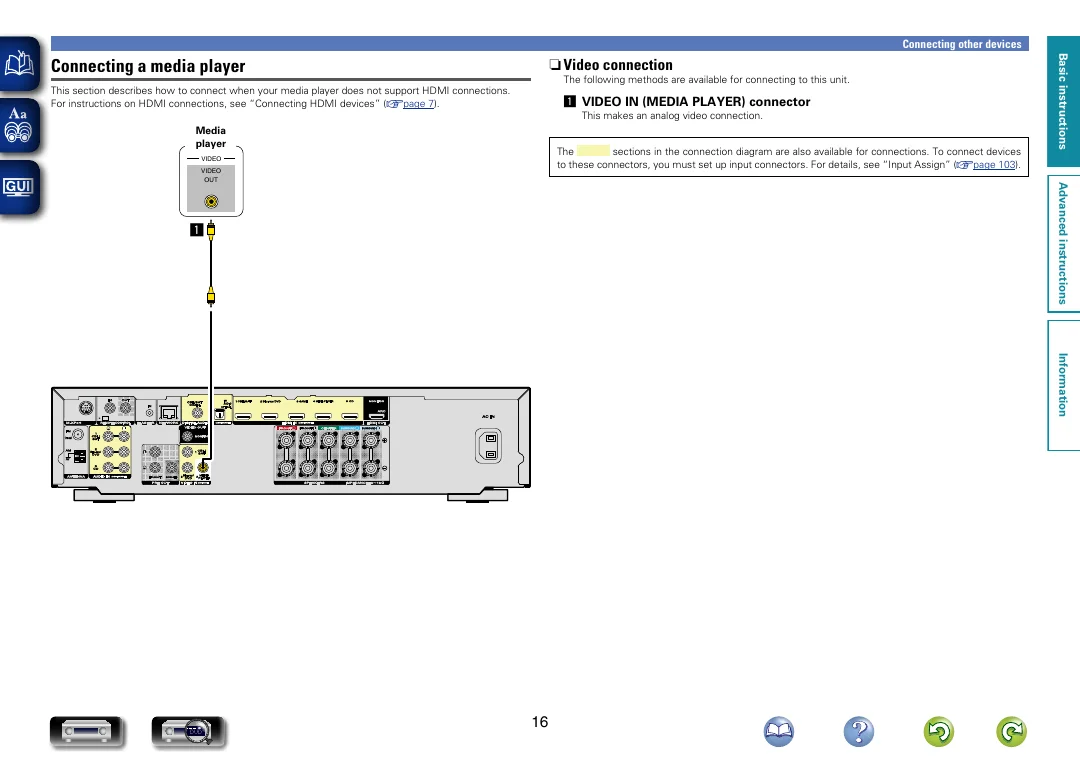
This section describes how to connect when your media player does not support HDMI connections.
For instructions on HDMI connections, see “Connecting HDMI devices” (vpage 7).
a VIDEO IN (MEDIA PLAYER) connector
This makes an analog video connection.
Media
player
The
sections in the connection diagram are also available for connections. To connect devices
to these connectors, you must set up input connectors. For details, see “Input Assign” (vpage 103).
VIDEO
Advanced instructions
VIDEO
OUT
Basic instructions
Connecting a media player
a
Information
DVD
16