Set up speakers (Audyssey® Setup)
Prepare the included Setup and
measurement microphone
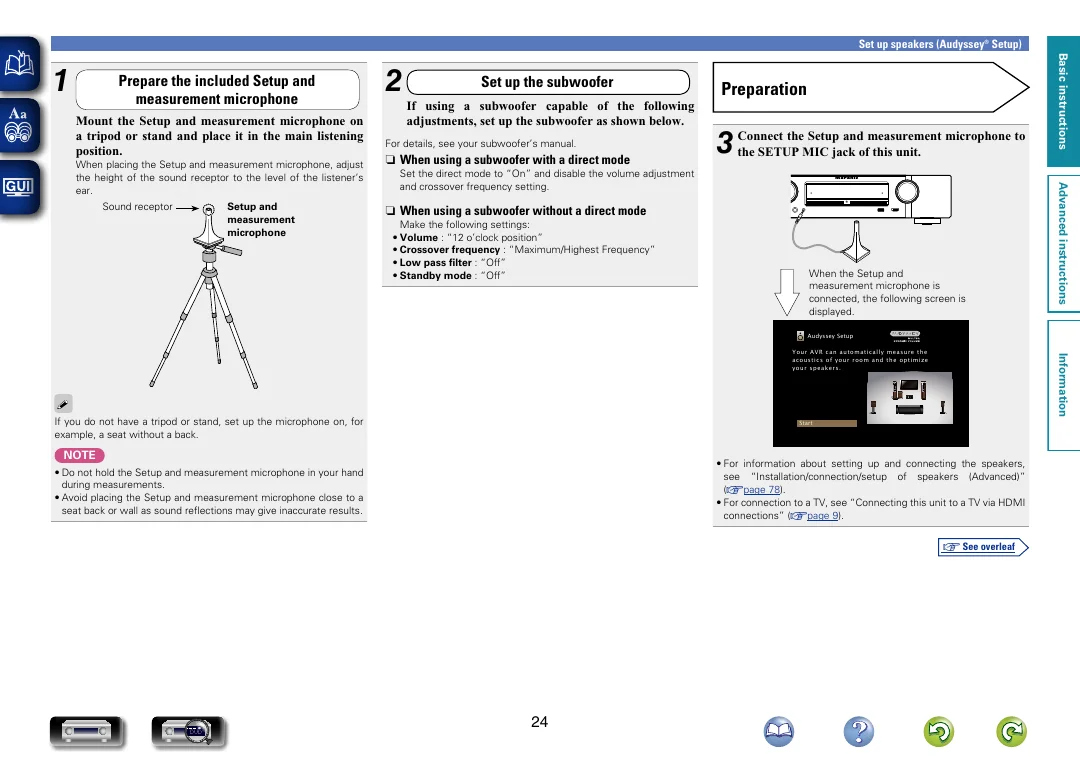
Mount the Setup and measurement microphone on
a tripod or stand and place it in the main listening
position.
Setup and
measurement
microphone
Sound receptor
Set up the subwoofer
If using a subwoofer capable of the following
adjustments, set up the subwoofer as shown below.
For details, see your subwoofer’s manual.
n n When using a subwoofer with a direct mode
Preparation
the Setup and measurement microphone to
3 Connect
the SETUP MIC jack of this unit.
Set the direct mode to “On” and disable the volume adjustment
and crossover frequency setting.
n n When using a subwoofer without a direct mode
Make the following settings:
• Volume : “12 o’clock position”
• Crossover frequency : “Maximum/Highest Frequency”
• Low pass filter : “Off”
• Standby mode : “Off”
When the Setup and
measurement microphone is
connected, the following screen is
displayed.
Advanced instructions
When placing the Setup and measurement microphone, adjust
the height of the sound receptor to the level of the listener’s
ear.
2
Basic instructions
1
Audyssey Setup
If you do not have a tripod or stand, set up the microphone on, for
example, a seat without a back.
Information
Y ou r AV R c an aut omat ic ally me as u re t h e
ac ou s t ic s of you r room and t h e opt im iz e
you r s pe ake rs .
Start
NOTE
• For information about setting up and connecting the speakers,
see “Installation/connection/setup of speakers (Advanced)”
(vpage 78).
• For connection to a TV, see “Connecting this unit to a TV via HDMI
connections” (vpage 9).
• Do not hold the Setup and measurement microphone in your hand
during measurements.
• Avoid placing the Setup and measurement microphone close to a
seat back or wall as sound reflections may give inaccurate results.
v See overleaf
DVD
24