Using online services
You can view photographs shared by particular users, or all of the
photographs shared on Flickr.
n n Viewing photographs shared by particular users
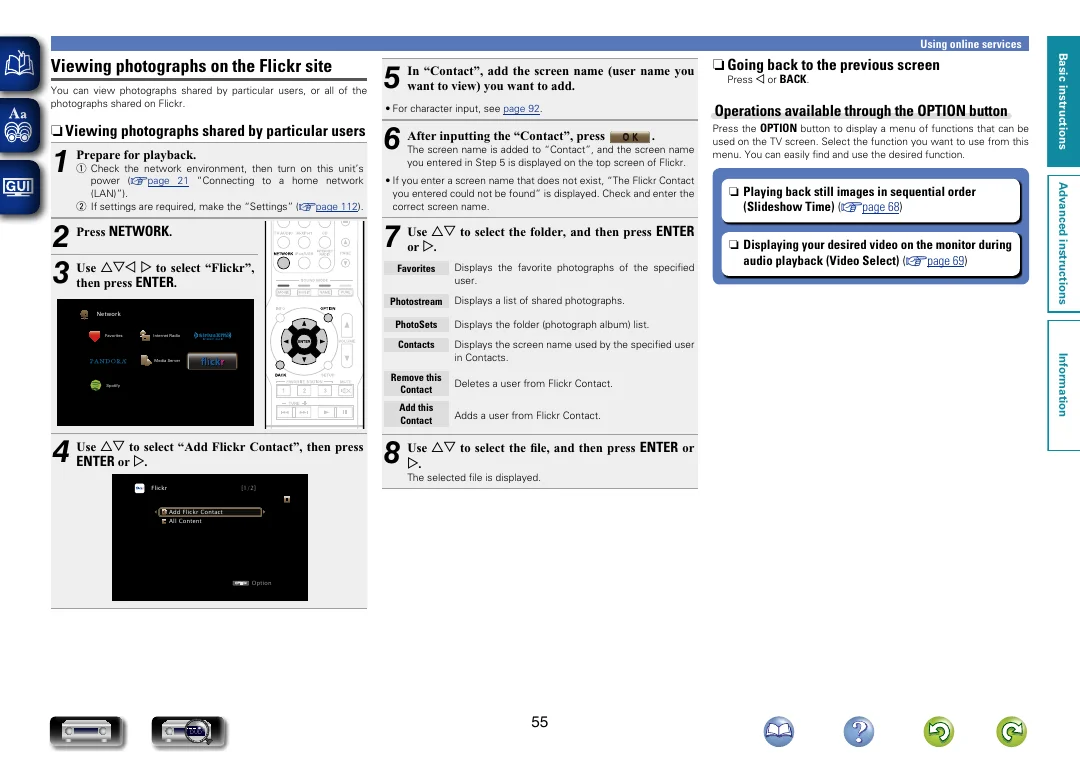
1 Prepare for playback.
2 Press NETWORK .
uio p to select “Flickr”,
3 Use
then press ENTER .
Network
Favorites
Operations available through the OPTION button
6 After inputting the “Contact”, press
Press the OPTION button to display a menu of functions that can be
used on the TV screen. Select the function you want to use from this
menu. You can easily find and use the desired function.
O K
.
The screen name is added to “Contact”, and the screen name
you entered in Step 5 is displayed on the top screen of Flickr.
• If you enter a screen name that does not exist, “The Flickr Contact
you entered could not be found” is displayed. Check and enter the
correct screen name.
to select the folder, and then press ENTER
7 or Use p ui
.
Favorites
Displays the favorite photographs of the specified
user.
Photostream
Displays a list of shared photographs.
Displays the folder (photograph album) list.
Contacts
Displays the screen name used by the specified user
in Contacts.
Remove this
Contact
Deletes a user from Flickr Contact.
Add this
Contact
Adds a user from Flickr Contact.
ui to select “Add Flickr Contact”, then press
ui to select the file, and then press ENTER or
4 Use
8 Use
ENTER or p .
p .
The selected file is displayed.
[1/2]
Add Flickr Contact
All Content
OPTION
DVD
Option
55
n n Playing back still images in sequential order
(Slideshow Time) (vpage 68)
n n Displaying your desired video on the monitor during
audio playback (Video Select) (vpage 69)
Information
PhotoSets
Media Server
Flickr
Press o or BACK .
• For character input, see page 92.
Internet Radio
Spotify
n n Going back to the previous screen
Advanced instructions
q Check the network environment, then turn on this unit’s
power (vpage 21 “Connecting to a home network
(LAN)”).
w If settings are required, make the “Settings” (vpage 112).
5
In “Contact”, add the screen name (user name you
want to view) you want to add.
Basic instructions