Set up speakers (Audyssey® Setup)
This function enables you to check the measurement results and equalizer characteristics after Audyssey®
Setup.
This unit can be connected to a home network (LAN) to listen to Internet Radio or play back music files and
still image (JPEG) files stored on a computer.
Audyssey Setup
1 Connect the LAN cable (vpage 21 “Connecting to a home network (LAN)”).
2 Turn on this unit (vpage 30).
This unit performs automatic network setup due to the DHCP function.
When connecting to a network that has no DHCP function, perform the setting in “Settings”
(vpage 112).
Check Results
Y ou r A V R c a n a utoma tically me as ur e t he
a c ou s ti c s of y ou r room and t he opt imiz e
y ou r s p e a k e rs .
Speaker Config.
Distances
Levels
Crossovers
Check Results
Restorer...
Advanced instructions
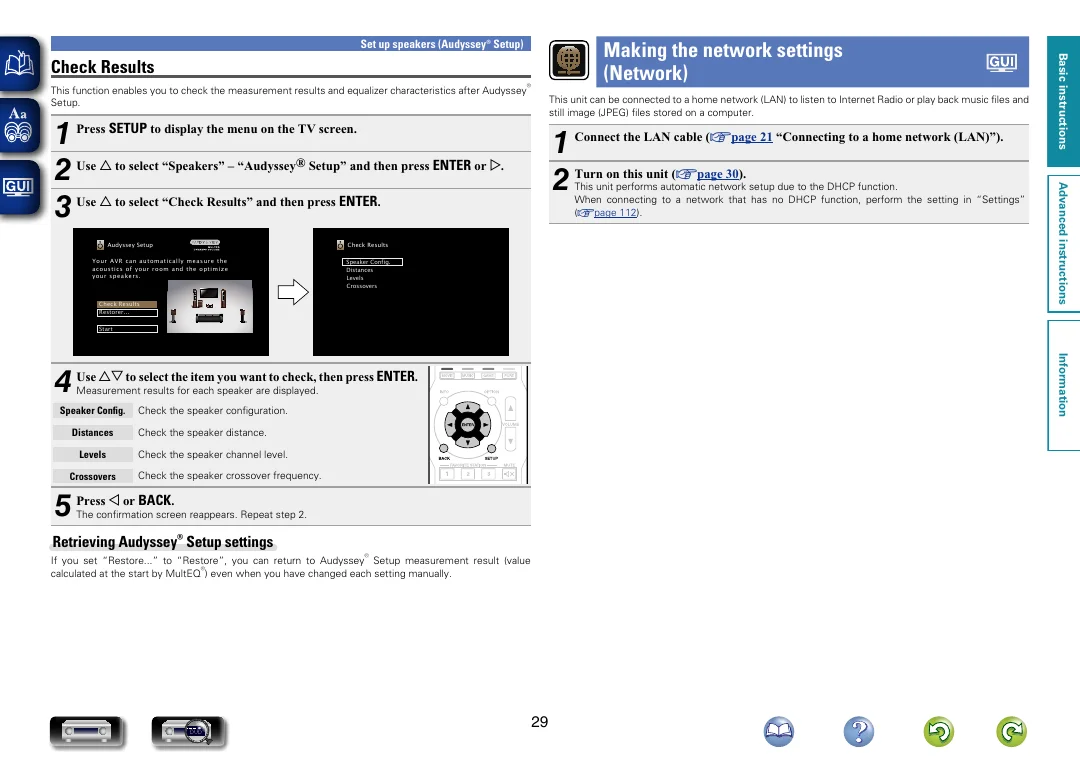
1 Press SETUP to display the menu on the TV screen.
2 Use u to select “Speakers” – “Audyssey® Setup” and then press ENTER or p .
3 Use u to select “Check Results” and then press ENTER .
Basic instructions
Making the network settings
(Network)
Check Results
Start
Information
4 Use ui to select the item you want to check, then press ENTER .
Measurement results for each speaker are displayed.
Speaker Config.
Distances
Levels
Crossovers
Check the speaker configuration.
Check the speaker distance.
Check the speaker channel level.
Check the speaker crossover frequency.
5 Press o or BACK .
The confirmation screen reappears. Repeat step 2.
Retrieving Audyssey® Setup settings
If you set “Restore...” to “Restore”, you can return to Audyssey® Setup measurement result (value
calculated at the start by MultEQ®) even when you have changed each setting manually.
DVD
29