Basic instructions
Playback (Basic operation)
Important information
Setup (vpage 23)
n n Playing a Blu-ray Disc player/DVD player
(vpage 31)
n n Playing a CD player (vpage 31)
n n Playing an iPod (vpage 32)
n n Playing a USB memory device (vpage 35)
n n Listening to FM/AM broadcasts (vpage 38)
Selecting a listening mode (Sound Mode)
(vpage 72)
Turning the power on
Press POWER X to turn on power to
the unit.
The desired input source can be selected
directly.
You can also use the following operation to select an input
source.
n n Select the input source using the main unit
You can also switch the power to standby by pressing X on the main
unit.
Turn INPUT SELECTOR .
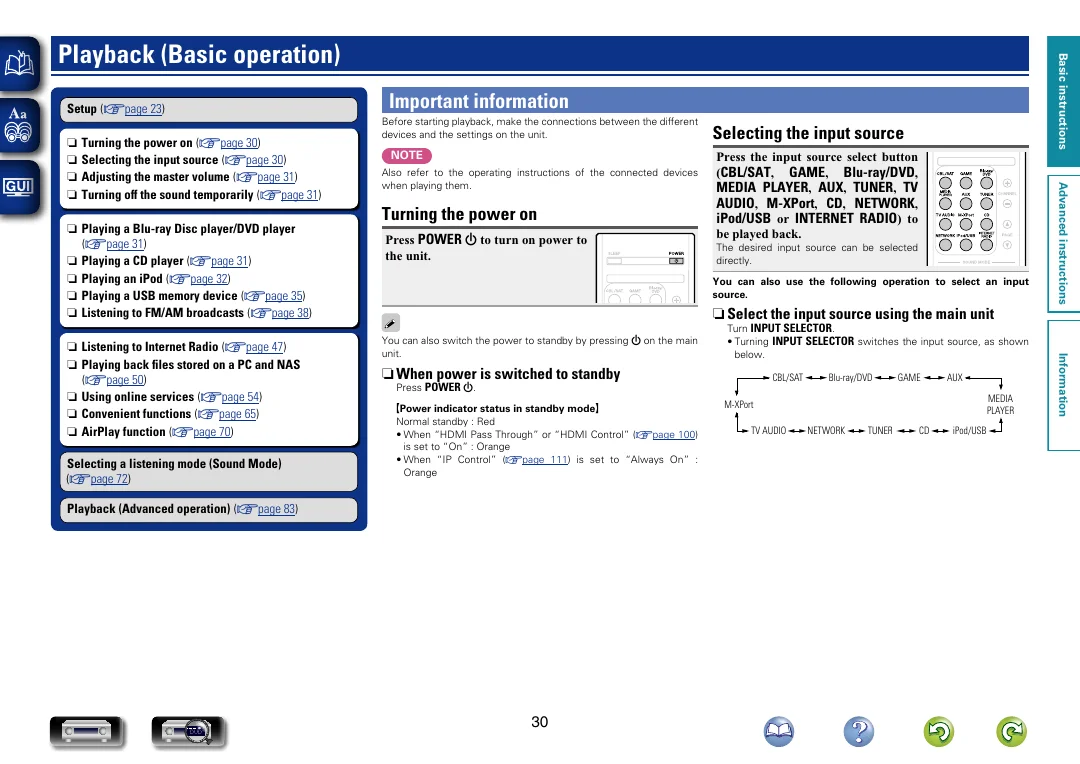
• Turning INPUT SELECTOR switches the input source, as shown
below.
n n When power is switched to standby
CBL/SAT
Press POWER X .
GPower indicator status in standby modeH
Normal standby : Red
• When “HDMI Pass Through” or “HDMI Control” (vpage 100)
is set to “On” : Orange
• When “IP Control” (vpage 111) is set to “Always On” :
Orange
Playback (Advanced operation) (vpage 83)
DVD
Press the input source select button
( CBL/SAT , GAME , Blu-ray/DVD ,
MEDIA PLAYER , AUX , TUNER , TV
AUDIO , M-XPort , CD , NETWORK ,
iPod/USB or INTERNET RADIO ) to
be played back.
30
Blu-ray/DVD
GAME
AUX
MEDIA
PLAYER
M-XPort
TV AUDIO
NETWORK
TUNER
CD
iPod/USB
Information
n n Listening to Internet Radio (vpage 47)
n n Playing back files stored on a PC and NAS
(vpage 50)
n n Using online services (vpage 54)
n n Convenient functions (vpage 65)
n n AirPlay function (vpage 70)
NOTE
Also refer to the operating instructions of the connected devices
when playing them.
Selecting the input source
Advanced instructions
n n Turning the power on (vpage 30)
n n Selecting the input source (vpage 30)
n n Adjusting the master volume (vpage 31)
n n Turning off the sound temporarily (vpage 31)
Before starting playback, make the connections between the different
devices and the settings on the unit.