Playing a USB memory device
the USB memory device
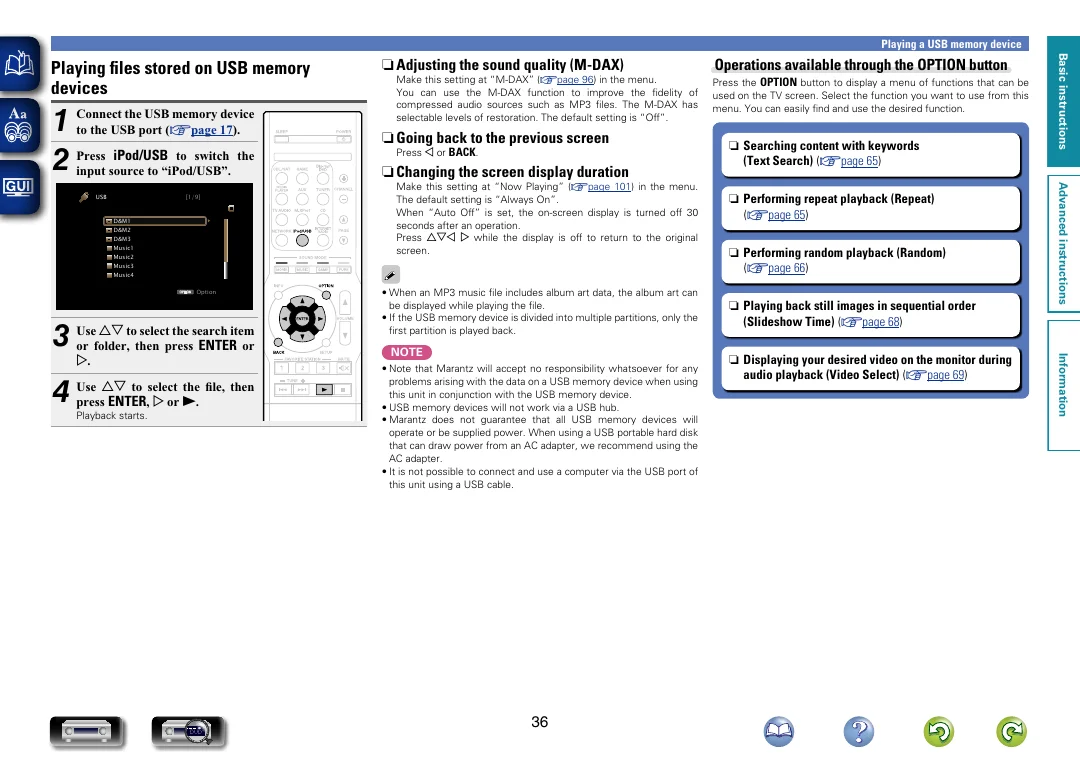
1 Connect
to the USB port (vpage 17).
iPod/USB to switch the
2 Press
input source to “iPod/USB”.
[1/9]
D&M1
D&M2
D&M3
Music1
Music2
Make this setting at “M-DAX” (vpage 96) in the menu.
You can use the M-DAX function to improve the fidelity of
compressed audio sources such as MP3 files. The M-DAX has
selectable levels of restoration. The default setting is “Off”.
n n Going back to the previous screen
Press o or BACK .
n n Changing the screen display duration
Make this setting at “Now Playing” (vpage 101) in the menu.
The default setting is “Always On”.
When “Auto Off” is set, the on-screen display is turned off 30
seconds after an operation.
Press uio p while the display is off to return to the original
screen.
Music3
Music4
OPTION
Option
p .
ui to select the file, then
4 Use
press ENTER , p or 1 .
Playback starts.
DVD
NOTE
• Note that Marantz will accept no responsibility whatsoever for any
problems arising with the data on a USB memory device when using
this unit in conjunction with the USB memory device.
• USB memory devices will not work via a USB hub.
• Marantz does not guarantee that all USB memory devices will
operate or be supplied power. When using a USB portable hard disk
that can draw power from an AC adapter, we recommend using the
AC adapter.
• It is not possible to connect and use a computer via the USB port of
this unit using a USB cable.
36
n n Searching content with keywords
(Text Search) (vpage 65)
n n Performing repeat playback (Repeat)
(vpage 65)
n n Performing random playback (Random)
(vpage 66)
n n Playing back still images in sequential order
(Slideshow Time) (vpage 68)
n n Displaying your desired video on the monitor during
audio playback (Video Select) (vpage 69)
Information
ui to select the search item
3 Use
or folder, then press ENTER or
• When an MP3 music file includes album art data, the album art can
be displayed while playing the file.
• If the USB memory device is divided into multiple partitions, only the
first partition is played back.
Operations available through the OPTION button
Press the OPTION button to display a menu of functions that can be
used on the TV screen. Select the function you want to use from this
menu. You can easily find and use the desired function.
Advanced instructions
USB
n n Adjusting the sound quality (M-DAX)
Basic instructions
Playing files stored on USB memory
devices