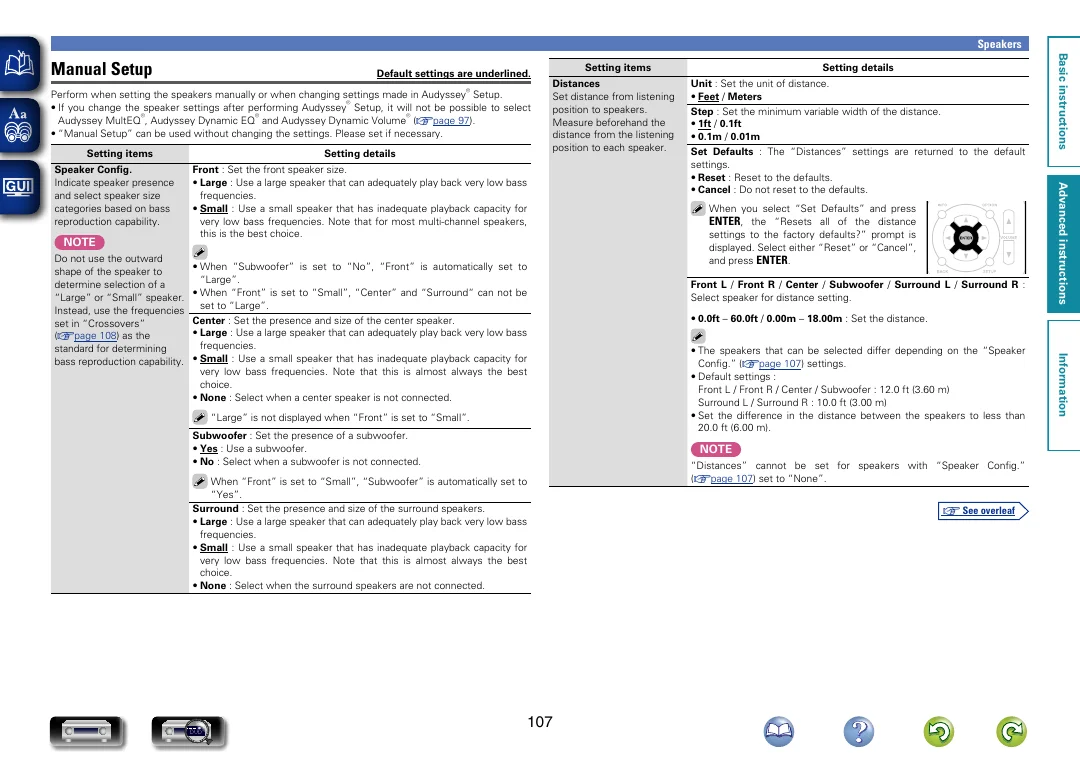
107
Manual Setup
Default settings are underlined.
Perform when setting the speakers manually or when changing settings made in Audyssey® Setup.
•
If you change the speaker settings after performing Audyssey® Setup, it will not be possible to select
Audyssey MultEQ®, Audyssey Dynamic EQ® and Audyssey Dynamic Volume® (
v
page 97
).
•
“Manual Setup” can be used without changing the settings. Please set if necessary.
Setting items
Setting details
Speaker Config.
Indicate speaker presence
and select speaker size
categories based on bass
reproduction capability.
NOTE
Do not use the outward
shape of the speaker to
determine selection of a
“Large” or “Small” speaker.
Instead, use the frequencies
set in “Crossovers”
(
v
page 108
) as the
standard for determining
bass reproduction capability.
Front
: Set the front speaker size.
•
Large
: Use a large speaker that can adequately play back very low bass
frequencies.
•
Small
: Use a small speaker that has inadequate playback capacity for
very low bass frequencies. Note that for most multi-channel speakers,
this is the best choice.
•
When “Subwoofer” is set to “No”, “Front” is automatically set to
“Large”.
•
When “Front” is set to “Small”, “Center” and “Surround“ can not be
set to “Large”.
Center
: Set the presence and size of the center speaker.
•
Large
: Use a large speaker that can adequately play back very low bass
frequencies.
•
Small
: Use a small speaker that has inadequate playback capacity for
very low bass frequencies. Note that this is almost always the best
choice.
•
None
: Select when a center speaker is not connected.
“Large” is not displayed when “Front” is set to “Small”.
Subwoofer
: Set the presence of a subwoofer.
•
Yes
: Use a subwoofer.
•
No
: Select when a subwoofer is not connected.
When “Front” is set to “Small”, “Subwoofer” is automatically set to
“Yes”.
Surround
: Set the presence and size of the surround speakers.
•
Large
: Use a large speaker that can adequately play back very low bass
frequencies.
•
Small
: Use a small speaker that has inadequate playback capacity for
very low bass frequencies. Note that this is almost always the best
choice.
•
None
: Select when the surround speakers are not connected.
Setting items
Setting details
Distances
Set distance from listening
position to speakers.
Measure beforehand the
distance from the listening
position to each speaker.
Unit
: Set the unit of distance.
•
Feet
/
Meters
Step
: Set the minimum variable width of the distance.
•
1ft
/
0.1ft
•
0.1m
/
0.01m
Set Defaults
: The “Distances” settings are returned to the default
settings.
•
Reset
: Reset to the defaults.
•
Cancel
: Do not reset to the defaults.
When you select “Set Defaults” and press
ENTER
, the “Resets all of the distance
settings to the factory defaults?” prompt is
displayed. Select either “Reset” or “Cancel”,
and press
ENTER
.
Front L
/
Front R
/
Center
/
Subwoofer
/
Surround L
/
Surround R
:
Select speaker for distance setting.
•
0.0ft
–
60.0ft
/
0.00m
–
18.00m
: Set the distance.
•
The speakers that can be selected differ depending on the “Speaker
Config.” (
v
page 107
) settings.
•
Default settings :
Front L / Front R / Center / Subwoofer : 12.0 ft (3.60 m)
Surround L / Surround R : 10.0 ft (3.00 m)
•
Set the difference in the distance between the speakers to less than
20.0 ft (6.00 m).
NOTE
“Distances” cannot be set for speakers with “Speaker Config.”
(
v
page 107
) set to “None”.
Speakers
Basic instructions
Advanced instructions
Information
Advanced instructions
v
See overleaf
DVD