69
Convenient functions
3
Use
o
p
to select the Video Select mode.
•
Each time
o
p
is pressed, the setting is changed as shown below.
Off
On
Off
Disable Video Select mode.
On
Enable Video Select mode.
4
If you selected “On” in step 3, press
i
and select
“Source”.
5
Press
o
p
to select the input source for video you
want to play back, and press
ENTER
.
Playback starts.
NOTE
Input sources for which “Hide” is selected at “Hide Sources”
(
v
page 105
) cannot be selected.
Displaying your desired video on the
monitor during audio playback (Video
Select)
This unit can display video from a different source on TV during audio
playback.
You can set this for each input source.
USB
TUNER
NETWORK
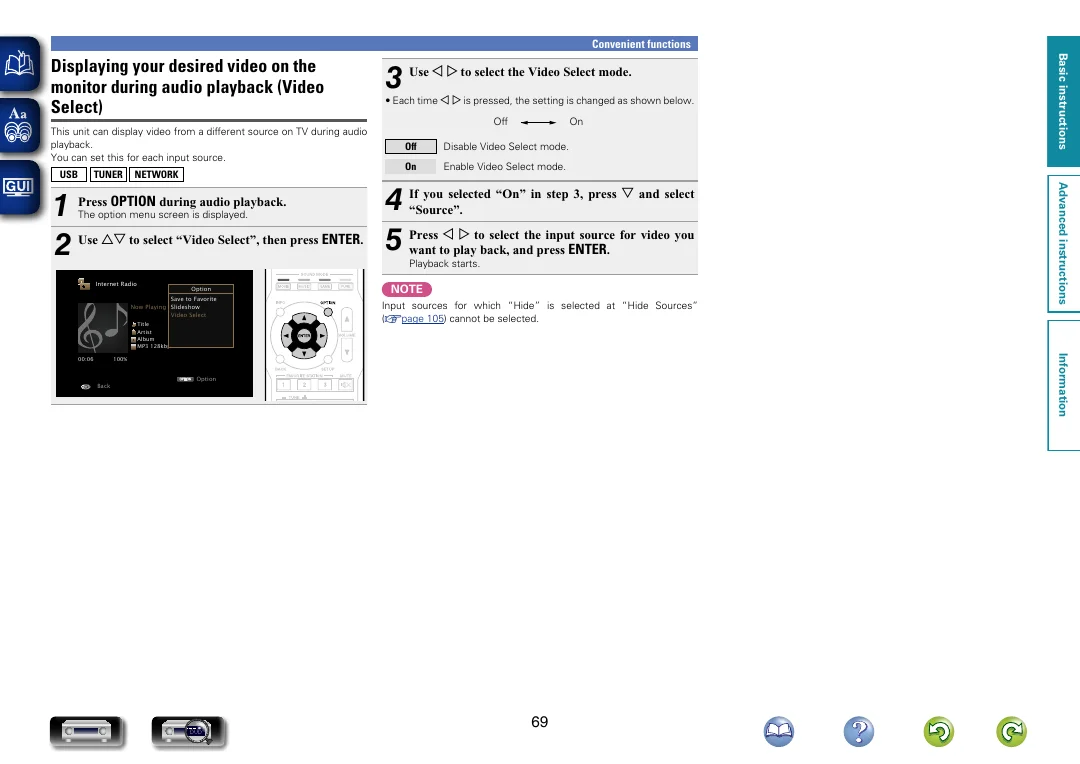
1
Press
OPTION
during audio playback.
The option menu screen is displayed.
2
Use
ui
to select “Video Select”, then press
ENTER
.
OPTION
Internet Radio
Title
Now Playing
Artist
Album
00:06
100%
Back
MP3 128kbps
Option
Save to Favorite
Option
Slideshow
Video Select
Basic instructions
Advanced instructions
Information
Basic instructions
DVD