Creative
Important Safety Instructions
Congratulations
Table of Content
Decorative Sewing
Maintenance
Introduction
Utility stitches
Stitch Chart
T r o d u c t i o n
T r o d u c t i o n
110
Decorative stitches creative
I o n
Satin stitches
Quilt stitches
Decorative stitches
Leaves and Flowers Antique Embroidery stitches
Animal stitches
Alphabets
Maxi stitches
Parts of the creative
Machine overview
Parts of the embroidery hoop
Parts of the embroidery unit
Standard accessories
Edge guide No
Creative Fantasy Embroidery foot
Embroidery hoops
Preparations
Connecting the foot control
Voltage Switch 220 240V
E p a r a t i o n s
Operating Instructions
Contrast of the screen
Main switch
Thread cutter
Carrying case
Accessory tray
Lid
Free arm
Changing the presser foot
Switch off the main switch
Snap off the presser foot
Snap on the presser foot
Disengaging the IDT
IDT Integrated Dual Feed
Engaging the IDT
For either method
Changing the needle
Feed dogs
Threading
Switch on the main switch
Winding the bobbin from the spool pin
Winding from the third spool pin
Winding from the second spool pin
Winding a bobbin through the needle
Bobbin winding while embroidering
Setting the bobbin winding speed
Inserting the bobbin and bobbin case
Switch off the main switch
Bobbin thread monitor
Inserting the bobbin
Thread tension
Correct top tension How to get it
Bobbin thread is visible on the top side of the fabric
Top thread is visible on the underside of the fabric
Needle threader
Threading the needle
Threading the twin needle
Bobbin thread
Electronic knee lift
Presser foot lift
Machine Assistant
General notes on how the Pfaff creative 2170 works
Creative Assistant
Creative Data Manager
Move
Copying data
Renaming data
How to update your machine
How to save the update program to your hard drive
Set your Pfaff creative 2170 in the update mode
222
Create a folder to save
Troubleshooting
Update later
Sewing
Function Buttons
W i n g
End to end Mirroring
Sewing mode functions
Side to side mirroring
Four directions sewing
Immediate tie-off
Single Stitch
Tapering
Tie-off program
Free-motion
Balance
Twin needle
Patchwork program
Toolbar
Welcome Screen
Main Menu
Information
Context menu
W i n g
Esc
Creative Assistant
Altering a utility stitch
How to select a stitch
Stitch width
Stitch length
Tie-off
Altering a decorative stitch
Save parameter
Tie-off program
Mirroring
Needle positions
Basting program
Straight stitch
Three-step Zigzag stitch No
Attaching buttonhole foot No 5A
Buttonholes
Inserting the sensormatic buttonhole guide
How to balance a buttonhole
How to sew a buttonhole
Automatic buttonhole
Programmed buttonhole
Eyelet buttonhole with gimp thread
Buttonhole with gimp thread
Buttonhole tips
Eyelets
Sewing on buttons
Automatic darning
Darning
Programmable Darning
Balancing the darning stitch
Closed overlock stitch No
Overlock stitches
Open overlock stitch No
Closed overlock stitch with edge thread No
Elastic blind stitch No
Blindhem stitch No
Sewing in zippers stitch no
Bridging stitch No
Crosshem stitch No
Twin needle
Rolled hem with foot No
Twin needle sewing
Sewing Maxi stitches with a twin needle
Program the Four directions sewing
Four sewing directions
Sewing in four directions without saving the program
More functions for four sewing directions
Manual ending of a side seam
Manual ending of a saved rectangle
Personal menu
Options for messages
Demo
Programming of a demo
Playing a demo
Decorative Sewing
Selecting decorative stitches on your Pfaff creative
C o r a t i v e s e w i n g
General notes on decorative sewing
Alter the stitch settings
Sewing sequence
Create a sewing sequence
Arrange stitches within a sewing sequence
Inserting a stitch at the start of a sewing sequence
Adjust an existing sewing sequence
Inserting a stitch in the sewing sequence
Save on a creative memory card
Save a sewing sequence
Save in the machine
Select and open a saved sewing sequence
Close a sewing sequence without saving
Delete a sewing sequence
Open from a creative memory card
Open from the machine‘s memory
Description of the icons
Stitch Creator
Create a new stitch pattern by placing single stitches
To move single stitches
Placing single stitches
Combining single parts of patterns
More options to edit patterns
Combining pattern components
Convert single stitches into triple stitches
Changing the position of selected stitches
Patchwork program
Patchwork
Create a new patchwork program
Stitch-in-the-Ditch
Piecing the quilt top
Quilt Appliqués
Free-Motion Stippling
Tapering
N g
Symmetric taper, Stitch no
Increasing the width
Asymmetric taper, Stitch no
Hemstitching
Nostalgia /Heirloom
Wing Needle
Twin needle Pintucks
Cross Stitch
Antique hand embroidery stitches
Maxi Stitches
Free-Motion Sewing
Shell edging
Gathering with straight stitch
Alphabets
Saving a word sequence
Editing a word sequence
Monogram
Embroidery
’Save’ icon
B r o i d e r y
Data manager icon
’Close’ icon
’Save as’ icon
’Delete’ icon
Mini Main menu icon
Select stitches icon
Zoom in icon
Zoom out icon
Stitch information icon
Design processing screen
Automatic stitch building
Alphabet processing screen
Stitch processing screen
More options icon
Delete icon
Mirror end to end icon
Arcing icon
Hoop selection icon
More options pop-up Mirror side to side icon
Color changing icon
Undo pattern re-sort
Options for messages
Context menu in embroidery
Grid on
Current state
Thread snips
Data Manager
Embroidery speed
Inserting a card
Embroidery accessories
Attaching the embroidery foot
Lowering the feed dogs
Procedure
Disengaging the IDT
Removing the knee lift
Embroidery unit socket
Connecting the embroidery unit
Remove the hoop
Embroidery hoop
Remove the embroidery unit
Attach the hoop to the embroidery unit
Get started to embroider
Hooping the fabric
Machine’s memory may contain
Embroider single designs from a card
Selecting a design
Basting in the embroidery hoop
Changing the color onscreen
Color changing icon
Top field / Select color segment
Middle field / Change color
Multi-color embroidery
Move design popup
One color embroidery
Move the design within the hoop
Select a single design
Adjust an embroidery combination
Embroider
Positioning of designs in the embroidery hoop
Enlarged representation
Precise Positioning
Precise Positioning a design
524
Working steps
Repeat steps
Working steps with a rotated design
Embroidering several colors
Jumping over stitches
Embroider a monogram that is stored on a card
Embroider monograms and letters
Create a word combination of embroidery alphabets
B r o i d e r y
Adjust an embroidery alphabet combination
Changing a single character in the written sequence
Lettering along different shapes
Arcing embroidery combinations
Arcing of letters and patterns
532
Working Steps
Automatic stitch building
Description of icons
534
Move the zoomed area
Em b r o i d e r y
Zoom
Functions in the creative Data Manager
Moving data
Copying data
Renaming data
Delete B
Working with a field in the creative Data Manager
Create a directory C
Select data records
Memory information
Sort criterion
Automatic hoop positioning
Using the Hoop adapter
File formats
Transferring designs from the PC to your Pfaff creative
Prepare a creative memory card for saving
Putting the embroidery in the right place
How to use the embroidery template
How to sew several embroideries after one another
543
Tear-away stabilizer
Stabilizers
Iron-on stabilizer
Cut-A-Way stabilizer
Adhesive Stabilizer
Needles
Heat-away stabilizer
Embroidery needles
Rayon thread
Threads
Metallic threads
Bobbin thread
Cutwork embroidery
Appliqué embroidery
Page
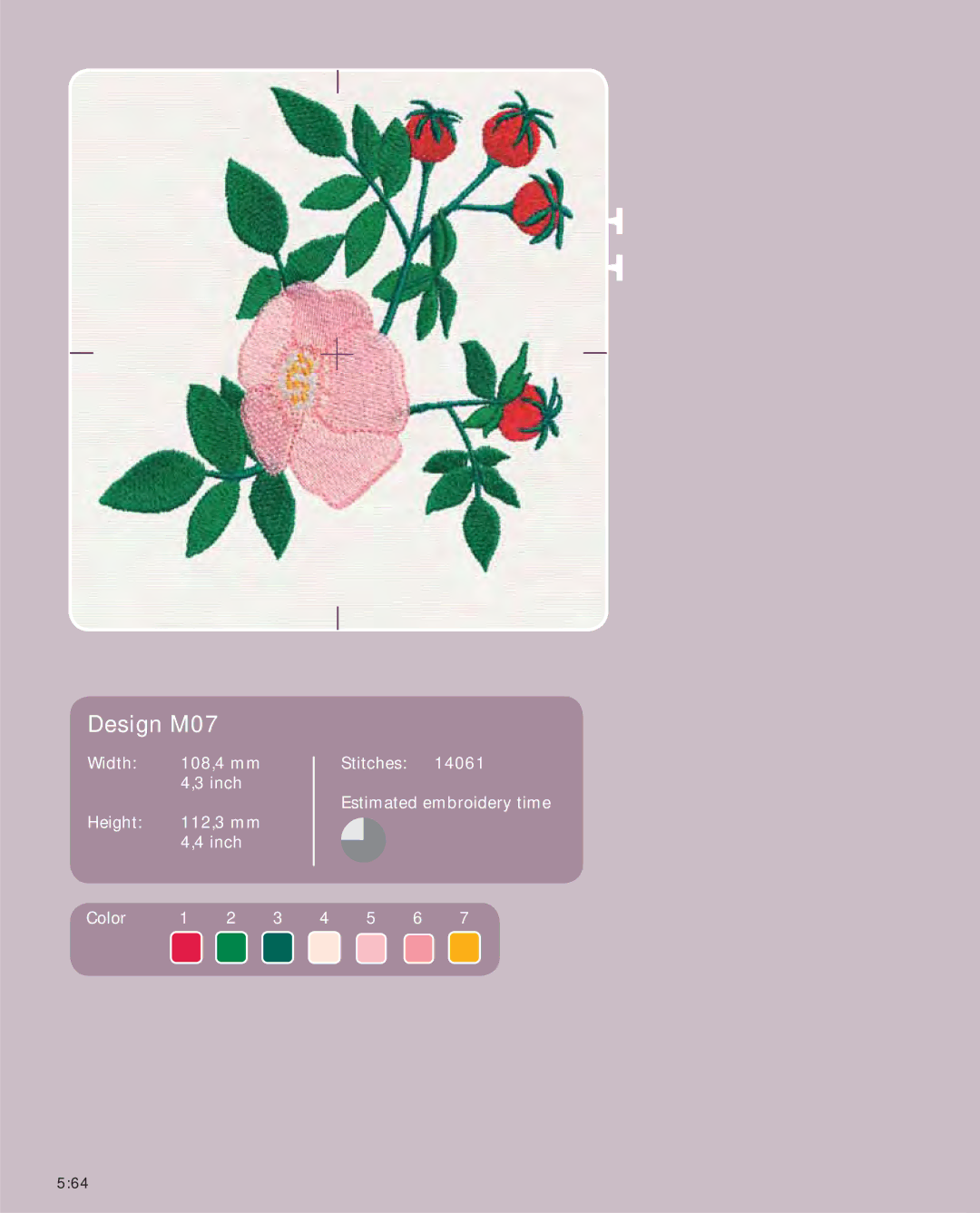
Built in Designs
L01BL01A
Design L01
75%
Design L02
Design L03