P h i l i p s L i f e l i n e 6 9 0 0 / 6 8 0 0 / A T S e r i e s U s e r ’ s M a n u a l
Features: Front
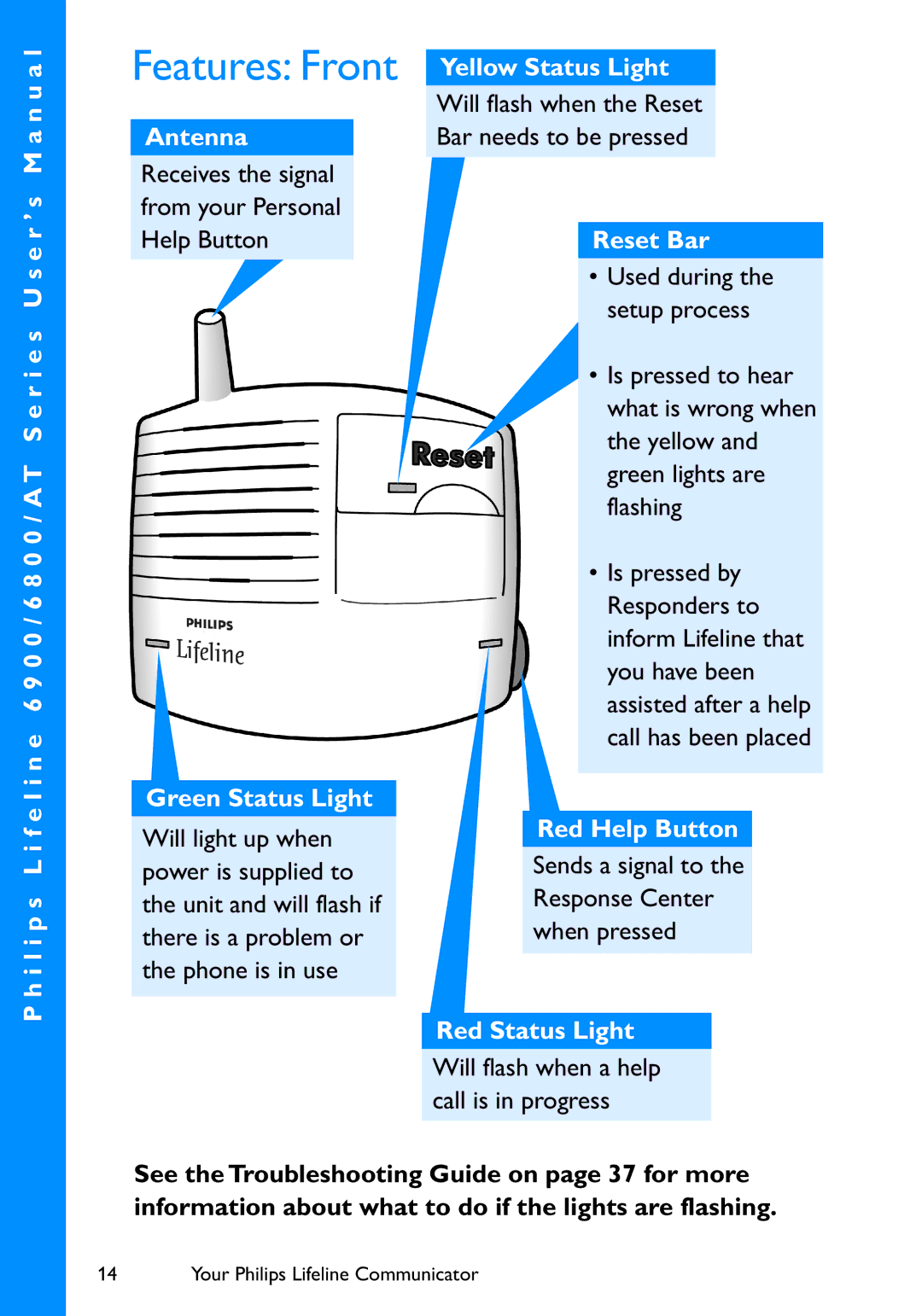
Antenna
Receives the signal from your Personal Help Button
Green Status Light
Will light up when power is supplied to the unit and will flash if there is a problem or the phone is in use
Yellow Status Light
Will flash when the Reset
Bar needs to be pressed
Reset Bar
•Used during the setup process
•Is pressed to hear what is wrong when the yellow and green lights are flashing
•Is pressed by
Responders to inform Lifeline that you have been assisted after a help call has been placed
Red Help Button
Sends a signal to the Response Center when pressed
Red Status Light
Will flash when a help call is in progress
See the Troubleshooting Guide on page 37 for more information about what to do if the lights are flashing.
14 | Your Philips Lifeline Communicator |