Using the telephone


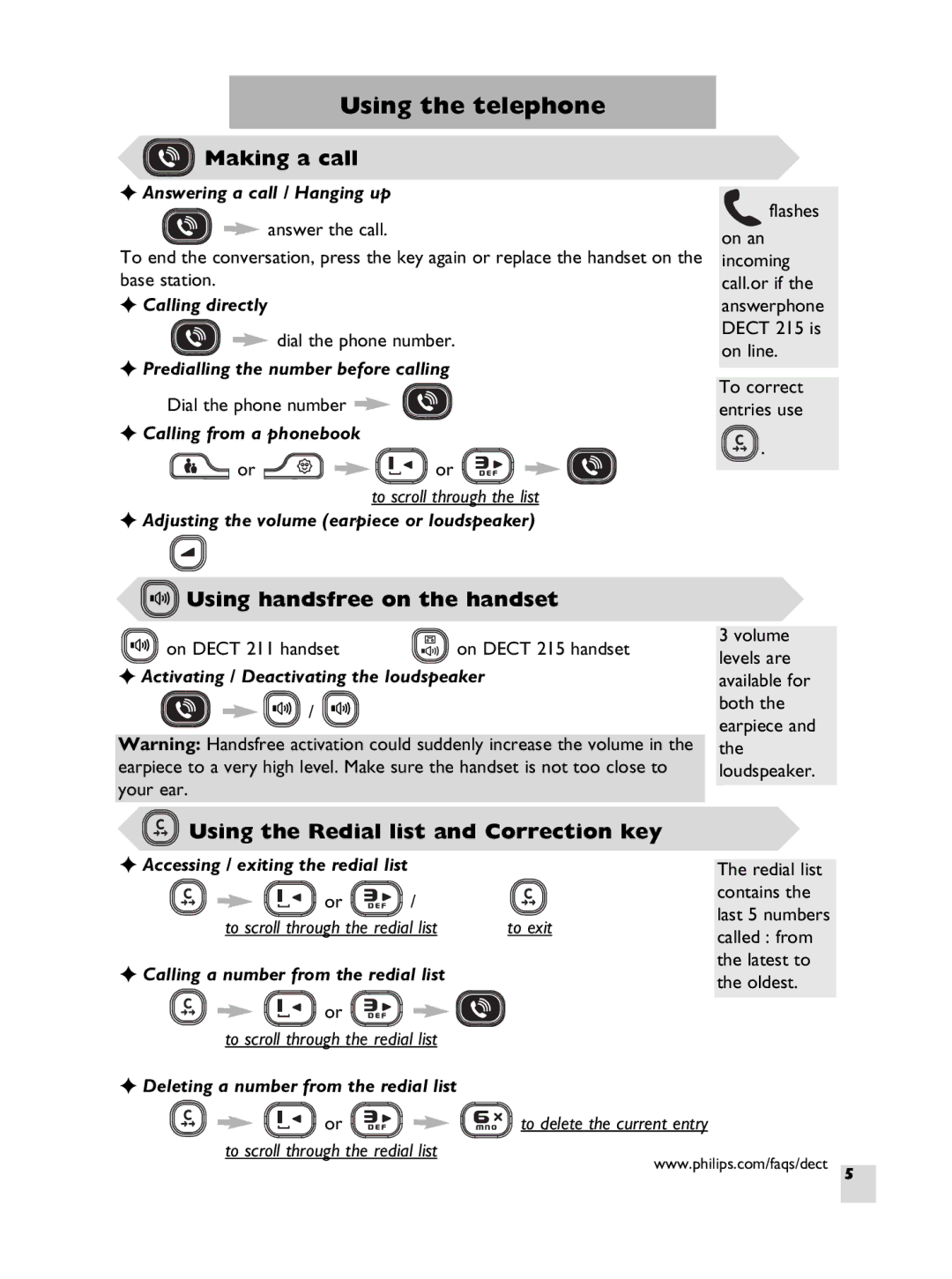
 Making a call
✦Answering a call / Hanging up
answer the call.
To end the conversation, press the key again or replace the handset on the base station.
✦Calling directly
dial the phone number.
✦Predialling the number before calling
Dial the phone number 
✦Calling from a phonebook
or | or |
to scroll through the list
✦Adjusting the volume (earpiece or loudspeaker)
 Using handsfree on the handset
on DECT 211 handset | on DECT 215 handset |
✦Activating / Deactivating the loudspeaker
 /
/ 
Warning: Handsfree activation could suddenly increase the volume in the earpiece to a very high level. Make sure the handset is not too close to your ear.
 flashes
on an incoming call.or if the answerphone DECT 215 is on line.
To correct entries use
 .
.
3volume levels are available for both the earpiece and the loudspeaker.
 Using the Redial list and Correction key
✦ Accessing / exiting the redial list |
|
| The redial list | |
|
|
| ||
or | / |
| contains the | |
| last 5 numbers | |||
to scroll through the redial list | to exit | |||
called : from | ||||
|
|
| ||
✦ Calling a number from the redial list | the latest to | |
the oldest. | ||
| ||
or |
| |
to scroll through the redial list |
|
✦Deleting a number from the redial list
or | to delete the current entry |
to scroll through the redial list
www.philips.com/faqs/dect
5