Clock/Timer
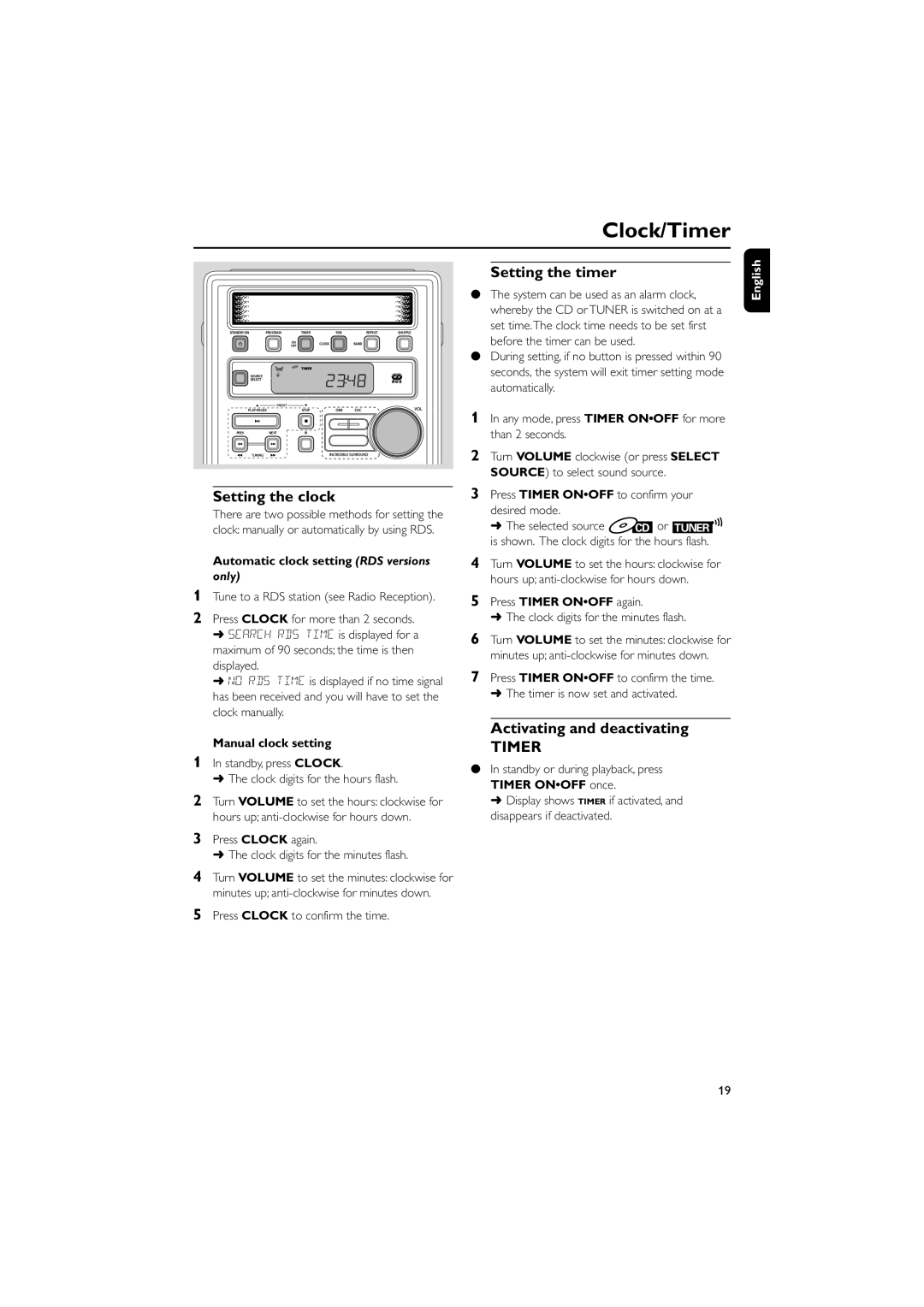
PROGRAM | TIMER | RDS | REPEAT | SHUFFLE | |
| ON |
| CLOCK | BAND |
|
| OFF |
|
|
|
|
| SOURCE |
|
|
|
|
| SELECT |
|
|
|
|
PLAY•PAUSE | STOP |
|
|
| |
PREV | NEXT | iR |
|
|
|
Setting the clock
There are two possible methods for setting the clock: manually or automatically by using RDS.
Automatic clock setting (RDS versions
only)
1Tune to a RDS station (see Radio Reception).
2Press CLOCK for more than 2 seconds.
➜SEARCH RDS TIME is displayed for a maximum of 90 seconds; the time is then displayed.
➜NO RDS TIME is displayed if no time signal has been received and you will have to set the clock manually.
Setting the timer
●The system can be used as an alarm clock, whereby the CD or TUNER is switched on at a set time.The clock time needs to be set first before the timer can be used.
●During setting, if no button is pressed within 90 seconds, the system will exit timer setting mode automatically.
1In any mode, press TIMER ON•OFF for more than 2 seconds.
2Turn VOLUME clockwise (or press SELECT SOURCE) to select sound source.
3Press TIMER ON•OFF to confirm your desired mode.
➜ The selected source  CD or TUNER
 is shown. The clock digits for the hours flash.
4Turn VOLUME to set the hours: clockwise for hours up;
5Press TIMER ON•OFF again.
➜The clock digits for the minutes flash.
6Turn VOLUME to set the minutes: clockwise for minutes up;
7Press TIMER ON•OFF to confirm the time.
➜The timer is now set and activated.
English
| Manual clock setting | Activating and deactivating |
1 | TIMER | |
In standby, press CLOCK. | ● In standby or during playback, press | |
| ➜ The clock digits for the hours flash. | |
| TIMER ON•OFF once. | |
2 |
| |
Turn VOLUME to set the hours: clockwise for | ➜ Display shows TIMER if activated, and | |
| hours up; | disappears if deactivated. |
3Press CLOCK again.
➜ The clock digits for the minutes flash.
4Turn VOLUME to set the minutes: clockwise for minutes up;
5Press CLOCK to confirm the time.
19