2
0
1
@
8
$
%
Functional Overview
# | English |
| |
4 |
|
9 |
|
3 |
|
6 |
|
5 |
|
! |
|
7 |
|
DVD player and power amplifier
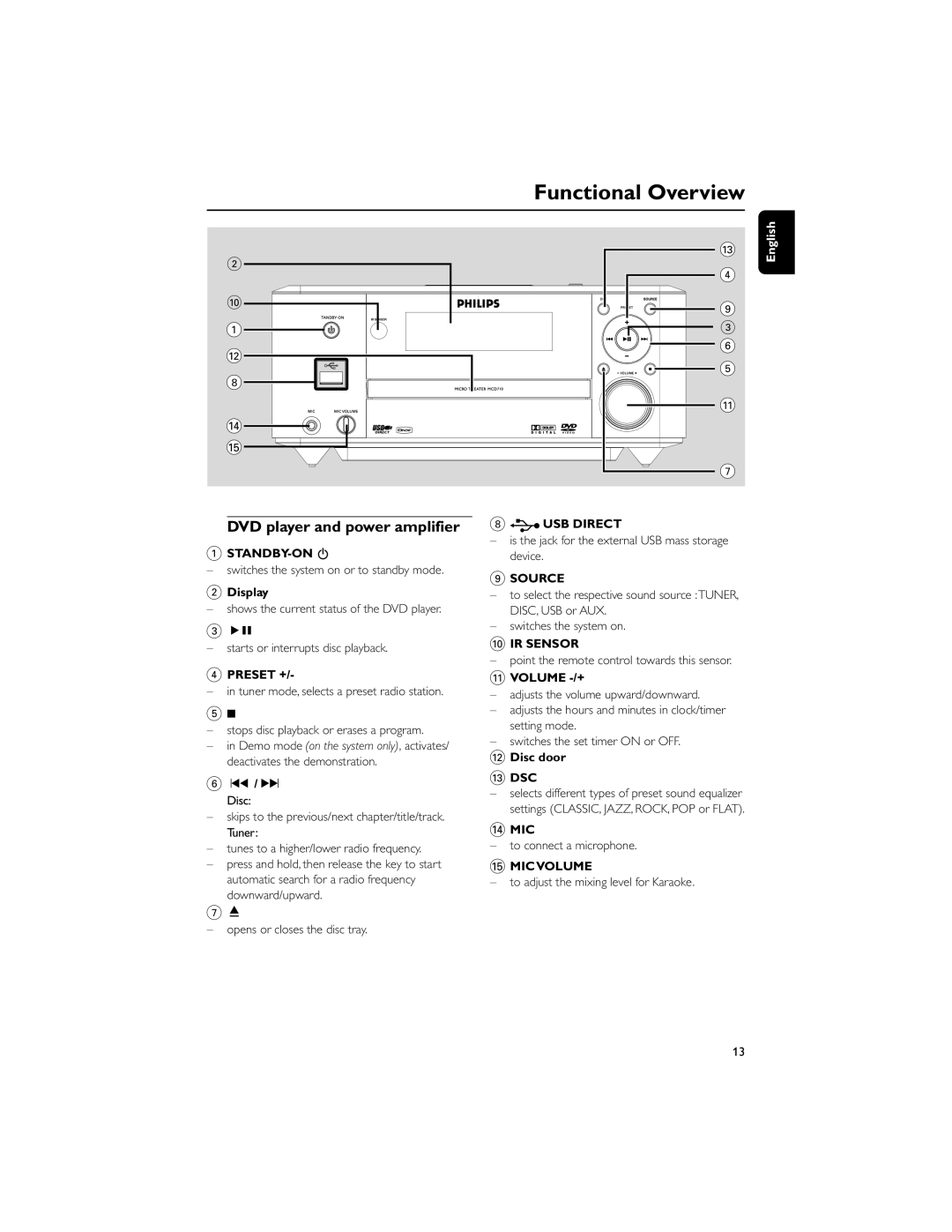
1STANDBY-ON B
–switches the system on or to standby mode.
2Display
–shows the current status of the DVD player.
3ÉÅ
–starts or interrupts disc playback.
4PRESET +/-
–in tuner mode, selects a preset radio station.
59
–stops disc playback or erases a program.
–in Demo mode (on the system only), activates/ deactivates the demonstration.
6 ¡1 / 2™ Disc:
–skips to the previous/next chapter/title/track. Tuner:
–tunes to a higher/lower radio frequency.
–press and hold, then release the key to start automatic search for a radio frequency downward/upward.
8  USB DIRECT
–is the jack for the external USB mass storage device.
9SOURCE
–to select the respective sound source :TUNER, DISC, USB or AUX.
–switches the system on.
0IR SENSOR
–point the remote control towards this sensor.
!VOLUME -/+
–adjusts the volume upward/downward.
–adjusts the hours and minutes in clock/timer setting mode.
–switches the set timer ON or OFF.
@Disc door
#DSC
–selects different types of preset sound equalizer settings (CLASSIC, JAZZ, ROCK, POP or FLAT).
$MIC
–to connect a microphone.
%MIC VOLUME
–to adjust the mixing level for Karaoke.
7ç
–opens or closes the disc tray.
13