Dock
English
Portable player
Speaker |
| Speaker |
(right) |
| (left) |
|
|
|
|
|
|
Dock
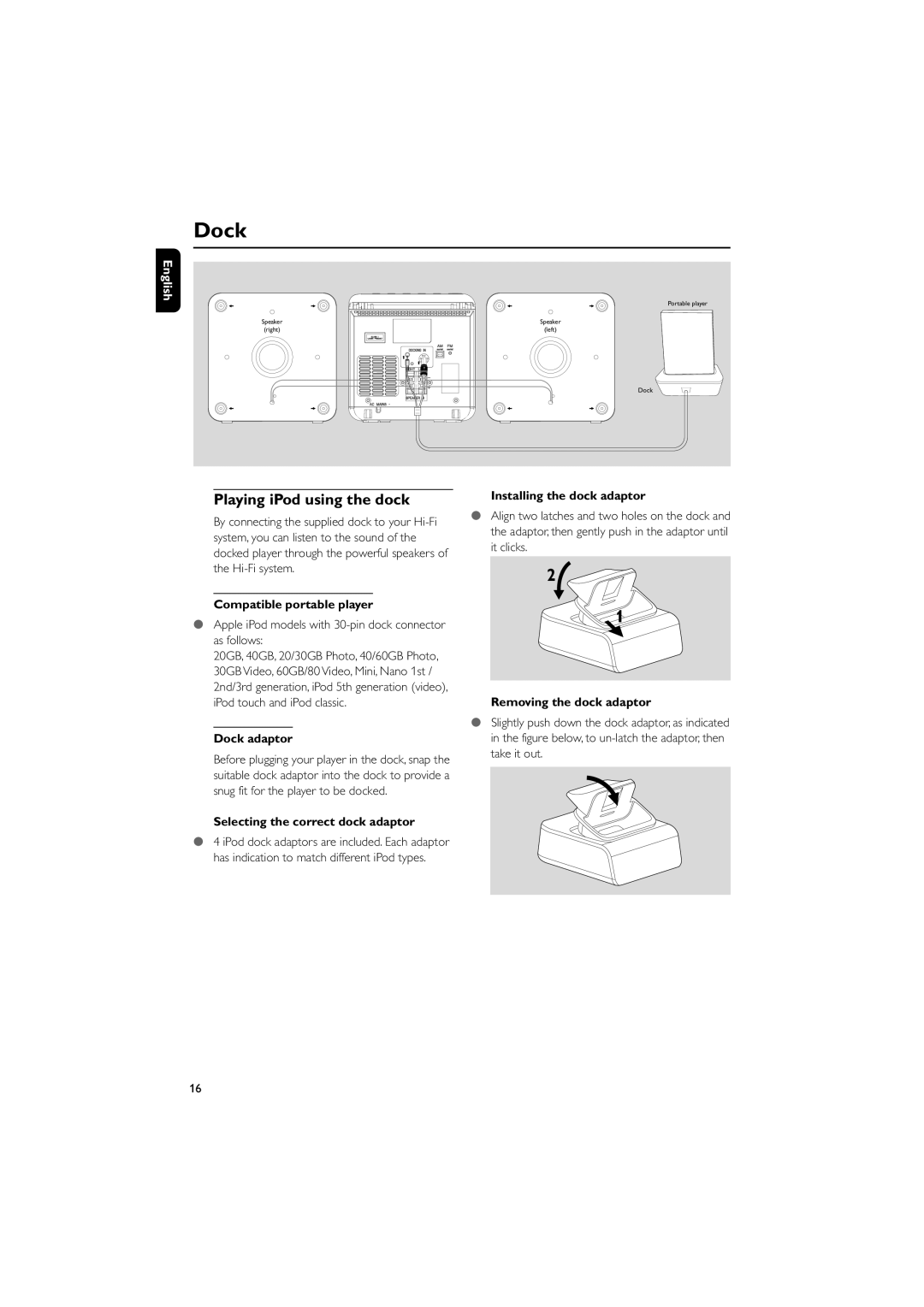
Playing iPod using the dock
By connecting the supplied dock to your
Compatible portable player
●Apple iPod models with 30-pin dock connector as follows:
20GB, 40GB, 20/30GB Photo, 40/60GB Photo, 30GB Video, 60GB/80 Video, Mini, Nano 1st / 2nd/3rd generation, iPod 5th generation (video), iPod touch and iPod classic.
Dock adaptor
Before plugging your player in the dock, snap the suitable dock adaptor into the dock to provide a snug fit for the player to be docked.
Selecting the correct dock adaptor
●4 iPod dock adaptors are included. Each adaptor has indication to match different iPod types.
Installing the dock adaptor
●Align two latches and two holes on the dock and the adaptor, then gently push in the adaptor until it clicks.
2
1
Removing the dock adaptor
●Slightly push down the dock adaptor, as indicated in the figure below, to
16