CLEARING TRACKS
When clearing tracks, bookmarks, or the SmartMedia card, use DELETE only when you are absolutely sure you no longer want the existing contents!
BEGIN
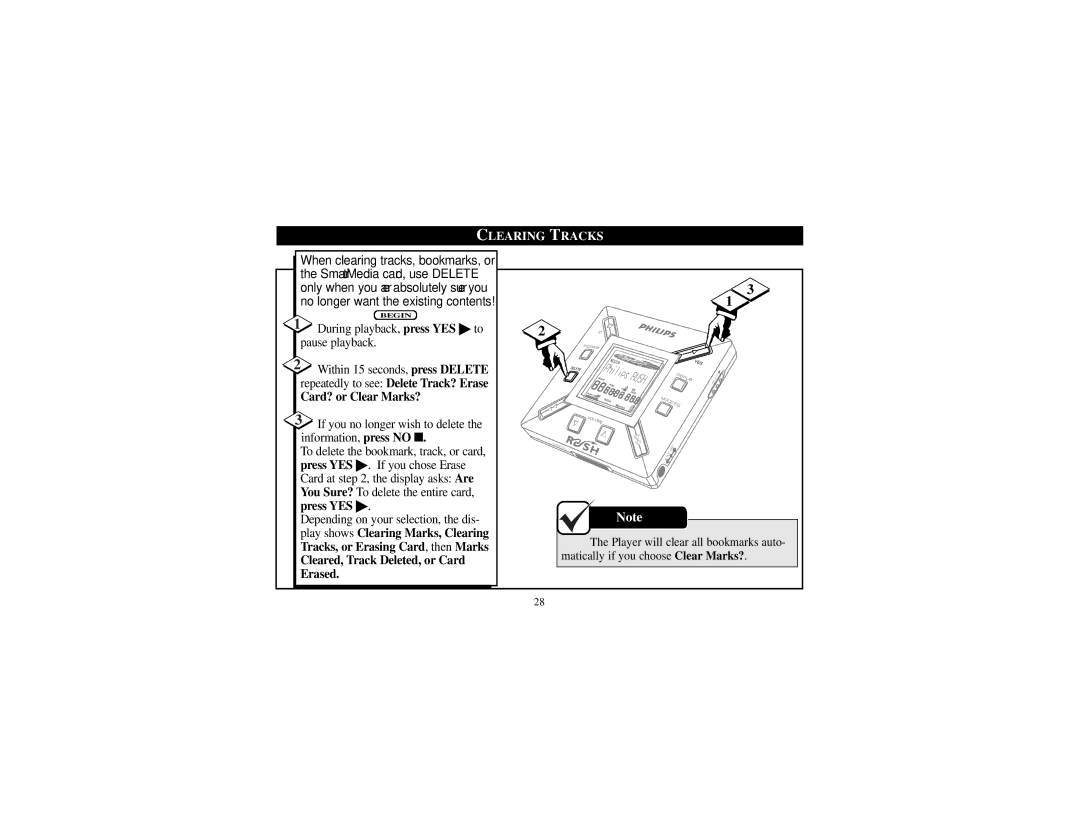
1During playback, press YES ▶ to pause playback.
2Within 15 seconds, press DELETE repeatedly to see: Delete Track? Erase
Card? or Clear Marks?
3If you no longer wish to delete the information, press NO ■.
To delete the bookmark, track, or card, press YES ▶. If you chose Erase Card at step 2, the display asks: Are You Sure? To delete the entire card, press YES ▶.
Depending on your selection, the dis- play shows Clearing Marks, Clearing Tracks, or Erasing Card, then Marks
Cleared, Track Deleted, or Card Erased.
3
1
2 |
| NO |
|
|
|
|
|
|
|
|
| B |
|
|
|
|
|
|
|
|
| OOKMARK |
|
|
|
|
|
|
|
|
|
|
|
|
| Y |
|
|
|
|
|
|
|
|
| ES |
|
|
|
|
| DELETE |
|
|
|
|
|
|
|
|
|
|
| DI |
|
|
| L | D |
|
|
|
| SPL | AY |
| O |
| |
|
|
|
|
|
| H |
|
|
|
|
| MODE/ |
|
|
|
|
| ||
|
|
|
| EQ |
|
|
|
|
|
|
| VO |
|
|
|
|
|
|
|
|
| LU |
|
|
|
|
|
|
|
|
| ME |
|
|
|
|
|
|
|
| DA |
|
|
|
|
|
|
|
|
| T |
|
|
|
|
|
|
|
|
| A |
|
| DC |
|
|
|
|
|
| I/O |
|
|
|
|
|
|
| |
|
|
|
|
|
|
|
|
| |
|
|
| . 5 | V |
|
|
|
|
|
|
| 4 |
|
|
|
|
|
| |
|
|
|
|
|
|
|
|
| |
Note
The Player will clear all bookmarks auto- matically if you choose Clear Marks?.
28