Installation
MICROPHONES
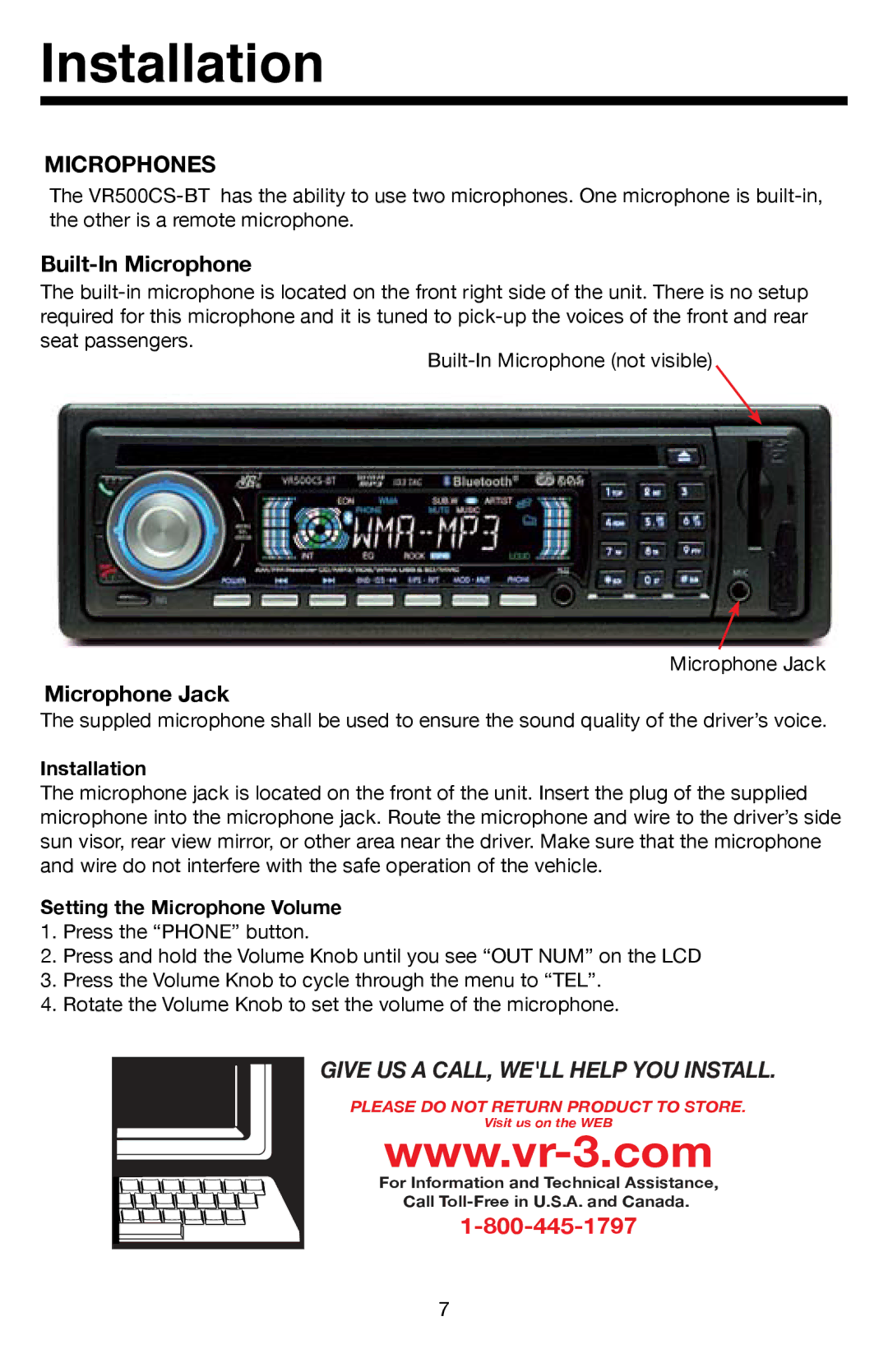
The
Built-In Microphone
The
seat passengers.
Microphone Jack
Microphone Jack
The suppled microphone shall be used to ensure the sound quality of the driver’s voice.
Installation
The microphone jack is located on the front of the unit. Insert the plug of the supplied microphone into the microphone jack. Route the microphone and wire to the driver’s side sun visor, rear view mirror, or other area near the driver. Make sure that the microphone and wire do not interfere with the safe operation of the vehicle.
Setting the Microphone Volume
1.Press the “PHONE” button.
2.Press and hold the Volume Knob until you see “OUT NUM” on the LCD
3.Press the Volume Knob to cycle through the menu to “TEL”.
4.Rotate the Volume Knob to set the volume of the microphone.
GIVE US A CALL, WE'LL HELP YOU INSTALL.
PLEASE DO NOT RETURN PRODUCT TO STORE.
Visit us on the WEB
For Information and Technical Assistance,
Call
7