Basic Operation
Menu Bar
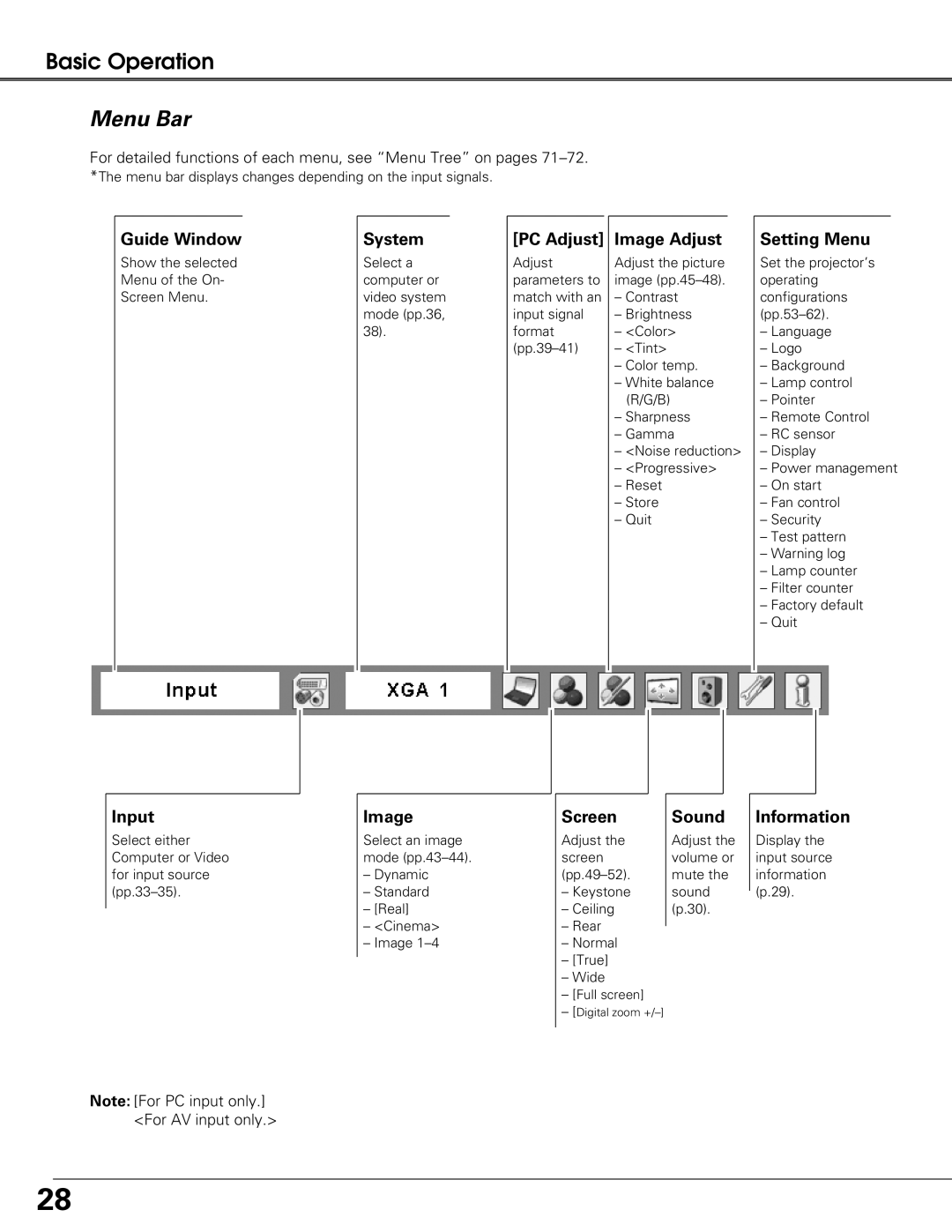
For detailed functions of each menu, see “Menu Tree” on pages
Guide Window
Show the selected Menu of the On- Screen Menu.
System
Select a computer or video system mode (pp.36, 38).
[PC Adjust] |
| Image Adjust |
|
Adjust | Adjust the picture | ||
parameters to | image | ||
match with an | – Contrast | ||
input signal | – Brightness | ||
format | – <Color> | ||
– <Tint> | |||
|
| – Color temp. | |
|
| – White balance | |
|
| (R/G/B) | |
|
| – Sharpness | |
|
| – Gamma | |
|
| – <Noise reduction> | |
|
| – <Progressive> | |
|
| – Reset | |
|
| – Store | |
|
| – Quit | |
|
|
|
|
Setting Menu
Set the projector’s operating configurations
–Language
–Logo
–Background
–Lamp control
–Pointer
–Remote Control
–RC sensor
–Display
–Power management
–On start
–Fan control
–Security
–Test pattern
–Warning log
–Lamp counter
–Filter counter
–Factory default
–Quit
Input
Select either Computer or Video for input source
Note: [For PC input only.] <For AV input only.>
Image
Select an image mode
–Dynamic
–Standard
–[Real]
–<Cinema>
–Image
Screen
Adjust the screen
–Keystone
–Ceiling
–Rear
–Normal
–[True]
–Wide
–[Full screen]
–[Digital zoom
Sound
Adjust the volume or mute the sound (p.30).
Information
Display the input source information (p.29).
28