BYPASS FEED
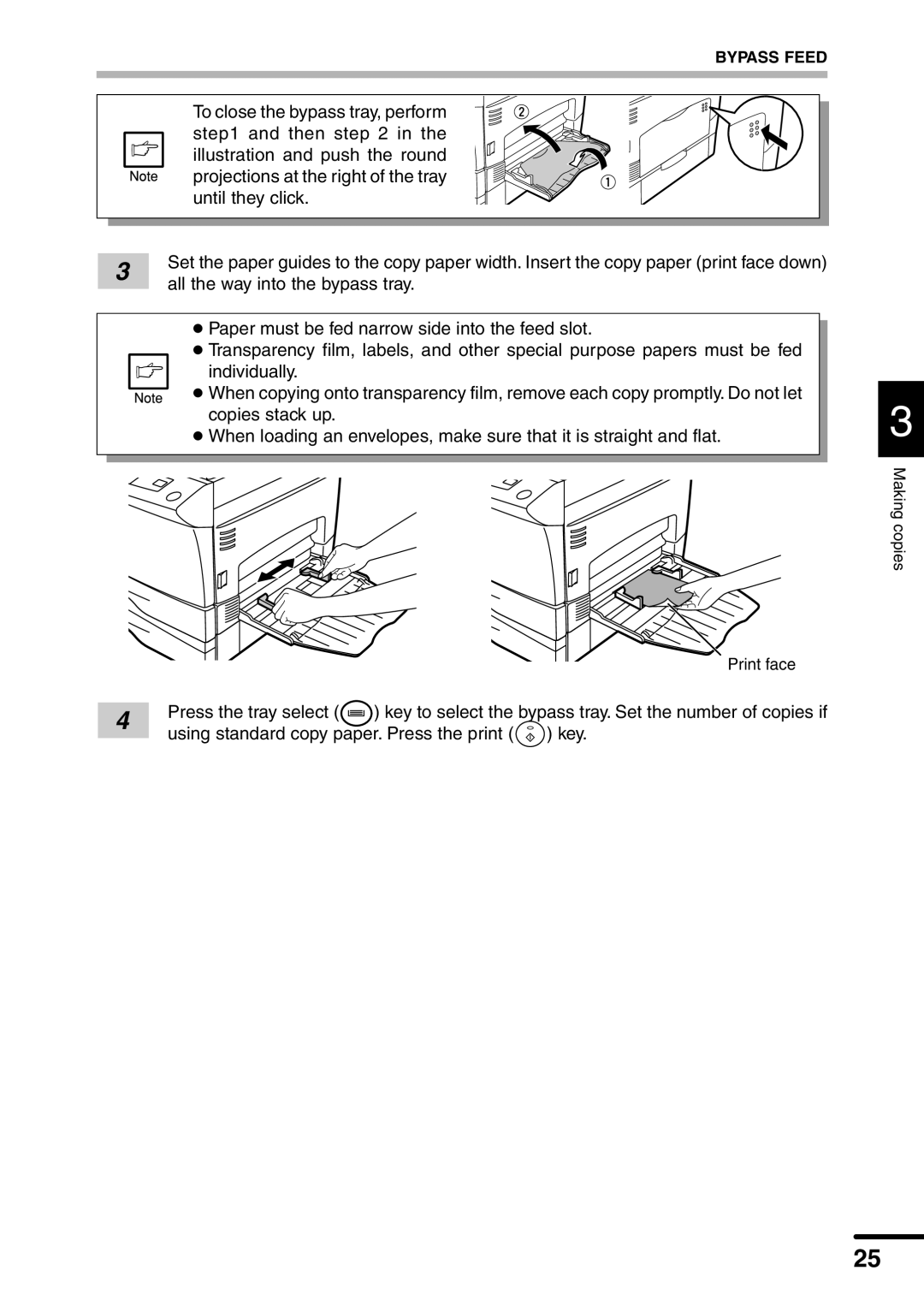
To close the bypass tray, perform step1 and then step 2 in the illustration and push the round projections at the right of the tray until they click.
3 | Set the paper guides to the copy paper width. Insert the copy paper (print face down) | |
all the way into the bypass tray. | ||
|
●Paper must be fed narrow side into the feed slot.
●Transparency film, labels, and other special purpose papers must be fed
individually.
● When copying onto transparency film, remove each copy promptly. Do not let copies stack up.
●When loading an envelopes, make sure that it is straight and flat.
|
|
| Print face | |
4 | Press the tray select ( | ) key to select the bypass tray. Set the number of copies if | ||
using standard copy paper. Press the print ( | ) key. | |||
| ||||
3
Making copies
25