Sprint Power VisionSM Phone M1 by Sanyo
Table of Contents
2D. Controlling Your Roaming Experience
2F. Using Contacts
134
116
152
180
251
227
4B. Manufacturer’s Warranty
Welcome and thank you for choosing Sprint
Welcome to Sprint
Phone Guide
Introduction
Iii
Want to keep track of your minutes?
Contacts
Missed Alerts Call History
Messaging
Order Prints Print@Home Settings & Info
Settings
On Demand Pictures
Camera Camcorder Picture Mail My Albums
Music Media Player
My Content
Web Tools
Sounds
# Settings
Display
Vii
Ready Link
Power Vision
Location
Viii
Messaging
Bluetooth
Security
Text Entry
Others
Phone Info
USE Menu
Page
Getting Started
Setting Up Service
Setting Up Service
This Section
UnlockingYourPhone
DeterminingifYourPhoneisAlreadyActivated
Tounlockyourphone,followtheseeasysteps
Tip
Tosetupyourvoicemail
Setting UpYourVoicemail
Account Password VoicemailPassword
SprintPCS AccountPasswords
SprintPCSVisionorSprintPowerVisionPassword
Getting Help
ReachingSprintCustomerService
ReceivingAutomatedBillingInformation
Toaccessautomatedbillinginformation
Sprint411
TocallSprint411
ToaccessSprintPCSOperatorServices
SprintPCSOperatorServices
Using Your Phone
Phone Basics
Phone Basics
Phone Basics
FrontView ofYour Phone
Key Functions
PhoneBasics
LEDIndicatorshowsyour phone’s connection status at aglance
Phone Basics
Tells you a call is in progress
Viewing the Display Screen
Phone Basics
Phone Basics
Features ofYour Phone
PhoneBasics
TurningYourPhoneOn
TurningYour Phone On and Off
TurningYourPhoneOff
Toturnyourphoneon
Battery Capacity
UsingYour Phone’s Battery and Charger
Removing the Battery
Installing the Battery
To install the Li-Ion battery
To remove your battery
Using the Charger
Charging the Battery
Touse the travel charger provided with your phone
SelectingMenuItems
NavigatingThrough Phone Menus
BackingUpWithinaMenu
DisplayingYour Phone Number
Togotothepreviousmenu
Toreturntostandbymode
Making and Answering Calls
Tomakeacallusingyourkeypad
Holding your Phone
Making Calls
Dialing Options
To answer an incoming call with the phone open
Answering Calls
To answer an incoming call with the phone closed
Answer or AnswerSpeaker to answer the call
ToansweracallwhenyouareroamingandCallGuardisenabled
AnsweringaRoamCallWithCallGuardEnabled
EndingaCall
Todisconnectacallwhenyouarefinished
TocalltheMissedCallentryfromthenotificationscreen
Missed Call Notification
TodisplayaMissedCallentryfromstandbymode
Select MissedAlerts
ToexitEmergencymode
Calling Emergency Numbers
ToselectEmergencymodeoptions
Enhanced911E911Information
In-Call Options
End-of-Call Options
Tosaveanumberfromstandbymode
Saving a Phone Number
Dialing and Saving Phone NumbersWith Pauses
Finding a Phone Number
Tofindaphonenumber
ToplaceacallusingAbbreviatedDialing
Using Abbreviated Dialing
Todialorsavephonenumberswithpauses
Plus + Code Dialing
TomakeacallusingPlusCodeDialing
Dialing From the Contacts List
TodialdirectlyfromaContactsentry
Tousespeeddial
Using Speed Dialing
Selecting a Character InputMode
EnteringText
Tochangethecharacterinputmode
Phone Basics
ToenterawordusingT9TextInput
Entering Characters UsingT9TextInput
AddingaWordtotheT9Database
ToaddawordtotheT9TextInputdatabase
TocustomizetheT9Settings
CustomizingtheT9Settings
Select SettingsOthersTextEntryT9Settings
Charactersscrollinthefollowingorder
Entering Characters Using AlphabetMode
Controlling Your Phone’s Settings
Controlling Your Phone’s Settings
RingerTypes
Sound Settings
SelectingRingerTypesforIncomingCalls
Toselectaringertypeforincomingcalls
SelectingRingerTypesforSprintPCSReadyLinkCalls
SelectingRingerTypesforVoicemailorCalendar/Alarm
SelectingRingerTypesforMessaging
Selecting aTone Length
Selecting aVibrate Pattern
Toselectavibratepattern
Toselectakeytone
UsingVoice Prompt
Setting a Start-up/Power-offTone
Setting Up Key Press Echo
AdjustingtheAlertVolumeSettings
Adjusting the Phone’sVolume Settings
Toadjusttheringervolume
Toadjustthealertvolumesetting
Toadjustthereceivervolume
AdjustingthePhone’sReceiverVolume
Toenableordisablealertsounds
Alert Notification
ToactivateSilenceAll
Silence All
TodeactivateSilenceAll
Changing theTextGreeting
Display Settings
Changing the BacklightTime Length
Changing the Display Screen Animation
Select SettingsDisplayIncomingCalls
Changing the Display for Incoming Calls
Tochangetheanimationdisplay
Select SettingsDisplayScreenSaver Select MainLCD or SubLCD
Changing the Clock/Calendar Display for Standby Mode
Changing the Screen Saver
Tosettheclock/calendardisplayforstandbymode
Tosetthisfeature
Power Save Mode
Customizing the User Interface
Tocustomizethedisplaytheme
Changing the Phone’s Menu Style
Select SettingsDisplayOthersMatchAreaCode
Changing the Display for Area Name
Toselectthedisplay’smenustyle
Changing theTextFontSize
Changing the Display for My Buddy
ToactivateordeactivateMyBuddy
Tochangethetextfontsize
Sleep Mode
Setting Return to Standby Mode
Select SettingsDisplayOthersReturntoIdle
Toenableyourphone’sLocationfeature
Location Settings
SettingMessageNotification
Messaging Settings
Select SettingsMessagingNotification
Tosetmessagenotification
SettingAutoDelete
ManagingPresetMessages
Toeditapresetmessage
Tochangethelanguageofthepresetmessages
AddingaCustomizedSignature
SettingaCallbackNumber
Tosetthecallbacknumber
Toaddacustomizedsignaturetoeachsentmessage
SettingDraftsAlert
Settingthe Delivery Receipt
Settingthe Speakerphone forSMSVoice Messaging
SettinganAlertNotificationforSMSVoiceMessaging
SettingtheSender’sNameforSMSVoiceMessaging
Tosetthesender’sname
TosetanalertforSMSVoicemessaging
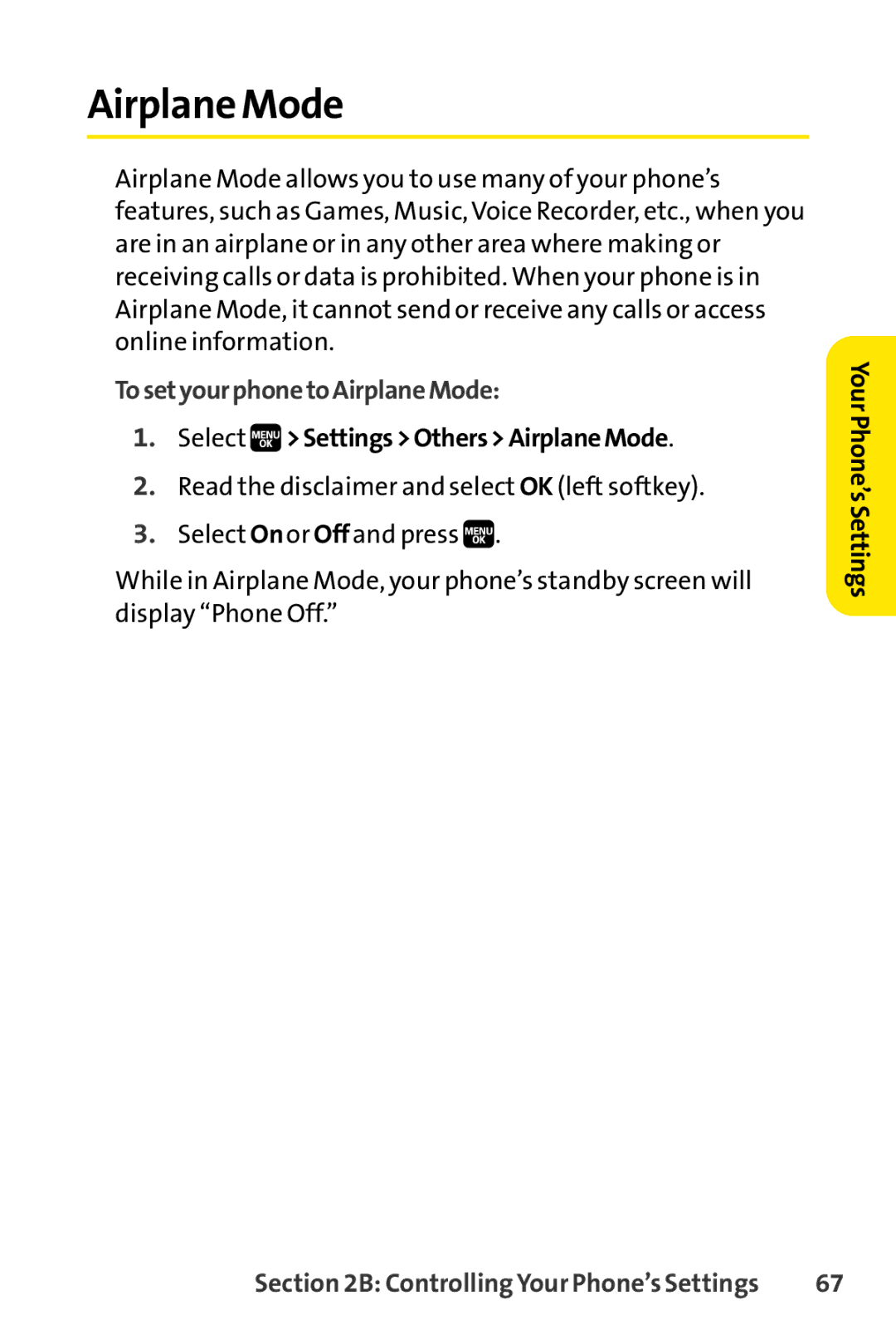
Select SettingsOthersAirplaneMode
Airplane Mode
TosetyourphonetoAirplaneMode
TTY UseWith SprintPCS Service
ToturnTTY Modeonoroff
ActivatingandDeactivatingWirelessBackupService
Wireless Backup
ToactivateWirelessBackupservice
Select ContactsWirelessBackup
TodeactivateWirelessBackupservice
SettingWireless Backup Alert
TosetWirelessBackupalert
Select ContactsWirelessBackupAlert
My Favorites
Phone Setup Options
Toassignyourshortcutkey
Setting AnyKey Answer
Auto-Answer Mode
DisplayLanguage
ToactivatetheOpenFlipfeature
Setting the Open/Close Flip Option
Select SettingsOthersOpen/CloseFlip
ToactivatetheCloseFlipfeature
Setting the Key Guard
Setting Power On to Alert
To turn Power On to Alerton or off
Toturn the Key Guard on or off
SettingTextEntry Options
Setting Navigation Key Shortcuts
Tosetthenavigationkeyshortcuts
Tosetyourtextentryoptions
Select SettingsOthersAbbrev.Dial
Setting Abbreviated Dialing
TosetAbbreviatedDialing
Toconnecttheheadset
Setting HeadsetMode
Tosettheheadsetmode
Tosetthesoundmode
Setting Your Phone’s Security
UsingYour Phone’s Lock Feature
Accessing the Security Menu
LockingYour Phone
UnlockingYour Phone
Calling in Lock Mode
Changingthe Lock Code
Toactivatelockservices
Lock Services
Select VoiceCalls, PowerVision, or ReadyLink
Locking the Pictures Menu
Torestrictcalls
Restricting Calls
Select OthersLimitUse Select OutgoingCalls or IncomingCalls
Toaddorreplaceaspecialnumber
Using Special Numbers
Select OthersSpecial#s
Toerasephonecontent
Erasing Phone Content
YourPhone’sSecurity
Resetting Favorites
Resetting the Browser
Toresetthebrowser
Toresetfavorites
ResettingYour Picture Mail Account
ResettingYour Phone
Toresetyourphone
ToresetyourPictureMailaccount
Toresetdefaultsettings
Resetting DefaultSettings
Select Erase/ResetDefaultSettings. a warning is displayed
ToenablelockingyourphonethroughSMS
Resetting and LockingYour Phone Through SMS
Select OthersFoundMeReset/LockEnable
Select OthersFoundMeChangePasscode
Changing the Passcode
Enabling and Disabling SprintPCSVision Services
Security Featuresfor SprintPCSVision
TodisableSprintPCSVisionservices
ToenableSprintPCSVisionservices
Controlling Your Roaming Experience
Controlling Your Roaming Experience
RecognizingtheRoamingIconontheDisplayScreen
Understanding Roaming
RoamingonOtherDigitalNetworks
Tocheckyourvoicemailwhileroaming
CheckingforVoicemailMessagesWhileRoaming
Set Mode
SettingYour Phone’s Roam Mode
Select SettingsOthersRoamingSetMode
Tosetyourphone’sroammode
Select SettingsOthersRoamingCallGuard
Using Call Guard
ToturnCallGuardonoroff
ToplaceroamingcallswithCallGuardon
TousedataserviceswhenDataRoamGuardisactive
Using Data Roam Guard
TosetyourDataRoamGuardnotification
Managing Call History
Managing Call History
ToviewaCallHistoryentry
Viewing History
Call History Options
ToplaceacallfromCallHistory
Making a Call FromCall History
101
TosaveaphonenumberfromCallHistory
Saving a Phone Number FromCall History
ErasingCall History
Prepending a Phone NumberFrom Call History
ToprependaphonenumberfromCallHistory
ToeraseCallHistory
Using Contacts
Using Contacts
Toaddanewentry
Addinga New Contacts Entry
Select ContactsFind/AddEntryAddContact
105
ToassignaContacttoagroup
Assigning a Group Entry
Select ContactsGroup
Toeditagroupentry
FindingNames
FindingContacts Entries
TofindContactsentriesbyname
Shortcut
FindingGroupEntries
FindingSpeedDialNumbers
Tofindphonenumbersyouhavestoredinspeeddiallocations
Select ContactsSpeedDial#s
109
Contacts Entry Options
Toeditanentry’sphonenumber
Toaddaphonenumbertoanentry
Toassignaspeeddialnumber
AssigningSpeed Dial Numbers
111
Assigning an Image to a Contacts Entry
Editinga Contacts Entry
To make changes to an entry
Toassign an image for an entry
Toselectaringertypeforanentry
Selecting a RingerType for an Entry
113
Tomakeanentrysecret
SecretContacts Entries
Tomakeanentrypublic
TodialaservicefromyourContacts
Dialing SprintPCS Services
Select ContactsServices
Todialaservicefromstandbymodeusingyourkeypad
Using the Phone’s Calendar and Tools
Using the Phone’s Calendar and Tools
Changing the Calendar Settings
UsingYour Phone’s Calendar
Displaying your Calendar
Toaddanevent
Adding an Eventto the Calendar
Select ToolsCalendar
Event Alert Menu
Event Alerts
Viewing Day’s Events
Event List Options
Erasing a Day’s Events
Going to a Specified Date
TousetheCalendarmenutogettoaspecifieddate
Toeraseaday’sscheduledevents
Purging All Events
Purging Events
Todeleteeventsscheduledbeforeaspecifictimeanddate
Todeleteallscheduledevents
Toaddacallalarmtothecalendar
Adding a Call Alarm to the Calendar
123
Adding aTo Do ListItem to the Schedule
AddingTo Do ListItems
ToaddanitemtoyourToDoList
ToaddaToDoListitemtotheschedule
Using the Alarm Clock
UsingYour Phone’sTools
Tousethealarmclock
Select ToolsMoreToolsAlarmClock
Tostartthestopwatch
Using the Stopwatch
Select ToolsMoreToolsStopWatch
Torecordalaptimewhilethestopwatchisrunning
Tousethecountdowntimer
Using the CountdownTimer
World Clock
Toviewthetimeindifferentlocations
ToupdateyourphonethroughtheToolsmenu
Using the Calculator
UpdatingYour Phone
Tousethecalculator
ToconnectyourphonetoyourPC
ConnectingYour Phone toYour PC
Select ToolsUSBConnectionMassStorage
Toremovetheconnection
To access file manager
Accessing File Manager
File Manager
File Manager Icon Indication
Opening Files in the File Manager
Using File Manager Options
Toopenfilesinthefilemanager
Select ToolsFileManager
Viewing Memory in File Manager
Sorting the Folder Contents
Personal Information Management
Using Your Phone’s Voice Services
Using Your Phone’s Voice Services
Making a Call UsingVoice-Activated Dialing
UsingVoice-Activated Dialing
ProgrammingVoice DialTags
ReviewingVoice DialTags
Select Erase/ResetEraseVoiceTag
Erasing AllVoice DialTags
Toreviewvoicedialtags
ThefollowingisalistofavailableASRcommands
Using Automatic Speech Recognition
Activating Automatic Speech Recognition
ToactivateAutomaticSpeechRecognition
Tomakeavoicecallbyspeakinganame
Making aVoice Call by Using ASR
To make a call by speaking a phone number
Finding Contacts List Entries
To find a contactin the Contacts list
139
Making International Calls by Using ASR
Making a Call Using aVoiceTag
To makeacall byusing a voicetag
Tomakeinternationalcalls byusing ASR
ToprogramDigitTraining
Using DigitTraining
Say DigitTraining
ToactivateDigitTraining
ToaccessthemenubyusingASR
Opening the Menu by Using ASR
TodeactivateDigitTraining
TomakeaSprintPCSReadyLinkCallbyusingASR
Making a SprintPCS Ready Link Call by Using ASR
Say Call, Group, CompanyCall, CompanyGroup, or DialNumber
143
RecordingVoice Memos
Using theVoice Recorder
Torecordavoicememo
Toendtherecordingofyourvoicememo
Torecordavoicememowiththephoneclosed
ReviewingVoice Memos
Toplaythevoicememosyouhaverecorded
Toreviewthevoicememoswiththephoneclosed
Select ToolsVoiceServicesVoiceRecorder
Setting the Recording Guard
Voice Memo Options
Tosettherecordingguard
Recording Call Memos
ErasingVoice Memos
Erasing Call Memos
Reviewing Call Memos
Activating Screen Call
Setting Up Screen Call
Selecting an Announcementfor Screen Call
Recording a Customized Announcement
RecordingYour Name for a Prerecorded Announcement
Torecordyourname
Torecordanannouncement
Erasing an Announcement
Reviewing an Announcement
Toreviewanannouncement
Toeraseanannouncement
Using the Built-in Camera
Using the Built-in Camera
Totakeapicturewiththephoneopen
Taking Pictures
153
To take a picture with thephone closed
TocreateyourSprintPCSPictureMailpassword
CreatingYour SprintPCS Picture Mail Password
Select PicturesMyAlbumsOnlineAlbums
155
Camera Mode Options
SettingtheSelf-Timer
SettingtheFlash
Totakemultipleshots
TakingMultipleShots
UsingtheZoom
SettingAutofocus
Tosetautofocus
Tousethezoom
Toselectyourcamerasettings
Selecting Camera Settings
2M-1200x1600,1.3M-960x1280,Medium-480x640, or Low-240x320
Toaccessthesettingsandinfomenu
Using the Settings & Info Menu
Select PicturesSettings&Info
161
Function
CameraIconIndication
Details
Torecordavideo
RecordingVideos
163
To take a videowith the phone closed
165
Video Mode Options
Toselectyourcamcordersettings
Selecting Camcorder Settings
Rich-120min
167
VideoIconIndication
Phone Folder
Storing Pictures andVideos
Phone Folder Options
ToreviewyourpicturesandvideossavedintheInPhonefolder
169
TosaveapictureorvideototheAssignedMediafolder
Assigned Media Folder
ToviewpicturesandvideosstoredintheAssignedMediafolder
Sending Pictures andVideos From the In Phone Folder
Sending Sprint PCS Picture Mail
To sendpictures from the In Phone folder
Select PicturesMyAlbums In Phone
Using the Built-in Camera
TosendpicturesandvideosfromtheMessagingmenu
Sending Pictures andVideos From Messaging
Select MessagingSendMessagePictureMail
Select InPhone or OnlineAlbums
ToaccesstheSprintPCSPictureMailWebsite
Using the SprintPCS Picture MailWeb Site
Managing SprintPCS Picture Mail
Uploading Pictures andVideos
Managing Online Pictures andVideos From Your Phone
Toviewyouronlinepicturesandvideosfromyourphone
Touploadpicturesandvideos
ToaccessyouronlinePictureandVideooptionsfromyourphone
Accessing Online Picture andVideo Options From Your Phone
DownloadingYour Online Pictures andVideos
177
ToaccessyourOnlineAlbumsoptionsfromyourphone
To printpictures directly from yourphone
Printing Pictures Directly FromYour Phone
179
Using Sprint PCS Ready Link
Using Sprint PCS Ready Link
ToenableordisableSprintPCSReadyLinkmode
Setting SprintPCS Ready Link Mode
181
Ready Link Call Alerts
PreparingYour Phone for SprintPCS Ready Link Service
Displaying the SprintPCS Ready Link List
Making and Receiving a SprintPCS Ready Link Call
Selecting a Contacts List
183
ToplaceaSprintPCSReadyLinkcallbyselectingacontact
Makinga SprintPCS Ready Link Call One-to-One Call
185
ToplaceaSprintPCSReadyLinkGroupcall
Making a SprintPCS Ready Link Call Group Call
ToplaceaSprintPCSReadyLinkcallbyenteringanumber
Making a SprintPCS Ready Link Call by Entering a Number
187
TocallthelastMissedSprintPCSReadyLinkcall
Missed Call Notification for SprintPCS Ready Link Calls
ToerasetheMissedCalllog
TodisplaytheMissedReadyLinkCalllog
ToreceiveaSprintPCSReadyLinkcall
Receivinga SprintPCS Ready Link Call
189
SprintPCS Ready Link Options
191
To copy an entryfromthe SprintPCS Ready Link List
Finding an Entry in the Sprint PCS Ready Link List
Saving a Sprint PCS Ready Link Number
To save the number
To find a SprintPCS Ready Link entry
ToaddanewSprintPCSReadyLinkcontact
Adding a New ContacttoYour Personal List
Select GotoPersonalListAddContact
193
Select GotoPersonalGrps.AddGroup
ToaddanewSprintPCSReadyLinkgroupentry
ToeditaPersonalListcontact
Editing a ContactinYour Personal List
Select GotoPersonalList
195
Toeditagroupname
Editing a Group inYour Personal Group List
Select GotoPersonalGrps
Erasing an Entry inYour Personal Lists
ErasingReady Link ListEntries
Toeraseacontactoragroup
197
ToeraseaSprintPCSReadyLinkList
Erasing a SprintPCS Ready Link List
Updating the Company Listand Personal List
UpdatingSprintPCS Ready Link Lists
Assigning Speed Dialing for SprintPCS Ready Link Entries
Setting Ready Link Guard
Restarting the Ready Link Service
Setting RingerTypes for SprintPCS Ready Link Calls
TorestarttheSprintPCSReadyLinkservice
SettingVibrate Pattern for SprintPCS Ready Link Calls
Setting RingerVolume for SprintPCS Ready Link Calls
ToselectaringervolumeforSprintPCSReadyLinkcalls
ToselectavibratepatternforSprintPCSReadyLinkcalls
To setalerts for SprintPCS Ready Link calls
To adjustthe floor tone volume
Setting the DefaultView of the SprintPCS Ready Link List
Setting the Speakerphone for SprintPCS Ready Link Calls
ToselectthedefaultviewoftheSprintPCSReadyLinkList
Tosetthespeakerphonemode
Select SettingsReadyLinkFloorDisplay
Setting the Floor Display of the SprintPCS Ready Link Calls
Toselectthefloordisplay
205
Using the Built-In Media Player
Your MultimediaChannel Options
Using the Built-in Media Player
Toaccessyourmediaplayerandchannellistings
AccessingYour Media Player’s Channel Listings
207
ToselectandplayamediaclipintheChannelListing
PlayingaVideo or Audio Clip
Select MediaPlayerChannelListing
ToselectandplayamediaclipintheMediaListing
209
Media Folder Options
Tocreateaplaylist
Playlists
Select MediaPlayerPlaylist
Toaddfilestoaplaylist
Todeleteaplaylist
Toremovefilesfromaplaylist
Optionsavailableundertheplaylistmenumayinclude
211
TolaunchaMusicorMediaplayer
Playing Media Clips Using the External Control Key
KeyOperationWhilePlayingMediaClips
ArethevideosthatI’mviewinglivevideos?
Multimedia FAQs
213
WhyaresomechannelsalreadypreloadedintotheMy Channelssection?
215
HowcanIcancelserviceifIdecideIdon’twantit?
Using Bluetooth
Using Bluetooth
Bluetooth Status Indicators
Turning Bluetooth On and Off
To turn Bluetooth on
To turn Bluetooth off
Bluetooth Settings MyDeviceName
Using the Bluetooth Settings Menu
To access the Bluetooth Settings menu
To seta Bluetooth name for your phone
Bluetooth SettingsVoice Priority
Bluetooth SettingsVisibility
Select SettingsBluetoothVisibility
Tosetthevoicepriority
Setting Auto-Accept
Bluetooth Settings My Device Information
Select Settings Bluetooth My Device Info
Select Tools Bluetooth
221
Bluetooth Profiles
Using Bluetooth
TopairyourphonewithanotherBluetoothdevice
Pairing Bluetooth Devices
PairedDevices
WaitingforRequest
Tousethetrusteddevicesoptions
Using theTrusted Devices Options
To printdatavia Bluetooth
Printing Data via Bluetooth
225
TosenddataviaBluetooth
Sending Data via Bluetooth
Select ToolsBluetooth
Sprint PCS Service Features
Sprint PCS Service Features The Basics
Sprint PCS Service Features Basics
Setting UpYourVoicemail
UsingVoicemail
229
NewVoicemail Message Alerts
Voicemail Notification
Tocallyourvoicemail
TodisplayyourMissedLog
UsingaPhoneOtherThanYourWirelessPhoneto AccessMessages
UsingOne-TouchMessageAccess
RetrievingYourVoicemail Messages
231
Voicemail Options
UsingExpertMode
VoicemailButtonGuide
ToturnExpertModeonoroff
SprintPCSCallback
SettingUpGroupDistributionLists
Voicemail-to-VoicemailMessage
233
Voicemail-to-VoicemailMessageForwarding
Voicemail-to-VoicemailMessageReply
Voicemail-to-VoicemailReceiptRequest
Voicemail Menu Key
Clearing the Message Icon
Extended AbsenceGreeting
Toclear theicon from thedisplayscreen
Sprint PCS Service Features The Basics
Composing SMSTextMessages
Using SMSTextMessaging
TocomposeanSMSTextmessage
237
Displays the SendMsg option
ToreadanSMSTextmessage
Accessing SMSTextMessages
ToreplytoanSMSTextmessage
239
Tosendpresetmessagesintothetextbox
Using PresetMessages
Toeditpresetmessages
Toresetpresetmessages
Playing an SMSVoice Message
Using SMSVoice Messaging
Composing SMSVoice Messages
Accessing SMSVoice Messages
Using Caller ID
ToplayanSMSVoicemessage
ToreplytoanSMSVoicemessage
Responding to CallWaiting
Toswitchbacktothefirstcaller
Torespondtoanincomingcallwhileyou’reonacall
243
TomakeaThree-WayCall
Making aThree-Way Call
ToactivateCallForwarding
Using Call Forwarding
TodeactivateCallForwarding
245
Sprint PCS Voice Command
Sprint PCS Voice Command
It’sEasytoGetStarted
Getting StartedWith SprintPCS Voice Command
247
CreatingYour Own Address Book
TomakeacallwithSprintPCSVoiceCommand
Making a CallWith SprintPCS Voice Command
249
ToaccessinformationusingSprintPCSVoiceCommand
Accessing Information Using SprintPCSVoice Command
Safety and Warranty Information
Important Safety Information
Important Safety Information
Important Safety Information
General Precautions
253
UsingYourPhoneWhileDriving
Maintaining Safe Use of and Access to Your Phone
FollowingSafetyGuidelines
UsingYourPhoneNearOtherElectronicDevices
TurningOffYourPhoneBeforeFlying
RestrictingChildren’sAccesstoYourPhone
TurningOffYourPhoneinDangerousAreas
255
UsingYourPhoneWithaHearingAidDevice
ProtectingYourBattery
Caring for the Battery
Getting the BestHearing Device Experience WithYour Phone
257
DisposalofLithiumIonLi-IonBatteries
259
Radiofrequency RF Energy
FCC Radiofrequency Emission
SpecificAbsorption Rates SAR forWireless Phones
261
FCCNotice
Phone Guide Proprietary Notice
Owner’s Record
Manufacturer’sWarranty
Manufacturer’s Warranty
Warranty 263
Manufacturer’sLimitedWarranty
Manufacturer’sWarranty
Warranty
Warranty 265
Copyright 2006 InnoPath Software. All rights reserved
Index
Index
Index
269
Index
Page
Page
Getting Started
Games
Welcome to the next generation in wireless service
Sprint Tvsm
Sprint PCS Picture Mail
Music
Ringers
Games
Screen Savers
Web Browsing
Themes
Phone as Modem
Your User Name
Getting Started
Finding Your User Name
To find your user name
Launching a Data Connection
Sprint Power Vision Home
To launch a data connection
Select Settings Power Vision Net Guard
To change your Net Guard settings
Net Guard
Data Connection Status and Indicators
Softkeys
Navigating the Web
Scrolling
Going Back
Selecting
Going Home
Sprint PCS Picture Mail
Sprint PCS Picture Mail
To take a picture
Taking Pictures
To create your Picture Mail password
Creating Your Sprint PCS Picture Mail Password
To record a video
Recording Videos
Sharing Sprint PCS Picture Mail
To share Sprint PCS Picture Mail from Messaging
Message Types
Messaging
To access Sprint PCS Mail from your phone
Accessing Sprint PCS Mail
Select Messaging IM & Email PCS Mail
To access email providers from your phone
Accessing Additional Email Providers
Select Messaging IM & Email
Accessing Wireless Chatrooms
Accessing Sprint Instant Messaging
To access instant messaging clients from your phone
To access Wireless Chat from your phone
To set up a private chat room
Accessing Wireless Chat Help
To post a message
To exit a chat room
Sprint TV
Sprint TV
Music
To access the Sprint Music Store
Accessing the Sprint Music Store
Sprint Music Store
Purchasing and Downloading Music
Playing Music From the Sprint Music Store
Accessing the Music Player
To back up your downloaded music files
Backing Up Your Downloaded Music Files
Sirius Music
To access Sirius Music on your phone
Streaming Music
To access additional Music & Radio options on your phone
Select Media Player Channel Listing Music & Radio selection
Downloading Content
Downloading Content
To access the download menus
Accessing the Download Menus
Select My Content
To access the download menus from the Web browser
To download a selected item
Downloading an Item
To access My Content Manager
Using My Content Manager
To download purchased content from My Content Manager
Downloading Content
Games
Playing Games
Purchasing and Downloading Games
To purchase and download games for your phone
To play a downloaded game on your phone
Ringers
Assigning Downloaded Ringers
Purchasing and Downloading Ringers
To purchase and download ringers for your phone
Screen Savers
Purchasing and Downloading Screen Savers
Assigning Downloaded Screen Savers
Web
Opening the Browser Menu
Using the Browser Menu
To open the browser menu
To create a bookmark
Creating a Bookmark
To access a bookmark
Accessing a Bookmark
Deleting a Bookmark
Going to a Specific Web Site
Restarting the Web Browser
Reloading a Web
To reload refresh a Web
To restart the Web browser
On Demand
On Demand
Accessing On Demand Information
Initializing Your On Demand Service
To initialize your phone’s On Demand service
To access News information using On Demand
To enable or disable automatic On Demand updates
To manually retrieve On Demand updates
Updating On Demand Information
Previewing On Demand in Themes
Phone as Modem
Phone as Modem
To set up your phone-to-PC data connection
Setting Up a Data Connection With Your PC
Phone as Modem
Themes
Downloading Themes
Select Settings Display Themes
Applying Themes
To download an available theme to your phone
Page
Index

 >Settings>Others>AirplaneMode.
 .
.