Chapter 2
System Utilities
BIOS Setup Utility
The BIOS Setup Utility is a hardware configuration program built into your computer’s BIOS (Basic Input/ Output System).
Your computer is already properly configured and optimized, and you do not need to run this utility. However, if you encounter configuration problems, you may need to run Setup. Please also refer to Chapter 4 Troubleshooting when problem arises.
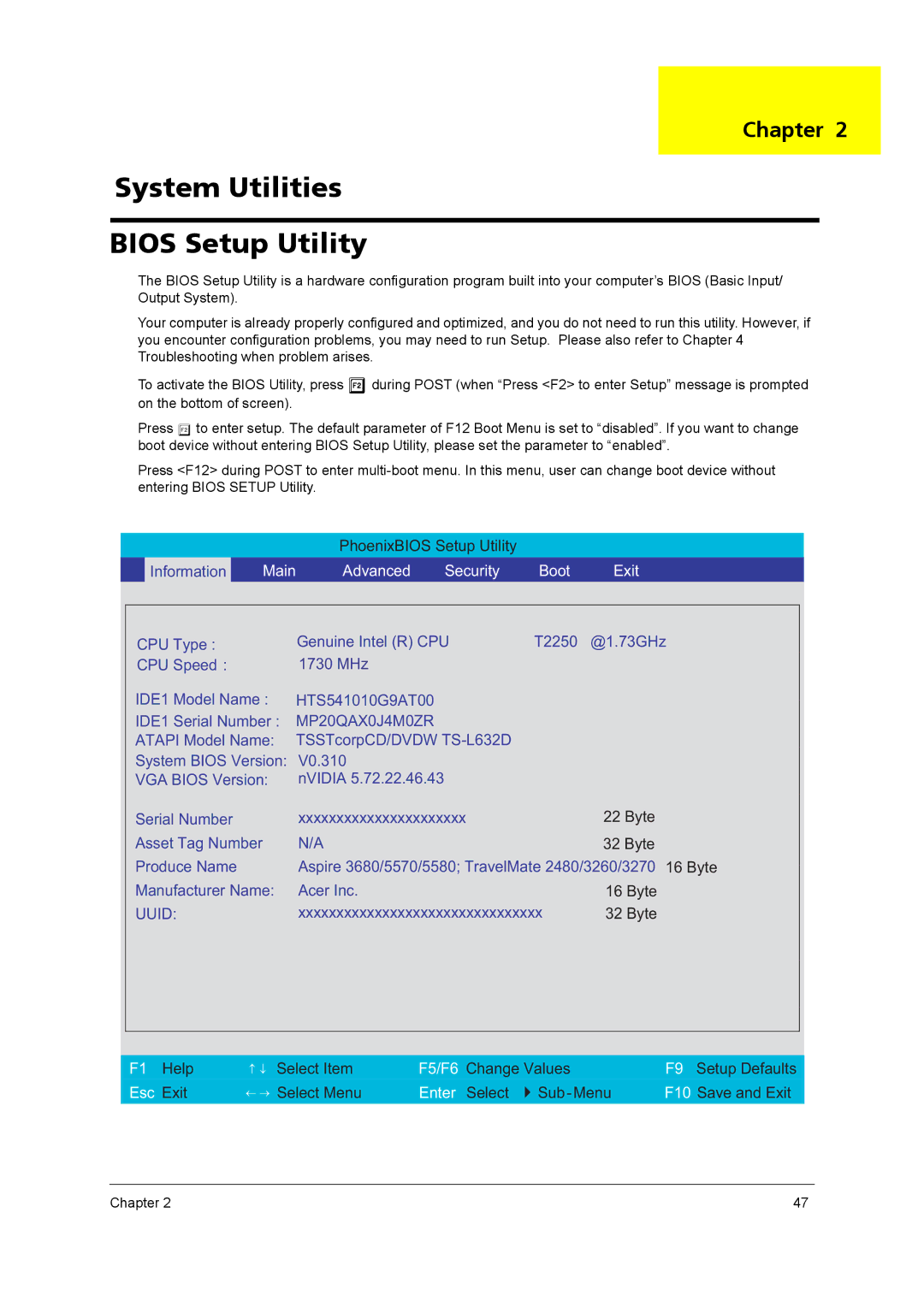
To activate the BIOS Utility, press mduring POST (when “Press <F2> to enter Setup” message is prompted on the bottom of screen).
Press m to enter setup. The default parameter of F12 Boot Menu is set to “disabled”. If you want to change boot device without entering BIOS Setup Utility, please set the parameter to “enabled”.
Press <F12> during POST to enter
PhoenixBIOS Setup Utility
| Information | Main | Advanced | Security | Boot | Exit |
|
|
|
|
|
|
|
|
| ||
| CPU Type : |
| Genuine Intel (R) CPU | T2250 | @1.73GHz |
| ||
| CPU Speed : |
| 1730 MHz |
|
|
|
|
|
| IDE1 Model Name : | HTS541010G9AT00 |
|
|
|
| ||
| IDE1 Serial Number : | MP20QAX0J4M0ZR |
|
|
|
| ||
| ATAPI Model Name: TSSTcorpCD/DVDW |
|
|
|
| |||
| System BIOS Version: | V0.310 |
|
|
|
|
| |
| VGA BIOS Version: | nVIDIA 5.72.22.46.43 |
|
|
|
| ||
| Serial Number |
| xxxxxxxxxxxxxxxxxxxxxx |
| 22 Byte |
|
| |
| Asset Tag Number | N/A |
|
| 32 Byte |
|
| |
| Produce Name |
| Aspire 3680/5570/5580; TravelMate 2480/3260/3270 | 16 Byte |
| |||
| Manufacturer Name: | Acer Inc. |
|
| 16 Byte |
|
| |
| UUID: |
| xxxxxxxxxxxxxxxxxxxxxxxxxxxxxxxx | 32 Byte |
|
| ||
|
|
|
|
|
|
| ||
|
|
|
|
|
|
|
|
|
| F1 Help | ↑ ↓ Select Item | F5/F6 Change Values |
| F9 Setup Defaults | |||
|
| ← → Select Menu |
|
| ||||
|
|
|
| |||||
| Esc Exit | Enter Select | F10 Save and Exit | |||||
|
|
|
|
|
|
|
|
|
Chapter 2 | 47 |