Front View Features
1
2 

3

 6
6
4 

5
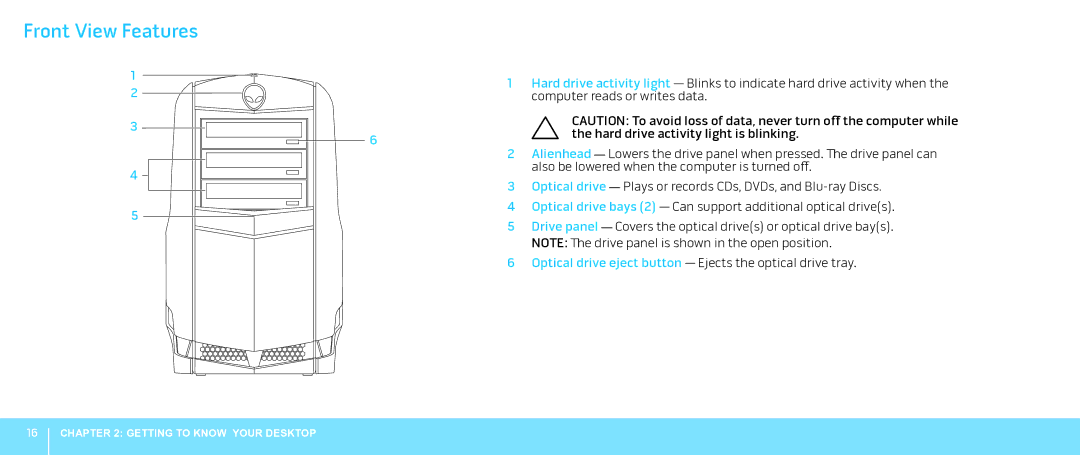
1Hard drive activity light — Blinks to indicate hard drive activity when the computer reads or writes data.
CAUTION: To avoid loss of data, never turn off the computer while the hard drive activity light is blinking.
2Alienhead — Lowers the drive panel when pressed. The drive panel can also be lowered when the computer is turned off.
3Optical drive — Plays or records CDs, DVDs, and
4Optical drive bays (2) — Can support additional optical drive(s).
5Drive panel — Covers the optical drive(s) or optical drive bay(s). NOTE: The drive panel is shown in the open position.
6Optical drive eject button — Ejects the optical drive tray.
16
CHAPTER 2: GETTING TO KNOW YOUR DESKTOP