Computer Upgrades
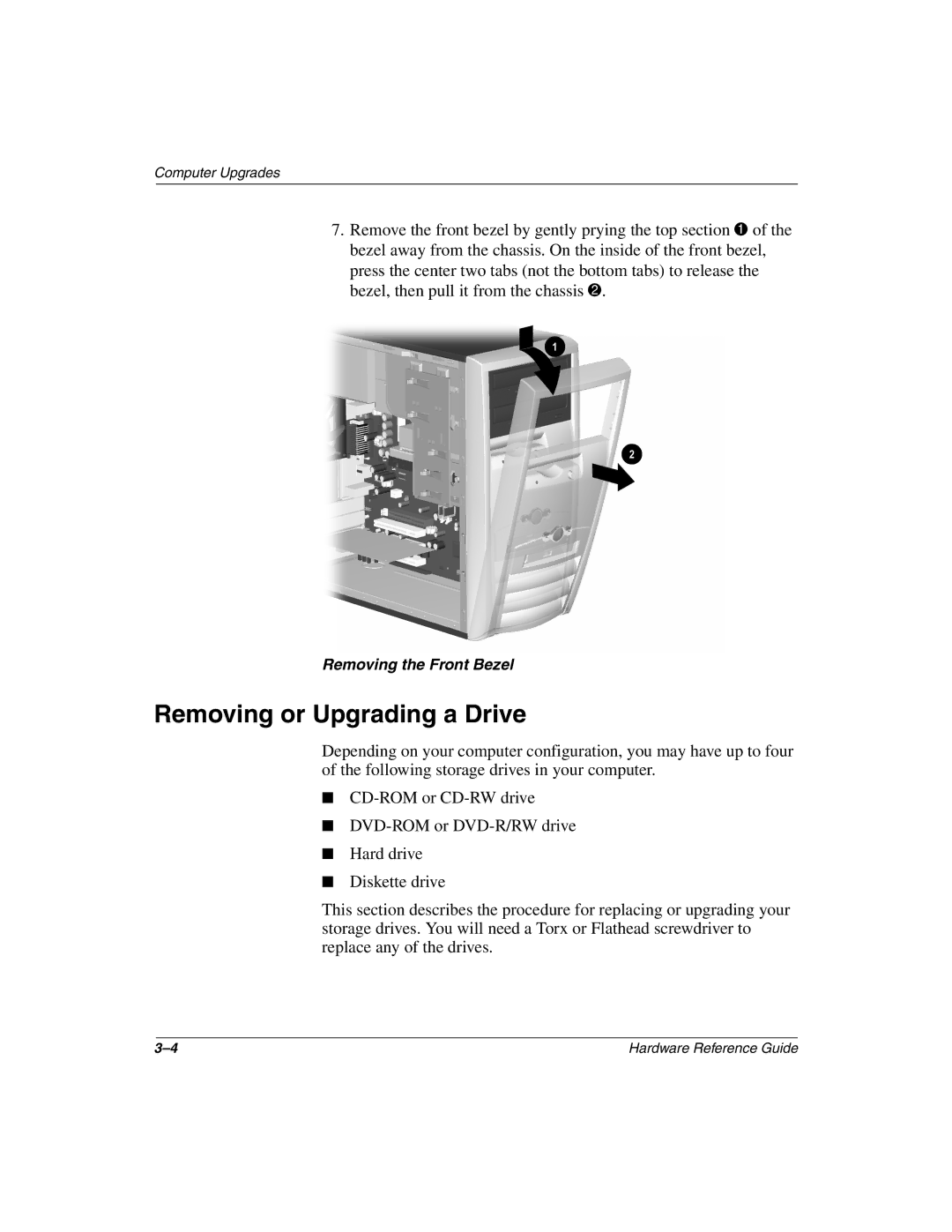
7.Remove the front bezel by gently prying the top section 1 of the bezel away from the chassis. On the inside of the front bezel, press the center two tabs (not the bottom tabs) to release the bezel, then pull it from the chassis 2.
Removing the Front Bezel
Removing or Upgrading a Drive
Depending on your computer configuration, you may have up to four of the following storage drives in your computer.
■
■
■Hard drive
■Diskette drive
This section describes the procedure for replacing or upgrading your storage drives. You will need a Torx or Flathead screwdriver to replace any of the drives.
Hardware Reference Guide |