5. CAMERA SETUP OPERATIONS
This camera utilizes an On Screen Display (OSD) user setup menu.
5.1 Setup Buttons
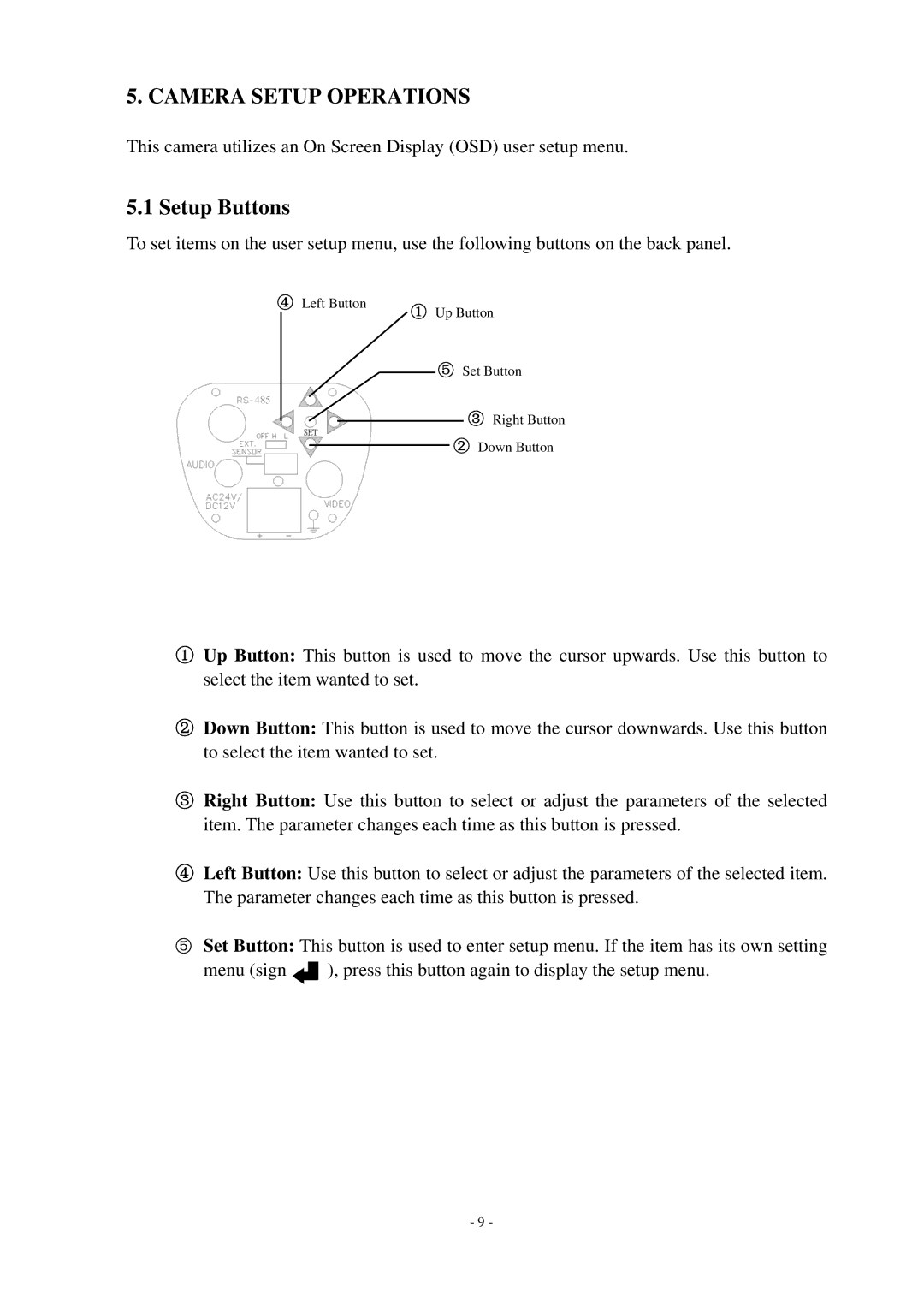
To set items on the user setup menu, use the following buttons on the back panel.
④ Left Button | ① Up Button |
|
⑤Set Button
485
③Right Button
②Down Button
①Up Button: This button is used to move the cursor upwards. Use this button to select the item wanted to set.
②Down Button: This button is used to move the cursor downwards. Use this button to select the item wanted to set.
③Right Button: Use this button to select or adjust the parameters of the selected item. The parameter changes each time as this button is pressed.
④Left Button: Use this button to select or adjust the parameters of the selected item. The parameter changes each time as this button is pressed.
⑤Set Button: This button is used to enter setup menu. If the item has its own setting
menu (sign  ), press this button again to display the setup menu.
- 9 -