-Main Menu of the call screen:
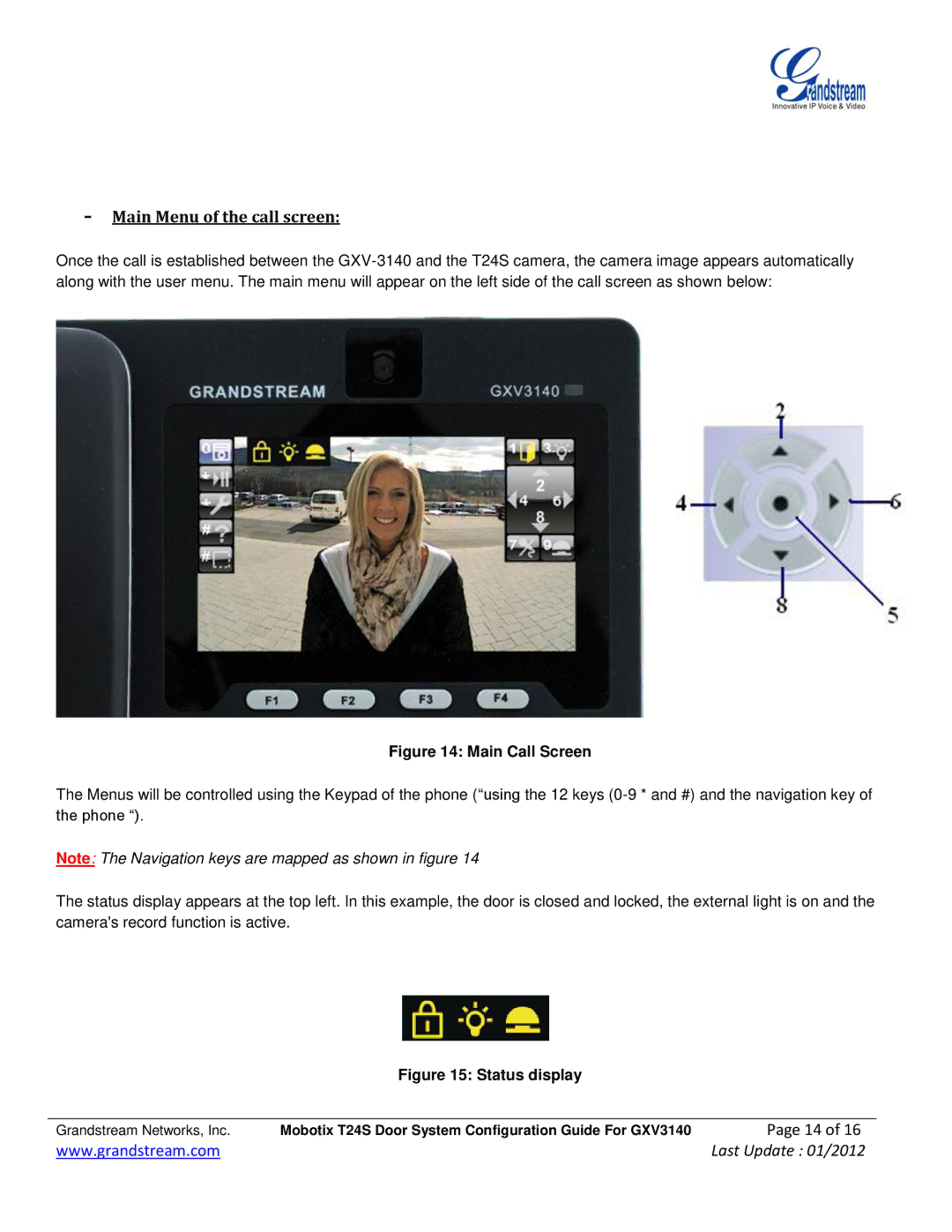
Once the call is established between the
Figure 14: Main Call Screen
The Menus will be controlled using the Keypad of the phone (“using the 12 keys
Note: The Navigation keys are mapped as shown in figure 14
The status display appears at the top left. In this example, the door is closed and locked, the external light is on and the camera's record function is active.
Figure 15: Status display
Grandstream Networks, Inc. | Mobotix T24S Door System Configuration Guide For GXV3140 | Page 14 of 16 |
www.grandstream.com |
| Last Update : 01/2012 |