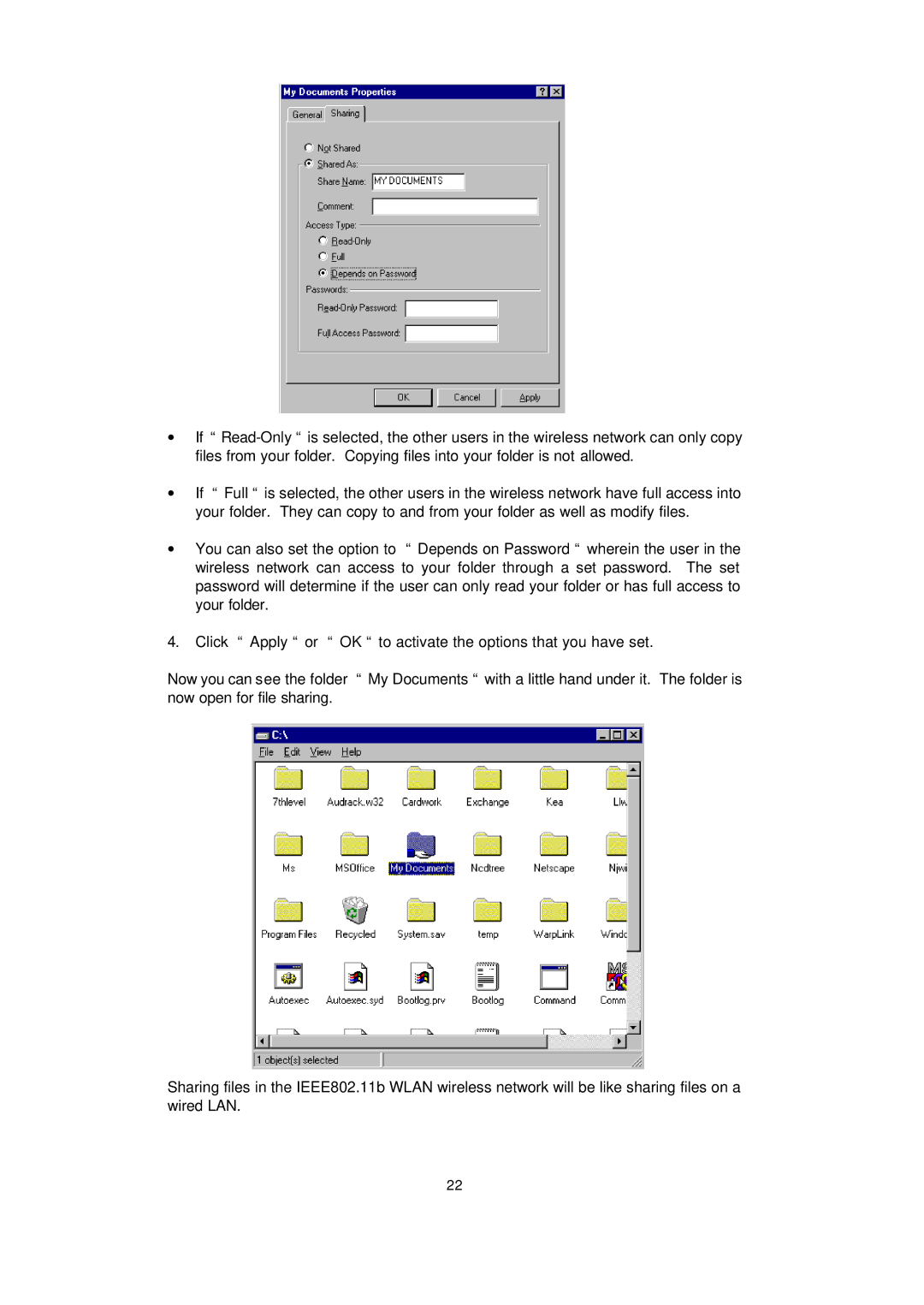
∙If “
∙If “ Full “ is selected, the other users in the wireless network have full access into your folder. They can copy to and from your folder as well as modify files.
∙You can also set the option to “ Depends on Password “ wherein the user in the wireless network can access to your folder through a set password. The set password will determine if the user can only read your folder or has full access to your folder.
4.Click “ Apply “ or “ OK “ to activate the options that you have set.
Now you can see the folder “ My Documents “ with a little hand under it. The folder is now open for file sharing.
Sharing files in the IEEE802.11b WLAN wireless network will be like sharing files on a wired LAN.
22