Easy Setup
Quick Easy Setup Connection Path
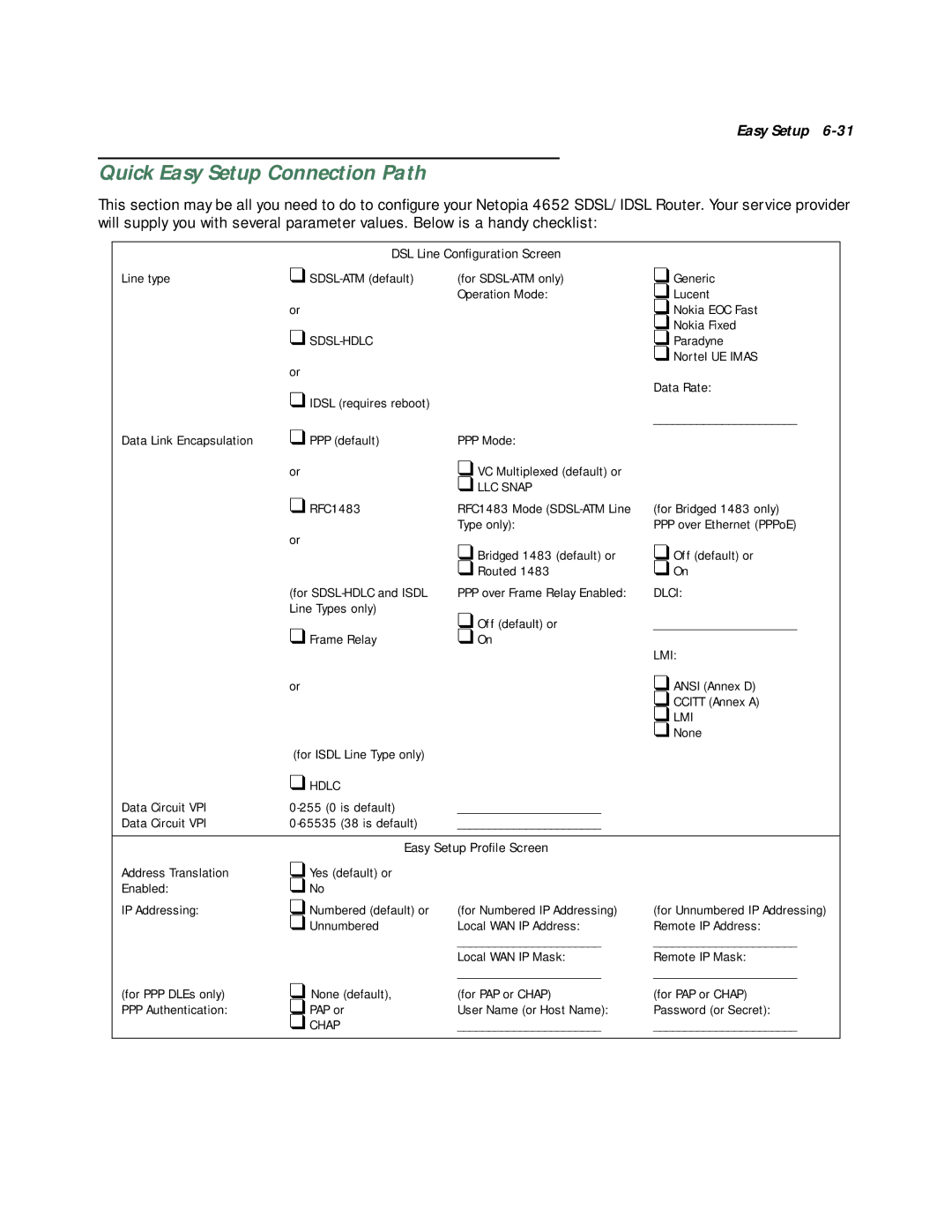
This section may be all you need to do to configure your Netopia 4652 SDSL/IDSL Router. Your service provider will supply you with several parameter values. Below is a handy checklist:
| DSL Line Configuration Screen | |
Line type | ❑ | (for |
|
| Operation Mode: |
| or |
|
| ❑ |
|
| or |
|
| ❑ IDSL (requires reboot) |
|
Data Link Encapsulation | ❑ PPP (default) | PPP Mode: |
| or | ❑ VC Multiplexed (default) or |
|
| ❑ LLC SNAP |
| ❑ RFC1483 | RFC1483 Mode |
|
| Type only): |
| or | ❑ Bridged 1483 (default) or |
|
| |
|
| ❑ Routed 1483 |
| (for | PPP over Frame Relay Enabled: |
| Line Types only) | ❑ Off (default) or |
| ❑ Frame Relay | |
| ❑ On | |
❑Generic
❑Lucent
❑Nokia EOC Fast
❑Nokia Fixed
❑Paradyne
❑Nortel UE IMAS
Data Rate:
_______________________
(for Bridged 1483 only) PPP over Ethernet (PPPoE)
❑Off (default) or
❑On
DLCI:
_______________________
LMI:
| or |
| ❑ ANSI (Annex D) |
|
|
| ❑ CCITT (Annex A) |
|
|
| ❑ LMI |
|
|
| ❑ None |
| (for ISDL Line Type only) |
|
|
| ❑ HDLC |
|
|
Data Circuit VPI | _______________________ |
| |
Data Circuit VPI | _______________________ |
| |
|
|
| |
| Easy Setup Profile Screen |
| |
Address Translation | ❑ Yes (default) or |
|
|
Enabled: | ❑ No |
|
|
IP Addressing: | ❑ Numbered (default) or | (for Numbered IP Addressing) | (for Unnumbered IP Addressing) |
| ❑ Unnumbered | Local WAN IP Address: | Remote IP Address: |
|
| _______________________ | _______________________ |
|
| Local WAN IP Mask: | Remote IP Mask: |
|
| _______________________ | _______________________ |
(for PPP DLEs only) | ❑ None (default), | (for PAP or CHAP) | (for PAP or CHAP) |
PPP Authentication: | ❑ PAP or | User Name (or Host Name): | Password (or Secret): |
| ❑ CHAP | _______________________ | _______________________ |