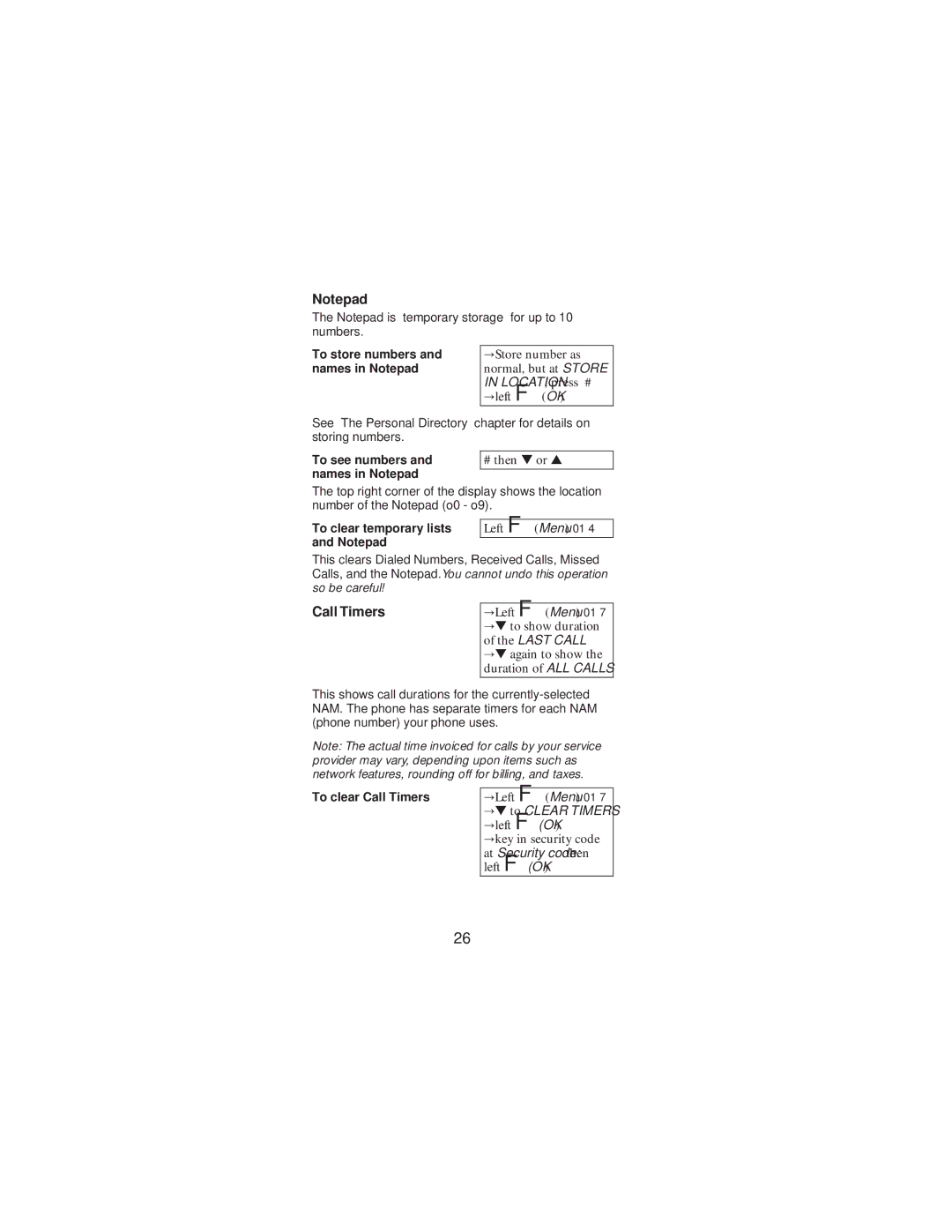
Notepad
The Notepad is “temporary storage” for up to 10 numbers.
To store numbers and names in Notepad
Store number as normal, but at STORE
’IN LOCATION, press #
left F(OK)
See “The Personal Directory” chapter for details on storing numbers.
To see numbers and names in Notepad
# then ▼ or ▲
The top right corner of the display shows the location number of the Notepad (o0 - o9).
To clear temporary lists and Notepad
Left F(Menu) 01 4
This clears Dialed Numbers, Received Calls, Missed Calls, and the Notepad. You cannot undo this operation so be careful!
Call Timers
Left F(Menu) 01 7
▼to show duration
’of the LAST CALL
▼again to show the duration of ALL CALLS
This shows call durations for the
Note: The actual time invoiced for calls by your service provider may vary, depending upon items such as network features, rounding off for billing, and taxes.
To clear Call Timers
Left F(Menu) 01 7
▼to CLEAR TIMERS
’left F(OK)
key in security code
at Security code: then left F(OK)
26