XM Radio Operation
Tuning Modes
Touch  to select between XM, XM1, XM2 and XM3 bands.
Channel Slection
Touch  momentarily to select the next available channel.
Storing and Recalling Preset Channels
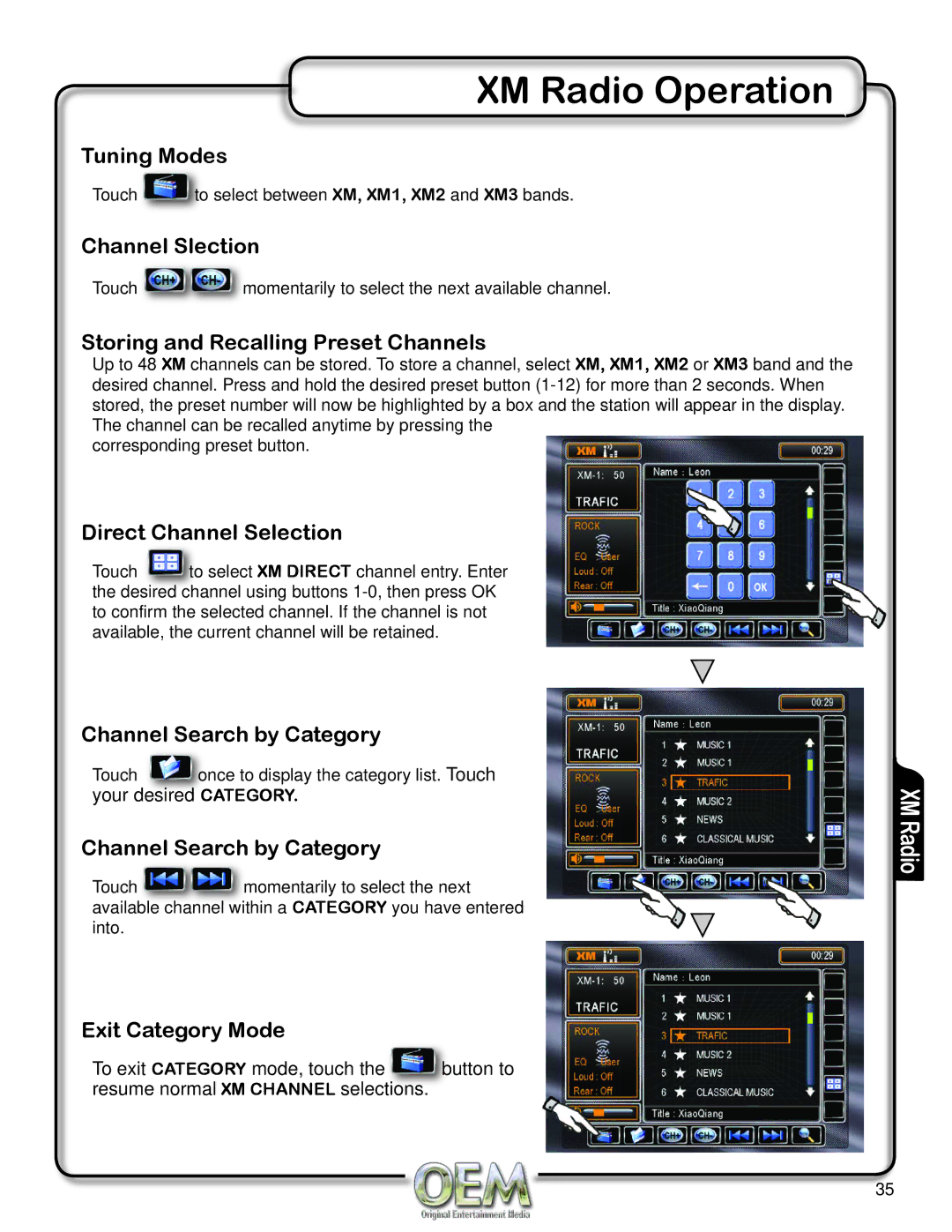
Up to 48 XM channels can be stored. To store a channel, select XM, XM1, XM2 or XM3 band and the desired channel. Press and hold the desired preset button
corresponding preset button.
Direct Channel Selection
Touch  to select XM DIRECT channel entry. Enter the desired channel using buttons
Channel Search by Category
Touch  once to display the category list. Touch your desired CATEGORY.
Channel Search by Category
Touch  momentarily to select the next available channel within a CATEGORY you have entered into.
Exit Category Mode
To exit CATEGORY mode, touch the  button to resume normal XM CHANNEL selections.
XM Radio
35