


 button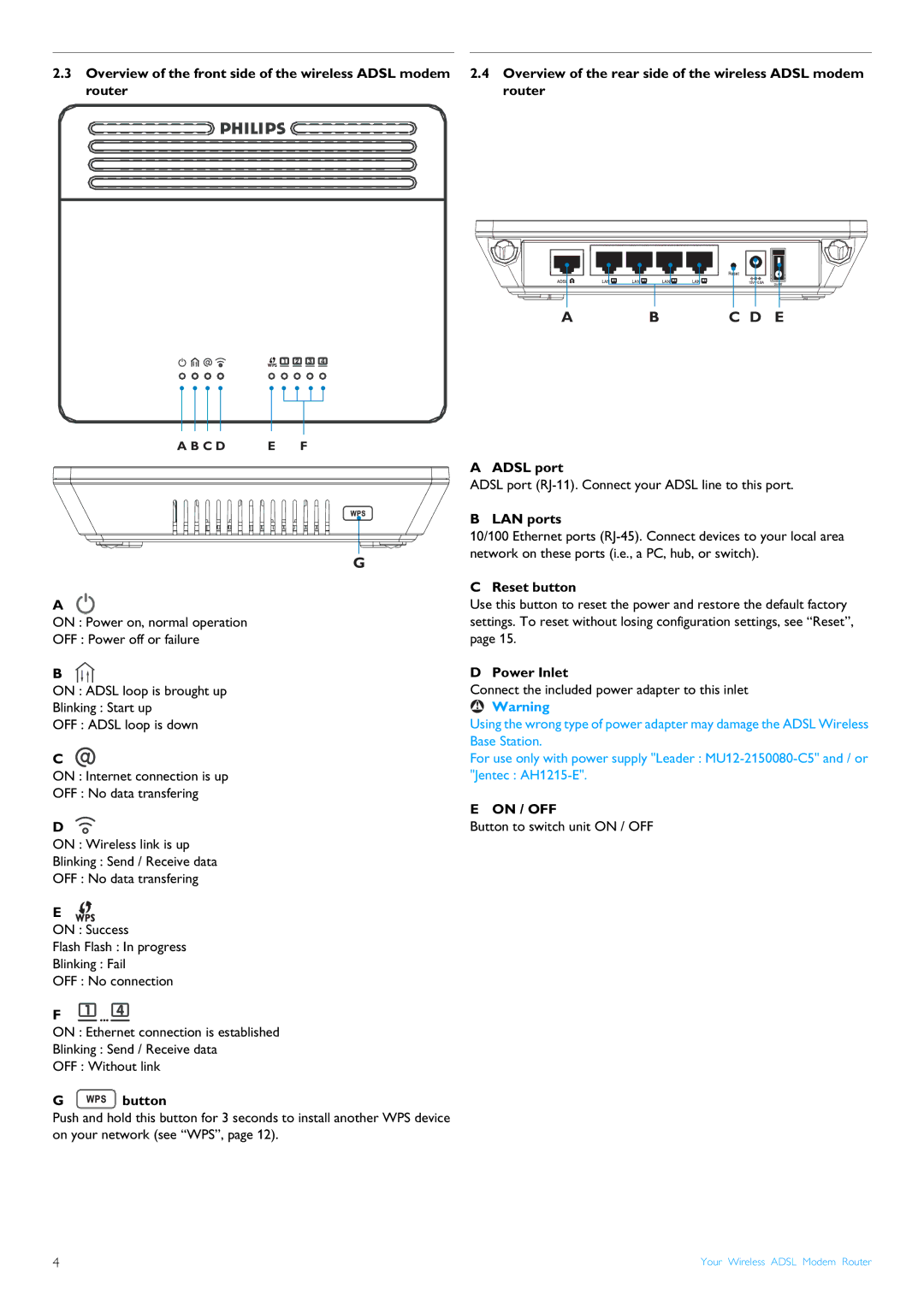
CGA7740N specifications
The Philips CGA7740N is a highly advanced audio device designed to elevate the listening experience in both casual and professional environments. With a sleek design and a range of innovative features, this product stands out in the crowded audio market.One of the main features of the CGA7740N is its impressive sound quality. The device incorporates high-fidelity audio technology, delivering crystal-clear sound with deep bass and crisp treble. This ensures that music, movies, and games are experienced as intended, with every note and nuance captured flawlessly.
The CGA7740N also utilizes advanced connectivity options, making it a versatile addition to any home audio setup. It is equipped with Bluetooth technology, allowing for seamless wireless streaming from smartphones, tablets, and other compatible devices. Additionally, it includes multiple input options such as HDMI, USB, and optical audio, enabling easy connections to various multimedia systems and peripherals.
An excellent characteristic of this model is its user-friendly interface. With intuitive controls and a well-structured layout, users can easily navigate through various settings, adjust sound profiles, and access their favorite playlists. The device also features a remote control for added convenience, making it easy to manage audio playback from a distance.
Moreover, the CGA7740N includes innovative sound processing technologies, such as Dolby Atmos and DTS:X, which provide an immersive audio experience. These technologies enhance the spatial quality of sounds, allowing users to feel as though they are part of the action, whether they are watching a film or listening to music.
The design of the CGA7740N is equally impressive, with a modern aesthetic that fits seamlessly into any décor. The build quality reflects a commitment to durability, ensuring that the device stands up to regular use over time.
In summary, the Philips CGA7740N brings together high-quality audio performance, versatile connectivity options, user-friendly controls, and modern design elements. It is an excellent choice for anyone seeking to enhance their audio experience, whether at home or in a professional setting. With its advanced features and reliable performance, the CGA7740N continues to be a standout product in the audio market.