Overview of the main unit
a b
c
d
e
f
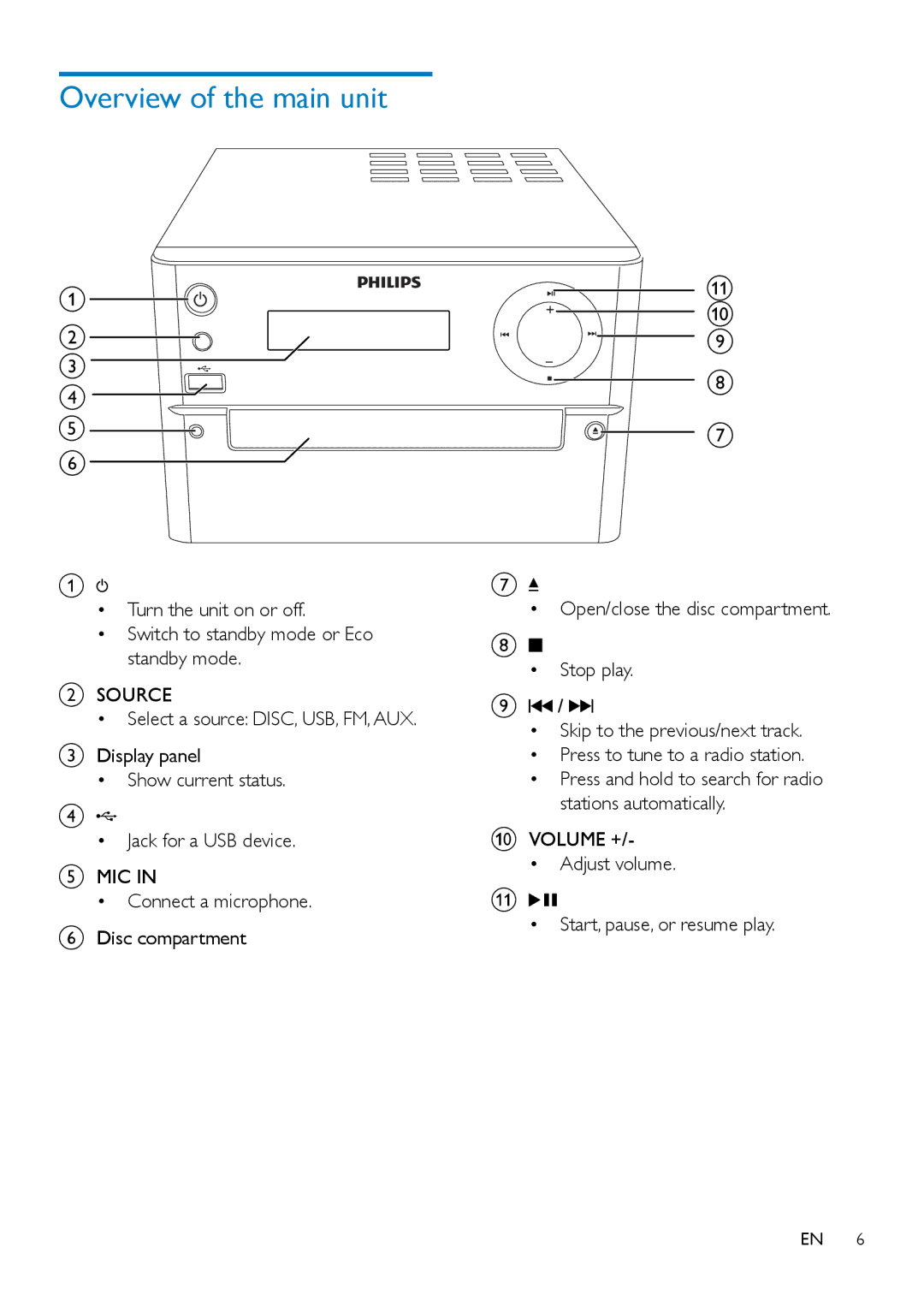
A
•Turn the unit on or off.
•Switch to standby mode or Eco standby mode.
BSOURCE
•Select a source: DISC, USB, FM, AUX.
CDisplay panel
•Show current status.
D
•Jack for a USB device.
EMIC IN
•Connect a microphone.
FDisc compartment
k j i
h
g
G
•Open/close the disc compartment.
H
•Stop play.
I /
/ 


•Skip to the previous/next track.
•Press to tune to a radio station.
•Press and hold to search for radio stations automatically.
JVOLUME +/-
•Adjust volume.
K

•Start, pause, or resume play.
EN 6