Configuration Guide
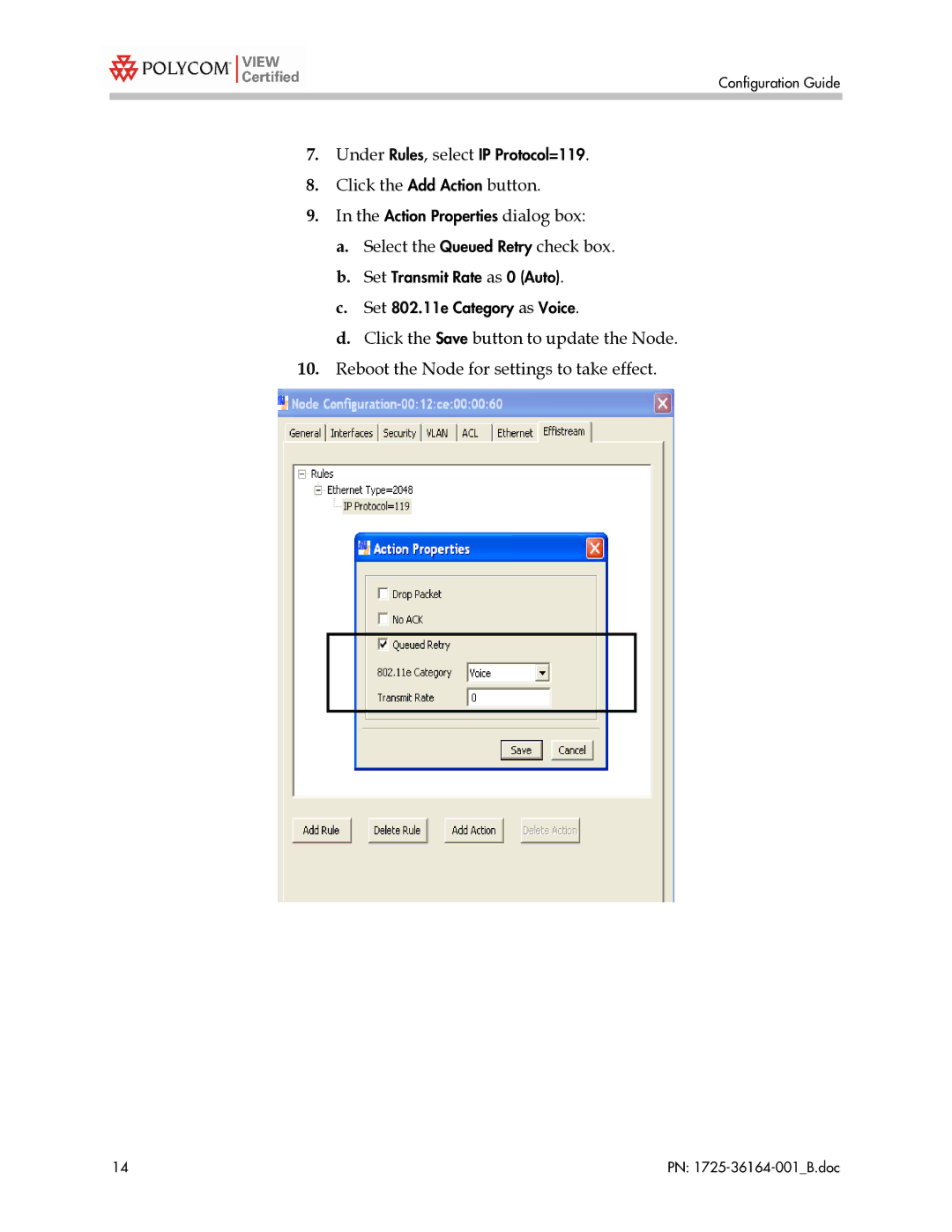
7.Under Rules, select IP Protocol=119.
8.Click the Add Action button.
9.In the Action Properties dialog box:
a.Select the Queued Retry check box.
b.Set Transmit Rate as 0 (Auto).
c.Set 802.11e Category as Voice.
d.Click the Save button to update the Node.
10.Reboot the Node for settings to take effect.
14 | PN: |