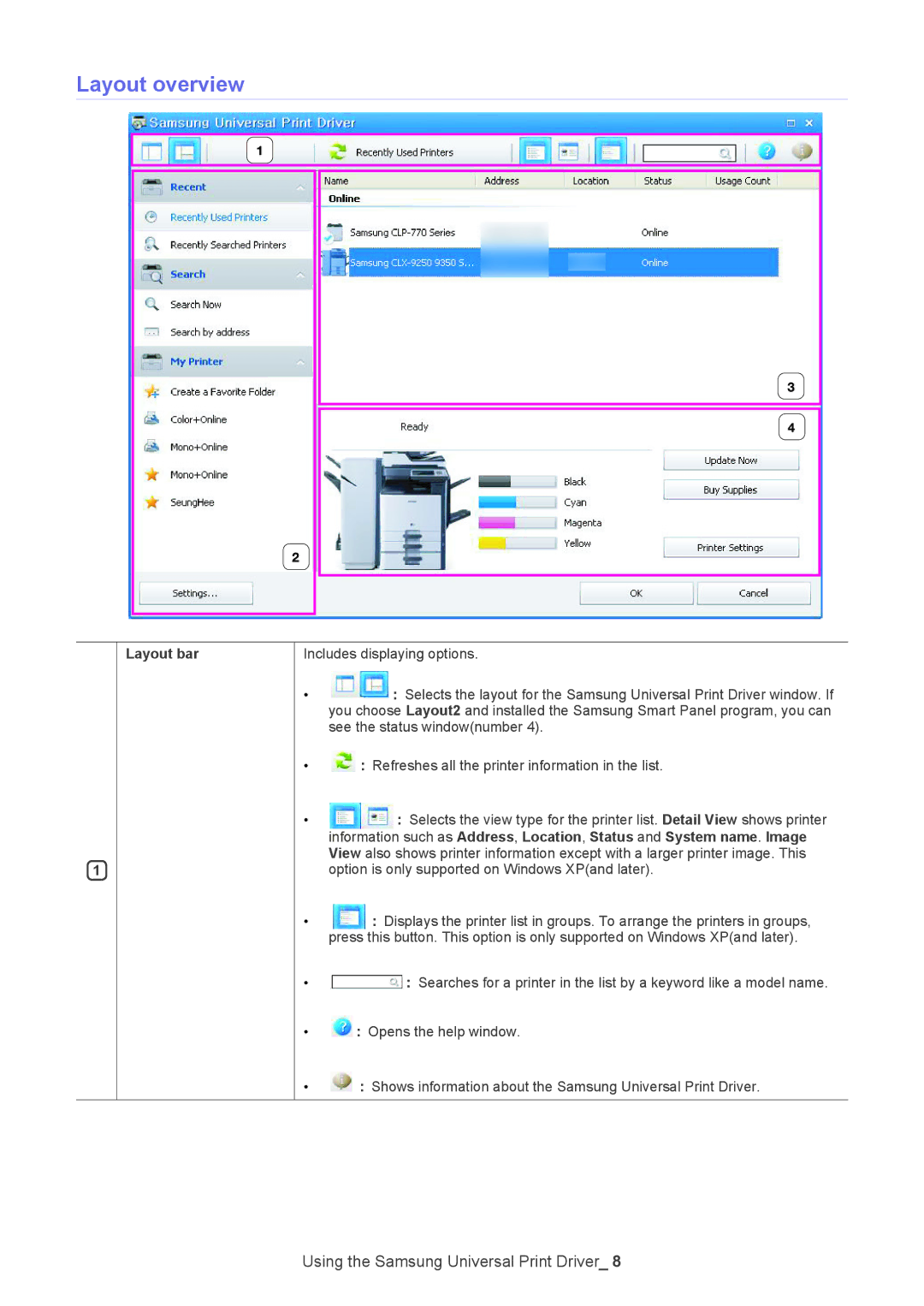
Layout overview
1
Layout bar
Includes displaying options.
• : Selects the layout for the Samsung Universal Print Driver window. If you choose Layout2 and installed the Samsung Smart Panel program, you can see the status window(number 4).
• : Refreshes all the printer information in the list.
• : Selects the view type for the printer list. Detail View shows printer information such as Address, Location, Status and System name. Image View also shows printer information except with a larger printer image. This option is only supported on Windows XP(and later).
• : Displays the printer list in groups. To arrange the printers in groups, press this button. This option is only supported on Windows XP(and later).
• : Searches for a printer in the list by a keyword like a model name.
• : Opens the help window.
• : Shows information about the Samsung Universal Print Driver.
Using the Samsung Universal Print Driver_ 8