Sentry Xpress
Digital Temperature Controller
°F |
|
|
| Indicator |
|
|
| Lights | |
°C |
|
| Program | Light is |
|
|
| on during pro- | |
|
| Review | gramming. | |
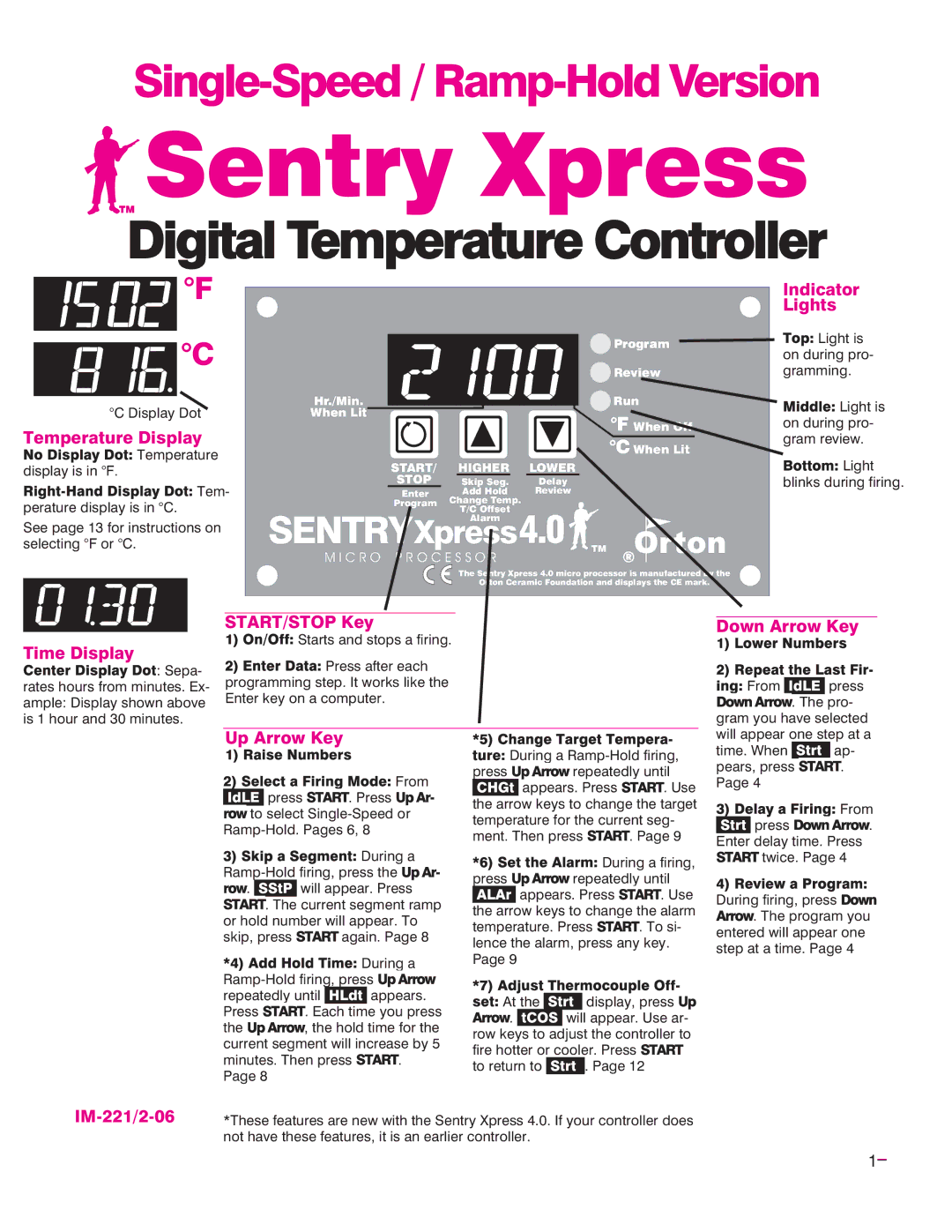
°C Display Dot | Hr./Min. |
| Run | Light is |
When Lit |
| °F When Off | ||
Temperature Display |
|
| on during pro- | |
|
| °C When Lit | gram review. | |
Temperature | START/ | HIGHER | Light | |
display is in °F. | LOWER | |||
Tem- | STOP | Skip Seg. | Delay | blinks during firing. |
Enter | Add Hold | Review |
| |
perature display is in °C. | Program | Change Temp. |
|
|
T/C Offset |
|
| ||
See page 13 for instructions on |
| Alarm |
|
|
SENTRYXpress4.0 TM |
| |||
selecting °F or °C. |
| |||
| M I C R O P R O C E S S O R |
|
| |
|
| The Sentry Xpress 4.0 micro processor is manufactured by the |
| |
|
| Orton Ceramic Foundation and displays the CE mark. |
| |


 : Sepa- rates hours from minutes. Ex- ample: Display shown above is 1 hour and 30 minutes.
START/STOP Key


 Starts and stops a firing.
Press after each
programming step. It works like the Enter key on a computer.
Down Arrow Key
 From
From 
 press
press


 . The pro-
gram you have selected
Up Arrow Key


 press
press


 . Press From
 to select
| During a |
. | will appear. Press |
. The current segment ramp | |
or hold number will appear. To | |
skip, press | again. Page 8 |


 During a


repeatedly until 
 appears.
Press 

 . Each time you press
the 


 , the hold time for the current segment will increase by 5
minutes. Then press 

 . Page 8

 During a
press 


 repeatedly until


 appears. Press

 . Use the arrow keys to change the target temperature for the current seg-
ment. Then press 

 . Page 9
press |
| During a firing, | |
| |||
| repeatedly until | ||
| appears. Press | . Use | |
the arrow keys to change the alarm | ||||
temperature. Press | . To si- | |||
lence the alarm, press any key. | ||||
Page 9 |
|
|
|
|
|
|
| ||
At the |
| display, |
| press |
| ||||
|
| |||
. | will | appear. Use ar- | ||
row keys to adjust the controller to | |
fire hotter or cooler. Press | |
to return to | . Page 12 |
will appear one step at a
time. When 
 ap-
ap-
pears, press 

 . Page 4
 From
From

 press
press 


 . Enter delay time. Press


 twice. Page 4
During firing, press 


 . The program you entered will appear one step at a time. Page 4
IM-221/2-06
*These features are new with the Sentry Xpress 4.0. If your controller does not have these features, it is an earlier controller.
1