VIVOTEK
NOTENOTE:
►If the default ports are already used by other devices connected to the same router, the Network
Camera will select other ports for the Network Camera.
►If UPnPTM is not supported by your router, you will see the following message:
Error: Router does not support UPnP port forwarding.
►Steps to enable the UPnPTM user interface on your computer:
Note that you must log on to the computer as a system administrator to install the UPnPTM components.
1.Go to Start, click Control Panel, then click Add or Remove Programs.
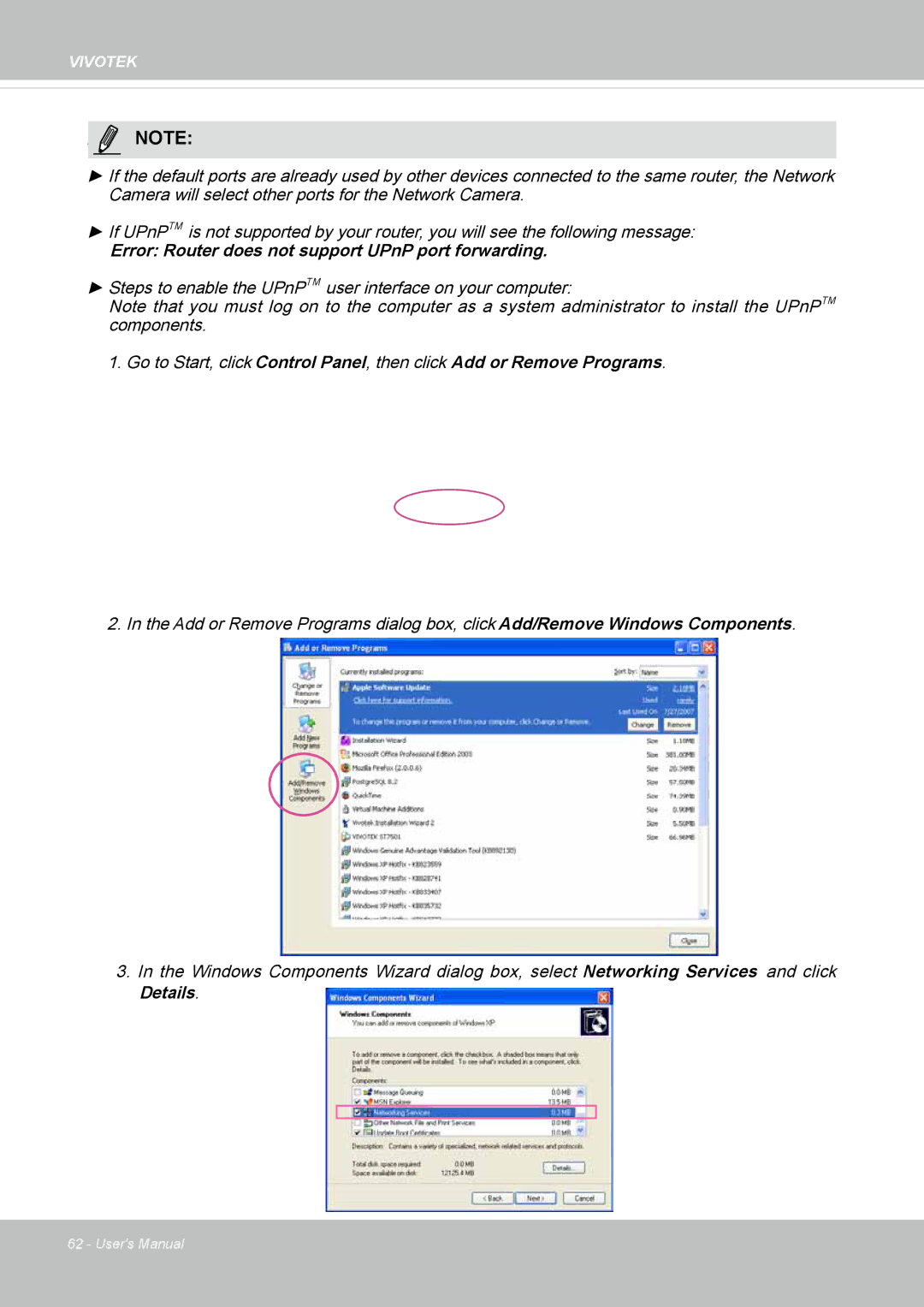
2. In the Add or Remove Programs dialog box, click Add/Remove Windows Components.
3.In the Windows Components Wizard dialog box, select Networking Services and click Details.
62 - User's Manual